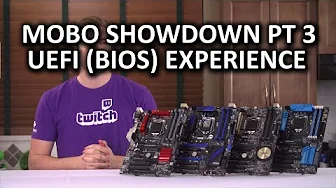
Bang for the Buck Z97 Motherboard Showdown Part 3 - UEFI (BIOS) Experience & Usability
0 up · 0 down · 0 ratings
Channels and socials
How does the UEFI of each of our affordable motherboards stack up against the rest from a usability standpoint? Sponsor link: linustechtips.com Pricing & discussion: linustechtips.com Support us: linustechtips.com Join our community forum: bit.ly twitter.com @LinusTech Intro Screen Music Credit: Adhesive Wombat -
Check out his channel here: youtube.com Outro Screen Music Credit: Approaching Nirvana - Sugar High youtube.com
This third installment in the Bang for the Buck Z97 motherboard showdown focuses on the UEFI BIOS experience and overall usability across affordable boards. The video frames the test around boards that cost roughly $100 USD, aiming to reveal practical tradeoffs people actually encounter when building a budget system. The host explicitly notes that while basic BIOS features are similar across vendors, the real differentiators lie in ease of use, interface design, and quick access to common tasks such as boot order, RAM configuration, and fan controls. He also provides a concise disclaimer that the evaluation represents his opinion, while promising as much visual footage of each UEFI as possible so viewers can form their own judgments. The narrative sets expectations for a future Part 4 that will cover the finished-system experience and a final conclusion to the series, tying the UEFI assessment to the broader build process. In the first portion of the segment, the host highlights how each board handles basic setup tasks, USB peripherals, RAM compatibility, and XMP profiles, with a specific emphasis on the user journey through Easy Mode versus Advanced Mode. He describes the Seuss Easy Mode as surprisingly capable, listing features like system information, boot priority, a dedicated fan control with multiple profiles, and a clear layout that helps newcomers. The discussion then moves to other vendors, noting that ASRock offers an UEFI guide for beginners, Gigabyte includes a startup guide, and MSI provides a broader, visually driven interface with a large hardware monitor. These comparisons illustrate how different manufacturers balance accessibility for newcomers against deeper, more granular control for power users. The conclusion frames a clear winner and runner-up based on non-buggy performance and overall ease of use, with Asus taking the top spot and MSI as a close runner up. The host acknowledges that a single verdict is influenced by user needs and port configurations, but emphasizes consistent success across USB devices, solid fan controls, and intuitive quick-access menus as key factors. He praises Asus for readable hotkey layouts and responsive navigation, while noting minor inconveniences on some boards like scrolling quirks on MSI. The video ends by inviting audience input on which UEFI implementation they preferred and teases upcoming forum discussions and future content, including potential shirt merchandise and community features.
Topics · technology · hardware · computing · motherboards
Questions answered
- What is the main focus of Bang for the Buck Z97 Motherboard Showdown Part 3?
- The main focus is the UEFI BIOS experience and usability across affordable Z97 boards, including ease of use, navigation, and practical setup tasks.
- Which motherboard received the gold medal and which was runner up in the host's assessment?
- ASUS received the gold medal and MSI was the runner up, based on non-buggy performance and overall ease of use across tested UEFI interfaces.