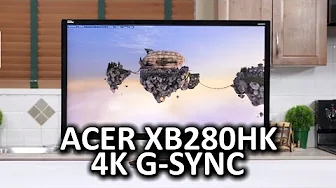
Acer XB280HK 4K G-Sync Monitor
0 up · 0 down · 0 ratings
Channels and socials
Acer has taken a huge step back onto the right track with their XB280HK G-Sync monitor. But is 4K G-Sync still too ambitious for most gamers running current mainstream hardware? Sponsor link: linustechtips.com Pricing & discussion: linustechtips.com Support us: linustechtips.com Join our community forum: bit.ly twitter.com @LinusTech Intro Screen Music Credit: Adhesive Wombat -
Check out his channel here: youtube.com Outro Screen Music Credit: Approaching Nirvana - Sugar High youtube.com
The video begins with Linus highlighting Acer's return to focus on the gaming monitor market, specifically calling out the XB280HK as one of the few high-end G-Sync 4K options that truly matters. He then proceeds with a physical overview, noting a large 28-inch 16x9 panel, a chunky bezel, and a tool-less stand that allows tilt, swivel, height, and pivot adjustments. He discusses build quality and the price delta introduced by the G-Sync module, comparing it to other 4K displays and noting that Acer is not cutting corners on the stand despite a premium. The reviewer moves on to ports and internal hub layout, explaining the single DisplayPort 1.2 input dictated by Nvidia’s first generation G-Sync module, and the implications for users who might expect additional inputs. He then delves into panel characteristics, describing contrast, color reproduction on a TN panel, brightness, and viewing angles, emphasizing that most users will be centered and that color shifts and uniformity issues are present but manageable in normal use. The gaming experience section follows, with commentary on timing release with contemporary GPUs, the relationship between 4K resolution, frame rate, and G-Sync, and a subjective takeaway that the monitor pairs well with current GeForce GPUs for a smooth, high-detail experience. Linus describes his benchmarking approach as more qualitative, explaining that he tests player-perceived smoothness rather than chasing synthetic frame-rate numbers, and shares a surprising insight about anti-aliasing and frame rates at around 40 FPS or higher, where the experience still feels very close to 60 FPS. The verdict compares this 4K G-Sync option to the Asus Rog Swift, framing Acer as the option for 4K with G-Sync today while acknowledging the Rog Swift’s different strengths, like 144 Hz and slimmer bezels. He concludes by inviting viewers to like, comment, and support via affiliate links, while reiterating the value of high-end displays for competitive gaming and directing audience to more content and community resources.
Topics · technology · hardware · gaming
Questions answered
- What makes the Acer XB280HK a notable pick among high-end G-Sync monitors?
- It combines 4K resolution with G-Sync support in a single display, offering smooth gameplay at high detail levels when paired with capable GPUs, and includes a robust stand with multiple ergonomic adjustments.
- What are the main drawbacks discussed for the XB280HK?
- A thick glossy bezel, a single DisplayPort input due to the early G-Sync module, and the premium price compared to non-G-Sync 4K monitors.