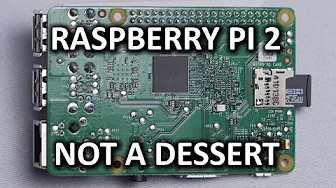
Raspberry Pi 2 - A Basic Overview & Introduction
0 up · 0 down · 0 ratings
Channels and socials
The Raspberry Pi 2 is a pretty neat little device... but why is it so cool, and what can you do with it? Massdrop link: dro.ps Intel link: linustechtips.com Pricing & discussion: linustechtips.com Support us: linustechtips.com Join our community forum: bit.ly twitter.com @LinusTech Title: Laszlo - Supernova Video Link: youtube.com iTunes Download Link: itunes.apple.com Artist Link: soundcloud.com Outro Screen Music Credit: Approaching Nirvana - Sugar High youtube.com
The Raspberry Pi 2 Model is introduced as a compact, feature-packed single board computer that fits on a card-sized PCB yet delivers a surprising amount of capability. The video highlights the board’s core hardware: a system-on-chip containing a 900 MHz CPU, a 250 MHz GPU, 1 GB of DDR2 RAM, four USB 2.0 ports, full-size HDMI with audio, a 3.5mm stereo jack capable of video output via adapter, Ethernet, and micro SD storage. Power is supplied via a micro USB port, with a typical 1 A charger suitable for most uses, and users can opt for higher amperage if they plan to draw more from the USB ports. The Pi 2 also includes optional connectors for a mini LCD display and a camera module, expanding its versatility for projects like security systems, robotics, and media capture. A key feature emphasized is the 40-pin GPIO header, which is fully programmable and enables control of a wide range of devices such as sensors, motors, and RC platforms, making the Pi 2 a flexible platform for experimentation and custom builds. The host compares the Pi 2’s CPU to that of a smartphone class component (ARM Cortex-A7, similar to some Galaxy models) and questions whether the device could serve as a basic PC, particularly for light tasks such as social media, web browsing, and media consumption. The video then walks through first-time setup: inserting a micro SD card with the Rasbian Linux distribution, running a configuration utility, and booting into the Rasbian desktop in about 20 seconds, noting a Mac-like interface from the late 1990s with a top taskbar and simple apps. While acknowledging a learning curve for Linux newcomers, the presenter encourages experimentation and points to abundant online resources for guidance. In terms of use cases, the Pi 2 shines in retro gaming and lightweight projects, with numerous online tutorials for building compact gaming devices or retro handhelds, and it remains capable for media servers, automation, and educational experiments. The video also frames practical expectations, noting that certain modern websites may challenge the Pi 2’s performance, and it emphasizes that the device is ideal for hands-on projects and learning rather than as a full desktop replacement for demanding tasks. The host ends by inviting viewers to share project ideas and points to community forums and sponsor links, while highlighting the Pi 2 as a cost-effective experimentation platform that can inspire creativity across a range of DIY applications.
Topics · technology · computing · hardware · single-board-computer · education