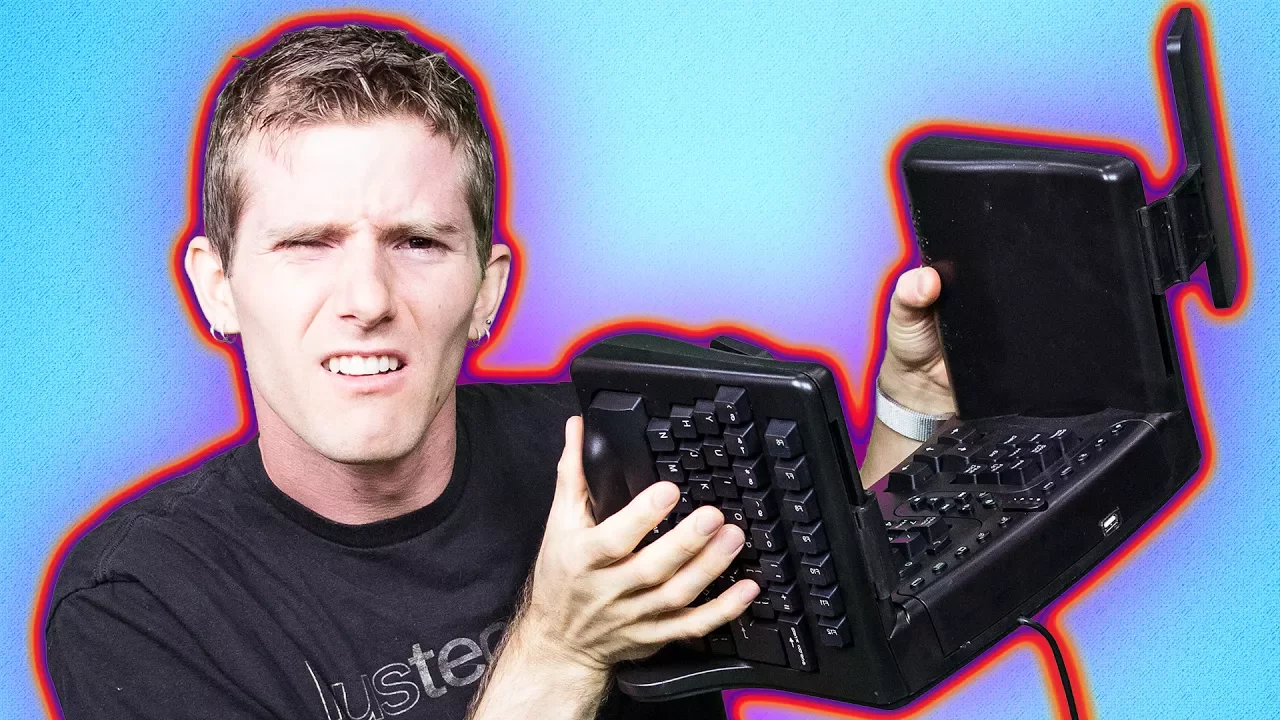
WTF?? A 3-Dimensional Keyboard??
0 up · 0 down · 0 ratings
Description
Some products make you turn to the heavens and shout "Why?!" In this ergonomic keyboard review, we tell you what Safetype was thinking Try Tunnelbear for free at tunnelbear.com and save 10%
Promos
Check out Coolermaster's 25th Anniversary Cosmos II here: geni.us Buy on Amazon: geni.us Discuss on the forum: linustechtips.com Our Affiliates, Referral Programs, and Sponsors: linustechtips.com Linus Tech Tips merchandise at designbyhumans.com Linus Tech Tips posters at crowdmade.com Our production gear: geni.us Twitter - twitter.com Facebook - @LinusTech Instagram - @linustech Intro Screen Music Credit: Title: Laszlo - Supernova Video Link: youtube.com iTunes Download Link: itunes.apple.com Artist Link: soundcloud.com Outro Screen Music Credit: Approaching Nirvana - Sugar High youtube.com Sound effects provided by freesfx.co.uk .
The video opens by contrasting two types of keyboard makers: followers and leaders, and then introduces a so-called leader in ergonomic design, the SafeType keyboard. The host describes SafeType’s radical approach of turning the keyboard on its side, with the alpha portion split into two equal halves and rotated, making it the most three dimensional keyboard they’ve tested. He notes a curious array of features in the box, including high visibility components and even rear view mirrors that can be adjusted to aim at function keys, with the tongue-in-cheek suggestion that this helps users avoid losing track of their key placements. The presenter then explains how the layout shifts workloads by reassigning the workload of the right pinky to the left thumb via a shifted backspace key, and he points out novel legends such as rotated symbols that may initially look bizarre but are designed to improve typing speed once acclimated. He also highlights safety claims from SafeType about addressing common ergonomic postures such as ulnar deviation, extension, and pronation, while cautioning that real-world benefits depend on the user’s desk setup and posture. The discussion moves to practical usability, noting that while the membrane switches feel mushy, and the vertical hand position may help with pronation, some setups require raising the chair or adjusting the desk for optimal ergonomics. In conclusion, the host emphasizes that the product may benefit certain users with an appropriate standing desk or keyboard tray, but it involves a learning curve and higher cost, leaving the reader to decide if the potential health benefits justify the investment, or if traditional keyboards remain the better option for immediate proficiency.
Topics · ergonomics · hardware-reviews · computer-accessories · technology
Questions answered
- What is unique about the SafeType keyboard design?
- SafeType splits the alpha section into two halves, rotates them, and places the keyboard on its side, creating a three-dimensional layout with unusual features like inverted backspace usage and adjustable rear-view mirrors for visibility of keys.
- Do ergonomic claims hold up in real-world use?
- The presenter notes that benefits depend on the user’s desk setup and posture, that the membrane switches feel mushy, and that while some posture issues might be mitigated by the design, others may be worsened if the workstation is not properly adjusted.