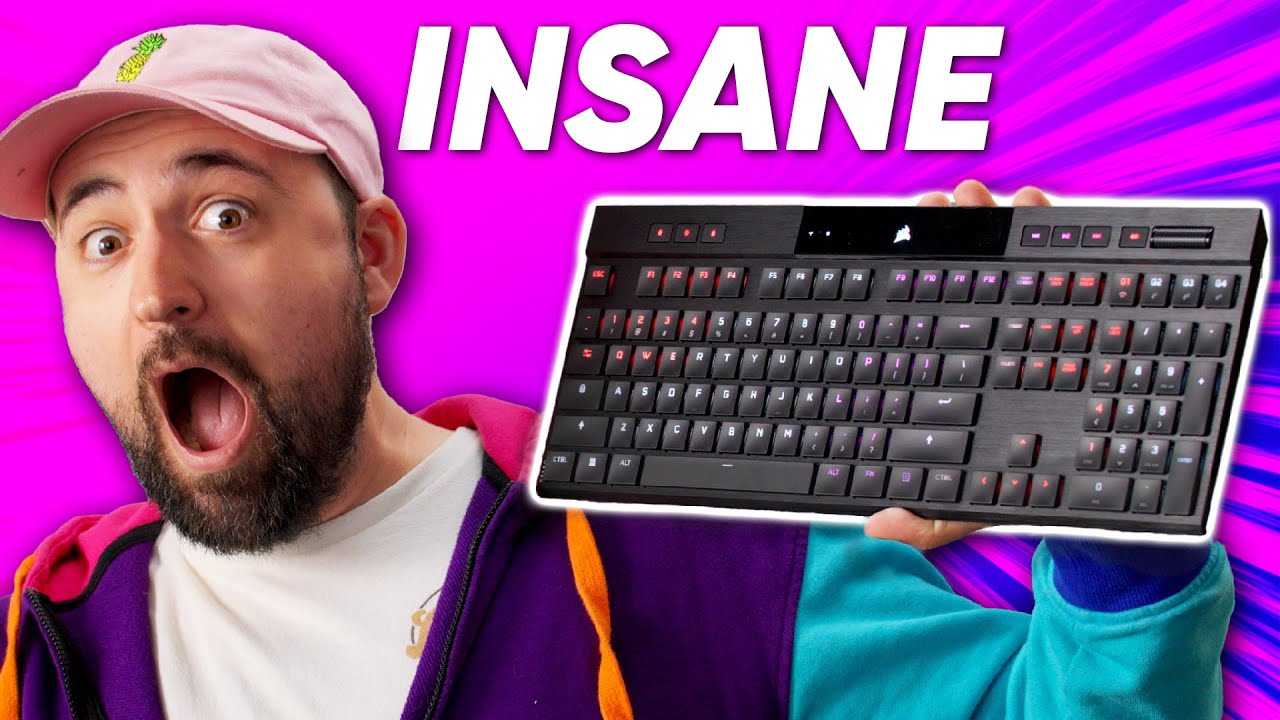
Corsair's THINNEST keyboard yet - Corsair K100 Air
0 up · 0 down · 0 ratings
Promos
Learn why no two games of Stellaris are ever the same free starting the 22nd at: lmg.gg Lots of keyboards seem to get bigger and bigger with more and more features packed in, but Corsair is here with something different. The K100 Air is an extremely thin keyboard with ultra-low profile switches to emulate the feeling of typing on a laptop. Will Plouffe be impressed or should you stick to your Apple Magic Keyboard? Buy a Corsair K100 Air: geni.us Purchases made through some store links may provide some compensation to Linus Media Group. Want us to unbox something? Make a suggestion at lmg.gg ► GET MERCH: lttstore.com ► LTX 2023 TICKETS AVAILABLE NOW: lmg.gg ► GET EXCLUSIVE CONTENT ON FLOATPLANE: lmg.gg ► SPONSORS, AFFILIATES, AND PARTNERS: lmg.gg ► PRODUCTS WE USE ON THE SHORTCIRCUIT SET: lmg.gg FOLLOW US ELSEWHERE --------------------------------------------------- Twitter: twitter.com Instagram: @shortcircuityt TikTok: @linustech Facebook: @ShortCircuitYT CHAPTERS --------------------------------------------------- 0:00 So low-profile 0:50 Unboxing 1:21 Design impressions 5:06 Sponsor - Paradox Interactive 5:41 Powering it up 6:15 Typing impressions 7:52 Checking out iCue, RGB, and other features 12:02 Pricing and overall thoughts 13:37 Outro
Corsair pushes the K100 Air as Corsair’s thinnest keyboard yet, a device designed to feel like a laptop keyboard while delivering full keyboard functionality. In the unboxing and first impressions segment, the host notes the striking slim profile, with measurements highlighted as a maximum thickness of 17 millimeters and a minimum around 11 millimeters, and comments on the all-plastic top shell that keeps weight down. The keyboard ships with a braided or sleeved five-foot cable, a warranty guide, and safety information, but no keycap or switch puller, which the presenter mentions upfront. The build emphasizes rigidity and a brushed aluminum aesthetic, with adjustable feet and a back pattern that adds subtle styling while maintaining a lightweight heft. The host compares the ultra-low profile switches to laptop experiences, suggesting that the feel may appeal to users who are comfortable with chiclet-like inputs while still offering a mechanical-like typing experience. The mid-video discussion delves into feature depth, including full cross-compatibility with PC and Mac, multiple devices connected simultaneously via Slipstream wireless dongle, and dedicated macro keys with programmable profiles. The device includes a rollable media wheel, a profile switch that can hold up to 50 custom configurations, and four macro keys for controlling functions like Wi-Fi and Bluetooth modes. Battery life is addressed with estimates of around 200 hours without RGB and around 50 hours with RGB enabled, highlighting Corsair’s emphasis on wireless performance and low latency via Slipstream technology. The presenter also explores the iCue ecosystem, noting the potential complexity but praising the ability to synchronize multiple lighting profiles and devices, while acknowledging a mixed reaction to software limitations and the learning curve. In a hands-on typing test, chiclet-style switches are described as light and easy to press, with impressions leaning toward the appeal of a low travel, high-efficiency typing experience, even for those who typically prefer membrane keyboards, though the premium price is flagged as a major consideration. Toward the end, the host offers practical takeaways: the K100 Air is travel-ready, highly customizable, and well-integrated with Corsair’s ecosystem, but the price point is steep at around $280 USD (and higher in some markets), which may deter buyers who do not specifically need an ultra-thin form factor. The video concludes with reflections on whether the product’s benefits justify its cost, noting that the keyboard’s ultra-thin chassis, excellent wireless performance, and IQ integration are strong selling points for existing Corsair users or those who specifically crave a laptop-like typing experience at a desktop workstation. The final assessment suggests that if you prioritize portability, device-to-device versatility, and ecosystem cohesion, the K100 Air is compelling; otherwise, a more conventional low-profile or mechanical keyboard could be a better value.
Topics · technology product reviews · computer peripherals · keyboards · wireless keyboards · rgb peripherals
Questions answered
- What makes the Corsair K100 Air unique compared to conventional keyboards?
- The K100 Air combines an ultra-thin chassis with ultra-low profile switches, wireless connectivity via Slipstream, a dedicated media wheel, multiple programmable profiles, and deep iCue ecosystem integration for synchronized RGB and macros.
- Is the keyboard worth the price for most buyers?
- Given the high price point, buyers should weigh the need for portability and Corsair ecosystem advantages against the cost, as a more traditional low-profile or mechanical keyboard may offer better value for many users.
- Can you customize the switches or keycaps like typical mechanical keyboards?
- No, the switches are not hot-swappable and the keycaps are not easily interchangeable, which limits customization compared to standard mechanical keyboards.