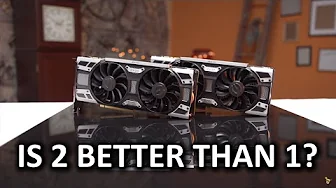
GTX 1080 SLI Performance Investigation
0 up · 0 down · 0 ratings
Channels and socials
2-way SLI is still here, but is it a good choice with the GTX 1080? Massdrop link: dro.ps Intel link: linustechtips.com Buy EVGA GTX 1080 on Amazon: geni.us Discuss on the forum: linustechtips.com Affiliates, referral programs, & sponsors: linustechtips.com Join our community forum: bit.ly twitter.com @LinusTech Intro Screen Music Credit: Title: Laszlo - Supernova Video Link: youtube.com iTunes Download Link: itunes.apple.com Artist Link: soundcloud.com Outro Screen Music Credit: Approaching Nirvana - Sugar High youtube.com Sound effects provided by freesfx.co.uk
The GTX 1080 SLI Performance Investigation examines what happens when pairing two EVGA GTX 1080 Superclocked Edition cards and the role of the SLI bridge in sustaining high frame rates at 4K. The video begins by detailing the hardware setup, including the two EVGA cards, the stock 5+ phase design, and a single 8-pin power connector delivering up to about 217 watts, with boost clocks around 1847 MHz. The presenter highlights the high bandwidth SLI bridge, its RGB lighting and how users can switch colors, while noting the practical, sometimes steep, price of the bridge and its impact on overall value. Early benchmarks show strong 4K performance in certain games, achieving higher than 60 FPS on average under very demanding settings, but the video also emphasizes the limitations of multi GPU scaling, particularly in DirectX 12 benchmarks and titles that don’t scale well with SLI. The discussion then pivots to real-world considerations, including how different bridge variants perform relative to each other, with measurements showing the ribbon cable bridge performing the worst, the old solid bridge slightly better, and the new high bandwidth bridge delivering the best results by a small margin. Power draw is analyzed with two cards in Crisis 3, pulling about 437 watts from the wall, while temperatures stay within reasonable bounds for open-air testing, illustrating manageable cooling challenges. The video also touches on the broader ecosystem, including sponsorships, community forums, and recommendations for exploring products like the Massdrop k7xx headphones, closing with a reminder that SLI readiness and 4K high-refresh gaming remain nuanced topics that depend on the game and driver support. Overall, the investigation provides a cautious optimism about 2-way GTX 1080 SLI performance, while clearly acknowledging the ongoing hurdles, variable scaling across titles, and the subtle yet real value difference a high bandwidth SLI bridge can offer in the right scenario.
Topics · technology · hardware · pc gaming · graphics cards · benchmarks
Questions answered
- What is the main takeaway about SLI scaling with two GTX 1080 cards in 4K gaming?
- SLI scaling with two GTX 1080s can deliver very high frame rates in some titles, sometimes above 60 FPS at 4K with maxed settings, but scaling is inconsistent across games and APIs, and not all titles benefit equally from dual GPUs.
- How does the SLI bridge type affect performance according to the video?
- Tests show the ribbon cable bridge performs worst, the old solid bridge is slightly better, and the new high bandwidth bridge provides the best results, though the margin can be small (around a couple of FPS in some scenarios).
- What are the power and thermal characteristics observed in the tested setup?
- The dual GTX 1080 setup drew about 437 watts under load in Crisis 3, with temperatures recorded at around 81°C for the first card and 73°C for the second card in an open test bench, indicating manageable cooling but highlighting power and thermal considerations for SLI.