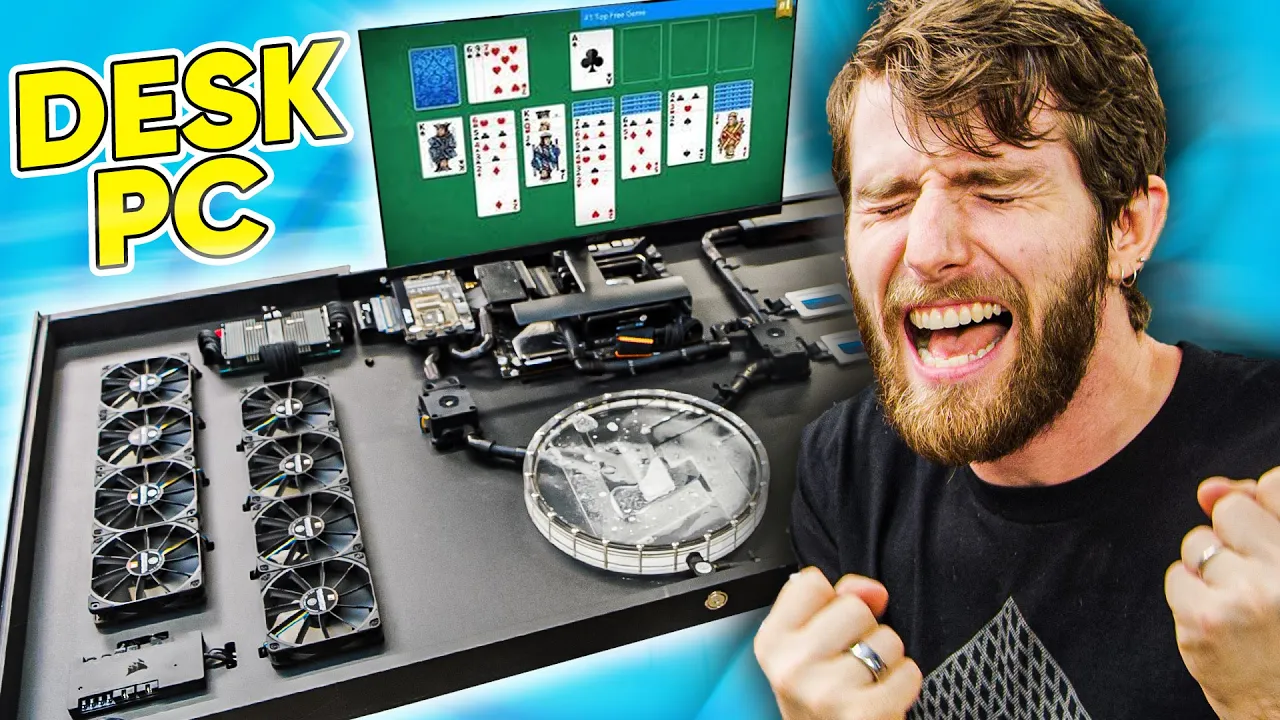
Powering Up My ZERO Compromises Desk PC Part 4
0 up · 0 down · 0 ratings
Promos
Visit squarespace.com and use offer code LTT for 10% off Save 10% and Free Worldwide Shipping at Ridge Wallet by using offer code LINUS at ridge.com It's time to assemble Desk PC for the final time, but there's some unfinished business to take care of first... Buy AMD Threadripper 3970X CPU: geni.us Buy Alphacool Eisblock XPX Pro 1U: geni.us Buy ASUS ROG Zenith II Extreme Alpha: geni.us Buy Crucial Ballistix MAX RGB 16GB 4400MHz DDR4 RAM: geni.us Buy Sabrent 2TB Rocket 4 Plus NVMe SSD: geni.us Buy Crucial MX500 2TB SATA SSD: geni.us Buy ASUS RTX 3070 ROG Strix GPU: geni.us
Check out the HDPLEX 800W DC-ATX PSU at: lmg.gg Buy Noctua NF-F12 Fans: geni.us Buy Alphacool ES1U Reservoir: geni.us Buy Alphacool Laing DDC310 Pump: geni.us Buy Alphacool Eisfluegel Flow Indicator: geni.us Buy Alphacool NexXxoS UT60 Radiator: geni.us Purchases made through some store links may provide some compensation to Linus Media Group. Discuss on the forum: linustechtips.com ► GET MERCH: lttstore.com ► AFFILIATES, SPONSORS & REFERRALS: lmg.gg ► PODCAST GEAR: lmg.gg ► SUPPORT US ON FLOATPLANE: floatplane.com FOLLOW US ELSEWHERE --------------------------------------------------- Twitter: twitter.com Facebook: @LinusTech Instagram: @linustech TikTok: @linustech Twitch: twitch.tv MUSIC CREDIT --------------------------------------------------- Intro: Laszlo - Supernova Video Link: youtube.com iTunes Download Link: itunes.apple.com Artist Link: soundcloud.com Outro: Approaching Nirvana - Sugar High Video Link: youtube.com Listen on Spotify: spoti.fi Artist Link: youtube.com Intro animation by MBarek Abdelwassaa @mbarek_abdel Monitor And Keyboard by vadimmihalkevich / CC BY 4.0 geni.us Mechanical RGB Keyboard by BigBrotherECE / CC BY 4.0 geni.us Mouse Gamer free Model By Oscar Creativo / CC BY 4.0 geni.us CHAPTERS --------------------------------------------------- 0:00 Intro 0:15 Goodnight sweet prince 1:12 Darkmode intro just for you 1:32 The design 2:48 Plumbing 4:44 Fan theory 7:17 Pinning the desk together 8:24 Jazz listening 9:50 Loop fill 12:08 Stress testing
Powering Up My ZERO Compromises Desk PC Part 4 continues the ambitious desk PC project with a focus on finishing touches, verification, and real-world testing. The video begins with a ceremonial farewell to Desk PC Gen One and an upbeat setup for Gen Two, highlighting the dual goals of making the system as slim as possible while preserving maximum performance. In the design phase, viewers are walked through critical decisions such as selecting a high-end Threadripper 3970X CPU, a Zenith II Extreme Alpha motherboard, 64GB of Ballistix RAM, a 10 Gb network card, and an RTX 3070, all packed into a sub-eight-centimeter-thick chassis. The host team also tackles heavy mechanical constraints, including a redesigned backplate to accommodate the network card and a creative use of a riser with Plasti Dip to maintain aesthetics. The first half emphasizes meticulous cable routing, inventive spacers, and low-profile fittings, as the team prepares to integrate all components without compromising the desk’s footprint. As the build progresses, the video shifts to testing and adjustments, confronting a resilient leak and a whisper-quiet yet powerful cooling loop. The crew performs iterative leak checks, pressure tests, and a series of on-again, off-again re-seatings to ensure the reservoir and radiators function harmoniously under load. The moment of truth arrives with the GPU, CPU, and cooling system finally firing up, delivering solid temperatures that stay well under thermal throttle thresholds. The conclusion frames the desk PC as a practical improvement for the team’s workflow, especially for the writers who sit nearby, and teases future finishing touches and a move into the creator’s office. Throughout, the video balances technical detail with light-hearted banter, sponsor segments, and demonstrations of problem-solving under pressure, ultimately proving that the “no compromises” philosophy can coexist with real-world engineering challenges.
Topics · technology · diy · pc-building · water cooling · hardware · gaming · sponsorship · lifestyle
Questions answered
- What are the main hardware components used in the desk PC Part 4 build?
- The build features an AMD Threadripper 3970X CPU, 64GB Ballistix Max RAM, ASUS Zenith II Extreme Alpha motherboard, an RTX 3070 GPU, a 10 Gb network card, and a custom water cooling loop with Alphacool components.
- What were the primary design goals for this desk PC?
- The goals were to minimize thickness while preserving high performance, ensuring the system remains compact enough to fit under a desk without compromising cooling or expandability.
- What challenges were encountered during assembly and testing?
- The team faced backplate redesigns for the network card, a tricky GPU spacing solution, a leak in the radiator loop, and a need to tune airflow and seal integrity to achieve effective cooling under load.