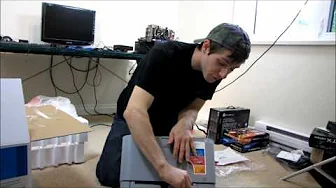
Samsung CLP-310N Colour Network Laser Printer Unboxing & First Look Linus Tech Tips
0 up · 0 down · 0 ratings
Description
ncix.com I needed a value laser printer, so I bought this one.
The video presents Linus Tech Tips’ unboxing and first look at the Samsung CLP-310N Colour Network Laser Printer. Linus starts by explaining the motivation for picking a value printer and his preference for laser over inkjet due to running costs and maintenance, noting the CLP-310N’s network capability which allows setup over a switch or router rather than a direct USB connection. He then proceeds to open the box, identify included items such as the power cable, quick start guide, and the driver disc, and comments on the absence of English in some packaging materials. Linus analyzes the printer’s physical design, mentions the four separate toner cartridges (black, yellow, cyan, magenta), and humorously notes his lack of printer expertise while forecasting a practical setup. He compares laser toner longevity to inkjet cartridges and emphasizes the potential long-term cost benefits, especially for home use with moderate printing needs. As he continues, he demonstrates loading paper into the tray and highlights multiple interface options on the printer, including power, Ethernet, and USB connections, as well as a maintenance/reset button. The video moves toward practical assembly and setup steps, with Linus lifting the printer using its handle and signaling that he will proceed with installing and testing after explaining the theory behind the device. In closing, Linus confirms the CLP-310N’s intended role as a reliable, budget-friendly color laser printer and thanks viewers for watching, inviting them to follow his unboxing journey for real-world impressions and results. Overall, the video blends a candid first-impressions vibe with practical, unboxing-centric content. Linus weighs pros and cons of choosing a color laser printer for home office use, offering concrete details like the four-tone cartridge setup and basic connectivity options. The pacing suits an introductory review: first the rationale, then the unboxing contents, then a tour of the printer’s external features and loading mechanisms, followed by a plan to test print performance. While not a deep technical deep-dive, the video provides enough tangible cues,such as print speed estimates, DPI claims, and cartridge layout,to help viewers assess whether the CLP-310N might meet their needs. The tone stays approachable and practical, making it accessible to viewers seeking a cost-effective, network-enabled printing solution rather than a high-end workstation printer. By the end, the video frames the CLP-310N as a sensible everyday option for light to moderate color printing with simple network setup.
Topics · technology · hardware · unboxing · networking
Questions answered
- What are the main connectivity options of the Samsung CLP-310N?
- The printer offers Ethernet for network printing and a USB B connector for direct computer connection, along with a standard power input.
- How many toner cartridges does the CLP-310N use and which colors are included?
- The CLP-310N uses four cartridges: black, yellow, cyan, and magenta.