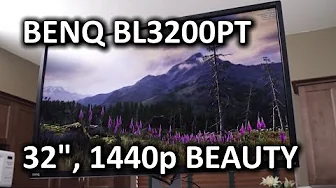
BenQ BL3200PT 32" CAD/Professional LCD Monitor
0 up · 0 down · 0 ratings
Channels and socials
At about the same pixel density as a 24" 1920x1200 display, but much larger and higher res, the BL3200PT looks like it should be an obvious winner, right? Watch on to see our full review! Sponsor link: linustechtips.com Pricing & discussion: linustechtips.com Support us: linustechtips.com Join our community forum: bit.ly twitter.com @LinusTech Intro Screen Music Credit: Adhesive Wombat -
Check out his channel here: youtube.com Outro Screen Music Credit: Approaching Nirvana - Sugar High youtube.com
The BenQ BL3200PT is presented as a premium 32-inch CAD and professional LCD that targets both productivity and professional-grade ergonomics. The reviewer emphasizes the standout physical build, noting a robust stand with height adjustment, tilt, swivel, and even a pivot option, alongside a premium aluminum-like finish. They highlight the array of inputs on the right side including dual link DVI, DisplayPort 1.2, VGA, and HDMI, while pointing out that HDMI is not bundled and is less ideal for full-resolution work due to bandwidth limits. The onscreen display is described as intuitive, with numerous profiles, color settings, blue light reduction, and ambient-sensor-based brightness adjustments, plus a convenient control puck for fast submenus. The panel technology is a VA with about 92 PPI density, offering strong contrast and wide viewing angles, trading some uniformity and extreme-angle performance for very good day-to-day readability. Calibrations with basic tools show good out-of-box color accuracy, though the reviewer notes that personal preferences may skew toward smaller, higher-density displays. In terms of usage, the reviewer acknowledges the monitor’s size makes it excellent for productivity and movie viewing but questions whether it suits their own workflow, citing readability and UI scaling challenges on Windows compared to smaller high-density monitors. The overall verdict is that BenQ delivered a distinctive, capable product at a compelling price, appealing to professionals who want a large, configurable display, even if it isn’t the perfect fit for every user, and invites viewers to share their own thoughts on whether this massive 32-inch panel meets their needs.
Topics · technology · computer_monitors · ergonomics · professional_workflow
Questions answered
- Is there picture in picture or picture by picture support on the BenQ BL3200PT?
- No, this monitor does not support picture in picture or picture by picture features.
- Would this 32 inch 2560x1440 monitor be a good choice for programmers or developers who work with multiple windows?
- Yes, the large screen and portrait-friendly pivot can be highly beneficial for multi-window multitasking, especially in coding or documentation workflows, though some users may prefer higher pixel density or better UI scaling depending on their setup.