Corsair H105 Liquid Cooler
0 up · 0 down · 0 ratings
Channels and socials
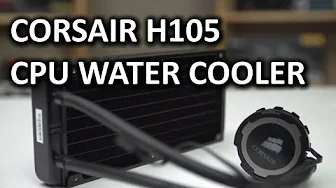
My H105 unboxing and review is here. This liquid cooler will (in a nutshell) make your CPU slightly more cool than an H100i and slightly less cool than an H110... It also has a bit of a different look to it and some cool PWM fans that are included :D Sponsor link: linustechtips.com Pricing & discussion: ncix.com Join our community forum: bit.ly twitter.com @LinusTech Intro Screen Music Credit: Adhesive Wombat -
Check out his channel here: youtube.com Outtro Screen Music Credit: Approaching Nirvana - Sugar High youtube.com
The Corsair H105 Liquid Cooler review describes the product as a performance-focused all-in-one cooler that sits between the thicker, high-airflow H110 and the more compact H100i in Corsair's lineup. The host notes that the H105 uses a thicker 38 mm radiator and dual 120 mm PWM fans, which translates to good cooling potential at a range of RPMs from 800 to 2700, offering a balance between silence and performance. He explains that the radiator fin density is lower than typical for other AIOs, which he suggests can be advantageous for airflow at moderate loads, and he compares the overall acoustics and temperature outcomes across different fan speeds. Installation is highlighted as relatively straightforward, with simplified mounting hardware and a swappable block design that accommodates both Intel and AMD sockets. The review also touches on practical design decisions, such as the availability of a PWM Y-cable to control both fans from a single CPU fan header, and compatibility considerations including case clearance for the thicker radiator and thicker fans. Throughout, the host contrasts the H105 with its siblings in the Corsair line to calibrate expectations, noting that the product targets performance with fewer software features than the H100i. The overall takeaway is that the H105 delivers solid cooling performance with a focus on simplification and value, while leaving room for future integration of more advanced features if desired. The reviewer ends by inviting viewer input on preferences between air cooling and AIO solutions and solicits opinions on what people want in a cooler going forward, reinforcing the community-driven nature of the build-and-review space. A key aspect of the review is the hands-on testing approach. After reconfiguring the test bench for consistency, the host places the H105 in between the H100i and H110 in terms of observed performance, with installation and mounting experiences rated highly relative to older Corsair models. He emphasizes that real-world performance will depend on case clearance and fan RPM but asserts that two 120 mm fans on a 38 mm radiator are sufficient for most mainstream CPUs, unless extreme overclocking is involved. The commentary on future cooler design calls for a blended approach that marries compact thickness, robust mounting, and advanced connectivity, signaling what enthusiasts might want next from AIOs. Viewers are encouraged to share their own cooling priorities, whether they prefer air or liquid solutions, and to engage with the channel to continue the discussion about cooling technology in PC builds.
Topics · technology · hardware · computing · pc-build · cooling · review · assembly · electronics
Questions answered
- What performance does the Corsair H105 offer compared to the H100i and H110?
- The H105 sits between the H100i and H110 in performance, driven by its 38 mm radiator and dual 120 mm PWM fans, providing solid cooling with emphasis on a balance between noise and cooling efficiency.
- Is the H105 easy to install on both Intel and AMD platforms?
- Yes, the H105 uses a redesigned block and backplate with swappable rings and updated mounting hardware that supports both Intel and AMD sockets, making installation straightforward.