HD Tutorial: Youtube Playlists
0 up · 0 down · 0 ratings
Channels and socials
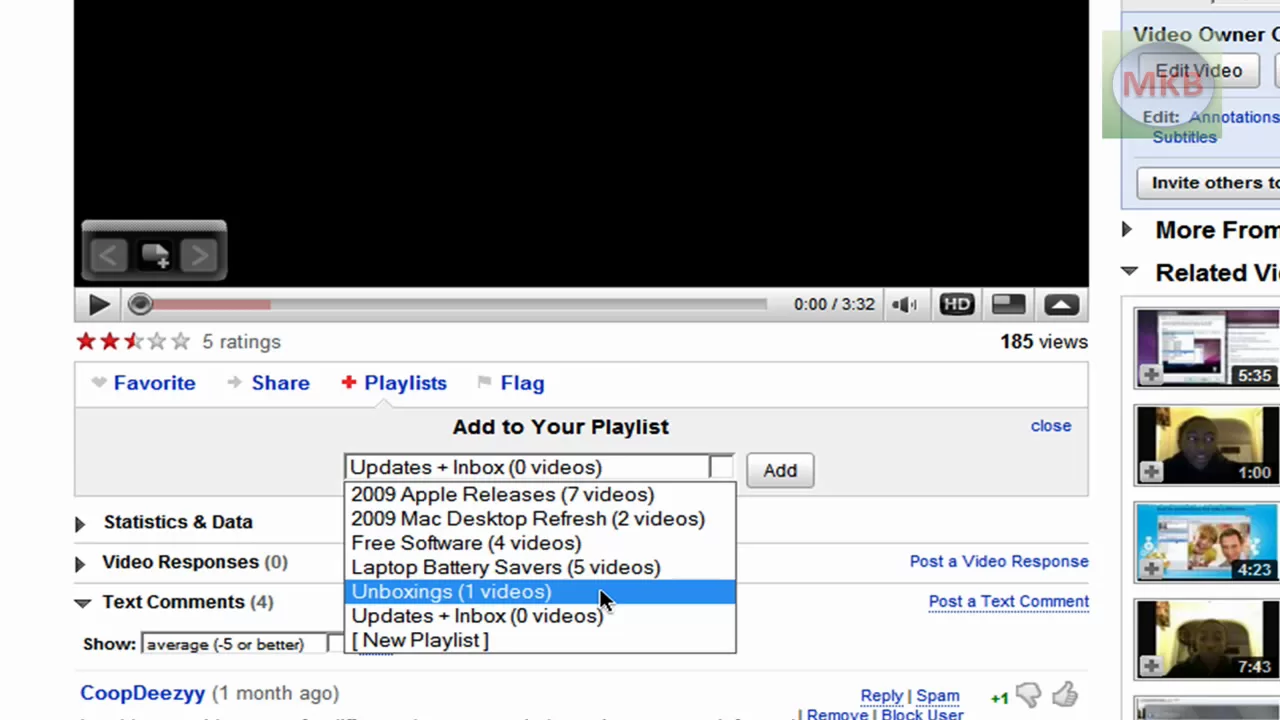
***WATCH IN HD*** If you're looking to really make your channel look professional, you might want to consider making a few playlists for your channel, maybe bunching a few together that have similar or identical topics. Here I show you how I did it on my channel, and hopefully you'll come up with a few playlist ideas on your own! Enjoy - SUBSCRIBE
The video provides a step by step guide to creating and managing playlists on YouTube, starting with the basics of locating the playlist option by hovering over the user name and selecting new playlist. The presenter walks through naming the playlist, adding videos to it from their video library, and how to choose the correct existing playlist to append new content to. He demonstrates how a playlist automatically appears as the last one you added a video to, and shows how to navigate to the updated playlist to verify its contents. The tutorial then shifts to channel layout customization, explaining how to enable a playlists box on the channel design screen and how to curate up to three featured playlists for the channel front page. Throughout, the presenter highlights practical tips such as editing the playlist description to improve viewer context and discoverability. The closing portions reiterate how this organization can help a channel look more professional, and invites viewers to subscribe and suggest future tutorial ideas, with a promise of additional videos on related tech topics. By the end, viewers learn not only how to assemble a playlist from individual videos but also how to present playlists effectively on their public channel for better engagement and navigation.
Topics · how-to · youtube · video-management · channel-design