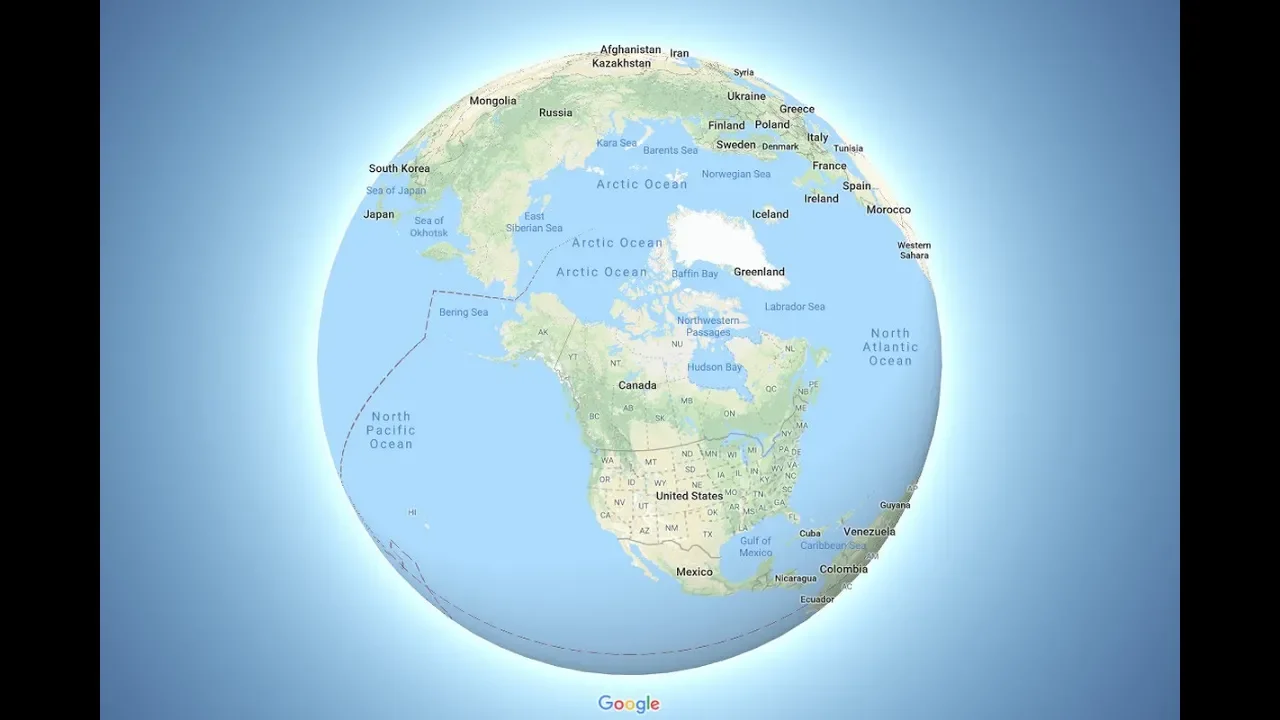
Why Did Google Maps Switch to a Globe?
0 up · 0 down · 0 ratings
Promos
Check out Synergy here: symless.com Google Maps recently switched from a flat map of the Earth to a globe you can spin in your browser - but why? Techquickie Merch Store: designbyhumans.com Techquickie Movie Poster: shop.crowdmade.com Follow: twitter.com Leave a reply with your requests for future episodes, or tweet them here: twitter.com Join the community: linustechtips.com Intro Theme: Showdown by F.O.O.L from Monstercat - Best of 2016 Video Link: youtube.com iTunes Download Link: itunes.apple.com Listen on Spotify: open.spotify.com
The video explains why Google Maps shifted from a flat map representation to a 3D globe in the browser. The guide starts by noting that flat map projections are inherently inaccurate when trying to depict a round planet, using the Mercator projection as a prime example. It discusses how Mercator preserves angles which helps with navigation, but distorts land areas more the further you are from the equator, making regions like Greenland appear much larger than their real size. The explanation then covers the computational side, noting that rendering a globe requires more graphics processing power but that modern hardware and GPUs have matured enough to render a smooth 3D globe on typical desktops and laptops. The speaker also notes why this feature might not be available yet on the Maps mobile app, citing concerns like battery drain and performance on smartphones. Finally, the video touches on practical points beyond maps themselves, mentioning how 3D globe rendering interacts with broader tech experiences, such as synchronized multi-device setups, which is tied into the sponsor plug for Synergy. The overall takeaway is that turning the map into a globe improves proportional accuracy and visualization at the cost of increased rendering effort, which is feasible with current consumer hardware.
Topics · technology · geography · education · science
Questions answered
- Why did Google Maps switch from a flat map to a globe in the browser?
- Because a globe presents landmasses with correct proportions and reduces distortion compared to flat projections, especially away from the equator, even though rendering a 3D globe is more computationally demanding.
- What is the key drawback of the Mercator projection used historically by Google Maps?
- Mercator preserves angles which is good for navigation, but it greatly distorts sizes near the poles, making regions like Greenland appear much larger than they are in reality.