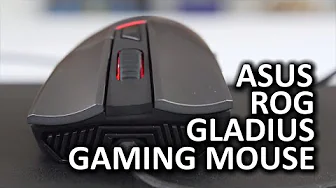
ASUS ROG Gladius Gaming Mouse
0 up · 0 down · 0 ratings
Channels and socials
The ASUS ROG Gladius gaming mouse has some really cool features like interchangeable switches, but did they sacrifice on quality for the sake of customization? Sponsor link: linustechtips.com Pricing & discussion: linustechtips.com Support us: linustechtips.com Join our community forum: bit.ly twitter.com @LinusTech Intro Screen Music Credit: Adhesive Wombat -
Check out his channel here: youtube.com Outro Screen Music Credit: Approaching Nirvana - Sugar High youtube.com
The video provides a detailed examination of the ASUS ROG Gladius gaming mouse, focusing on both its physical design and its standout feature: swappable Omron switches for the left and right click. The host starts with a broad physical overview, noting the mouse weighs about 115–116 grams and that there is no adjustable weight system, which might affect players seeking a lighter option. He compares its shape to the Razer DeathAdder and discusses grip compatibility, highlighting how the rubberized sides feel different depending on whether you palm or claw grip the mouse. The reviewer also points out some design quirks, such as the separate left and right mouse buttons that feel slightly wobbly in certain areas, which can change the click response across the button surface. Moving inward, the video covers the scroll wheel, its tactile texture, and the DPI shift button behind it, explaining that there are two custom modes configurable in the driver along with many other options like polling rate up to 2000 Hz. He also reviews driver features for macro editing and lighting effects, noting the breathing light as a personal preference. The removable USB cable and the included cables receive scrutiny, with the host initially reacting negatively to micro USB, but acknowledging Linus’s point that the feature could be useful for emergency charging or swapping to a different cable in a modding scenario. Inside the chassis, the focus shifts to the ease of swapping Omron switches, identifying the stock switches by their protruding stems and mentioning the limited public documentation about specifications. The sensor, a Pixart PMW 3988, is praised for its lack of noticeable acceleration in subjective testing and shows solid performance in Counter-Strike: Global Offensive. In conclusion, the host suggests that the Gladius represents ASUS’s first strong foray into premium gaming mice and anticipates improvements in future iterations as the company iterates on switch quality and overall reliability, while keeping a cautious eye on the quirks that prevent it from being perfect. The closing notes invite viewers to engage with the channel, join the forum, and consider affiliate links and sponsorships.
Topics · hardware · gaming peripherals · product reviews · asus rog
Questions answered
- What is the unique customizable feature of the ASUS ROG Gladius highlighted in the review?
- The mouse features swappable Omron switches for the left and right click.
- Which sensor does the Gladius use and how does it perform in testing?
- It uses a Pixart PMW 3988 sensor, which in subjective testing showed no noticeable acceleration and performed well in CS:GO.
- What are some noted drawbacks mentioned in the review?
- Weight at about 115–116 grams without adjustable weight, and wobbliness in the left and right button areas that affects press feel.