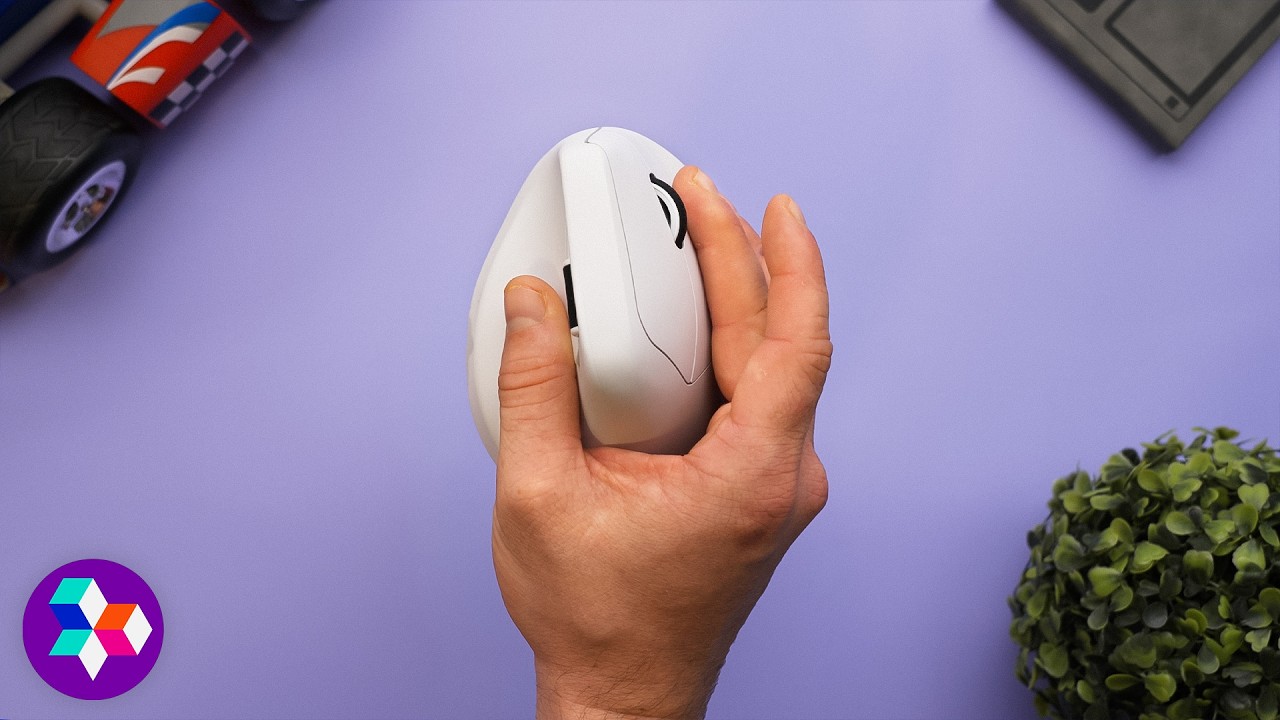
This is a STRONG recommend - Keychron M5
0 up · 0 down · 0 ratings
Description
Purchase a Xidax PC at: xidax.com David unboxes the Keyron M5, an ergonomics-first vertical mouse that quietly packs top-tier gaming specs (PAW3950, 30K DPI, 8K polling) for $70. He tours the shape and buttons (including the second scroll wheel), runs through the browser-based software, tests latency, and lays out why this might be the first vertical he actually wants to game with, plus a few nitpicks on clicks and finish.
Promos
Check out the Keychron M5 Ergonomic Mouse: lmg.gg Want us to unbox something? Make a suggestion at lmg.gg ► GET MERCH: lttstore.com ► GET A VPN: piavpn.com ► GET EXCLUSIVE CONTENT ON FLOATPLANE: lmg.gg ► SPONSORS, AFFILIATES, AND PARTNERS: lmg.gg Purchases made through some store links may provide some compensation to Linus Media Group. Affiliate links powered in part by affilimate.com Linus Sebastian is an investor in Framework Computer, Inc CHAPTERS --------------------------------------------------- 0:00 Intro 0:24 Unboxing 1:02 Design and buttons 3:10 Specs & price 4:05 Sponsor 4:38 Software 7:34 Ergonomics and build quality 8:54 Gaming and LABS test results 11:21 Overall thoughts 12:15 Outro
This video delivers a thorough unboxing and first impressions of the Keychron M5, a vertical ergonomic mouse that aims to combine comfort with high-end gaming specs. The host walks through the packaging contents, noting the cable length, USB dongle, and a useful C to A adapter, while highlighting the physical design choices such as the two side buttons, a second scroll wheel, and the underside DPI switch and polling rate controls. He emphasizes the M5’s strong feature set, including the PAW3950 sensor, 8000 Hz polling, 30K DPI, and 750 IPS, all packed into a $70 package, which is positioned as a compelling value for a high-performance vertical mouse. The early portion also touches on potential caveats like the finish quality, the non premium packaging, and the slightly awkward cable and dongle arrangement, setting a balanced expectation for performance versus price. A sponsored segment from Zidax follows, but the main focus remains the unboxing, the initial software experience, and the hardware layout, which sets the stage for deeper testing in the later sections of the video.
Topics · technology · peripherals · hardware · gaming · ergonomics · unboxing
Questions answered
- What makes the Keychron M5 stand out among vertical mice?
- It combines a high-end gaming specification set, including PAW3950 sensor, 8000 Hz polling, and 30K DPI, with a relatively affordable price point around $70, and a browser-based software interface.
- Does the M5 have any notable software limitations?
- Yes, the software allows per-button customization and profile settings, but it lacks a formal profile switch in the current browser interface, which the reviewer sees as a drawback.
- Is the latency of the M5 competitive?
- Yes, latency tests show sub-millisecond wired and dongle latency, with Bluetooth latency around 8 ms, which is still acceptable for many gaming scenarios.