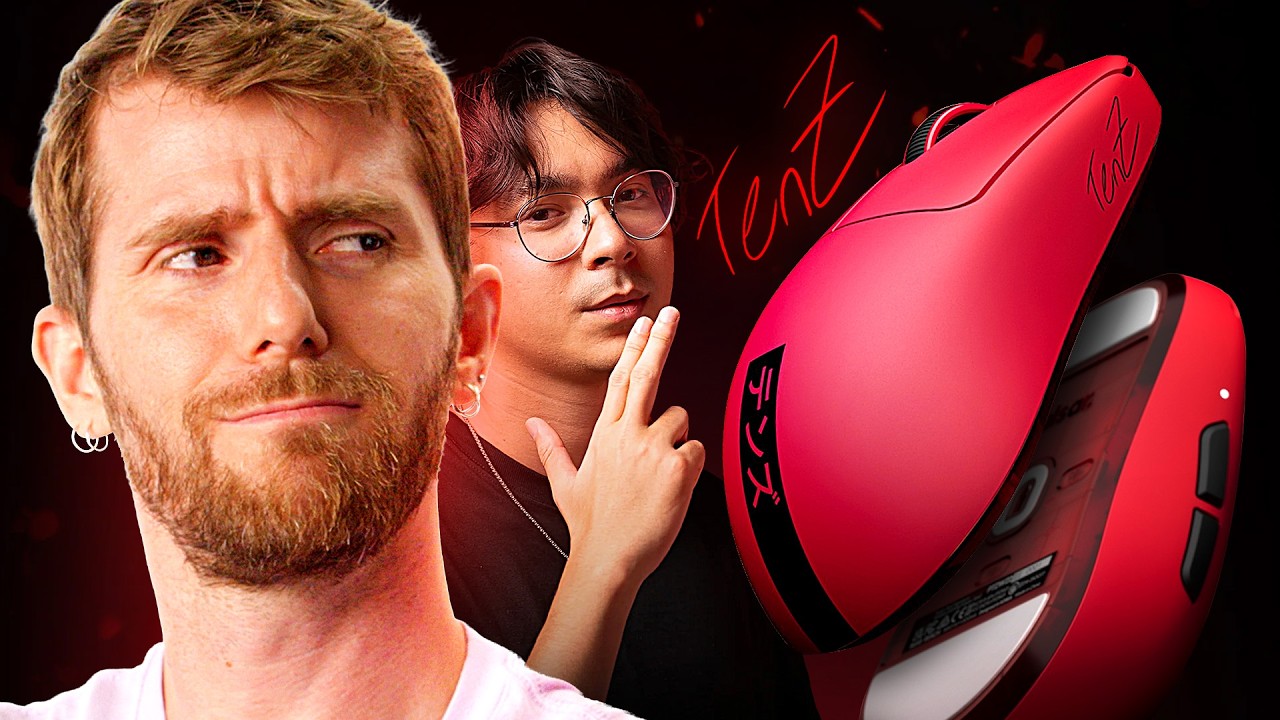
I like the mouse - Pulsar x TenZ SE Mouse
0 up · 0 down · 0 ratings
Promos
Get an exclusive 15% discount on Saily data plans! Use code SHORTCIRCUIT at checkout. Download Saily app or go to saily.com Linus checks out the ultra-lightweight esports mouse designed by Valorant pro TenZ and Pulsar. With its unique bottom-heavy shape, 8K polling rate, optical switches, and fun red colorway, is this $140 mouse worth it?
Check out the Pulsar TenZ Signature Edition Gaming Mouse: lmg.gg Learn more about our LABS testing at: lttlabs.com Want us to unbox something? Make a suggestion at lmg.gg ► GET MERCH: lttstore.com ► GET A VPN: piavpn.com ► GET EXCLUSIVE CONTENT ON FLOATPLANE: lmg.gg ► SPONSORS, AFFILIATES, AND PARTNERS: lmg.gg Purchases made through some store links may provide some compensation to Linus Media Group. Affiliate links powered in part by affilimate.com Linus Sebastian is an investor in Framework Computer, Inc CHAPTERS --------------------------------------------------- 0:00 Linus is taking a risk 0:36 Unboxing, shape, specs, and build quality 2:30 Bottom buttons and sensor features 3:48 Sponsor – Saily 4:29 Software settings and tuning 5:55 Playing Halo 6:56 Pricing and overall thoughts 7:13 Outro
The video opens with Linus explaining the premise behind the Pulsar x TenZ Signature Edition mouse, highlighting Tyson “TenZ” Sheps sign-off design and the bold red ultra-lightweight form. He details the key specifications including the XS1 sensor, up to 8000 Hz polling, and a claimed 32,000 DPI capability, while noting the very light 47 g weight and the bottom-heavy shape designed to optimize balance for claw grips. Linus walks through unboxing the product with a focus on practical features such as the configurable liftoff distance, the side and top buttons that use optical switches rated for up to 100 million clicks, and the inclusion of both wireless and wired connection options. He points out the packaging accessories like the dongle, stickers, a player card describing DPI presets, and the color-change LEDs that signal current DPI and polling rate settings. The review then shifts to initial software interaction, where he explores the software’s ability to tune debounce, set macros, and create custom profiles, noting how the 8K polling can be set to 800 DPI and how the device can pair to other devices via Bluetooth. After tweaking settings, Linus tests the mouse in a gaming scenario, commenting on the perceived precision and the impact of the bottom-heavy design on control. He closes with candid pricing thoughts, weighing the $140 price tag against performance, and outlines his overall impression that the mouse delivers a strong physical design and feature set, even if the price is a consideration for buyers. The outro reinforces the product’s niche appeal to esports enthusiasts and highlights the signature branding as a differentiator in a crowded gaming peripheral market.
Topics · technology · gaming · peripherals · unboxing · hardware · esports