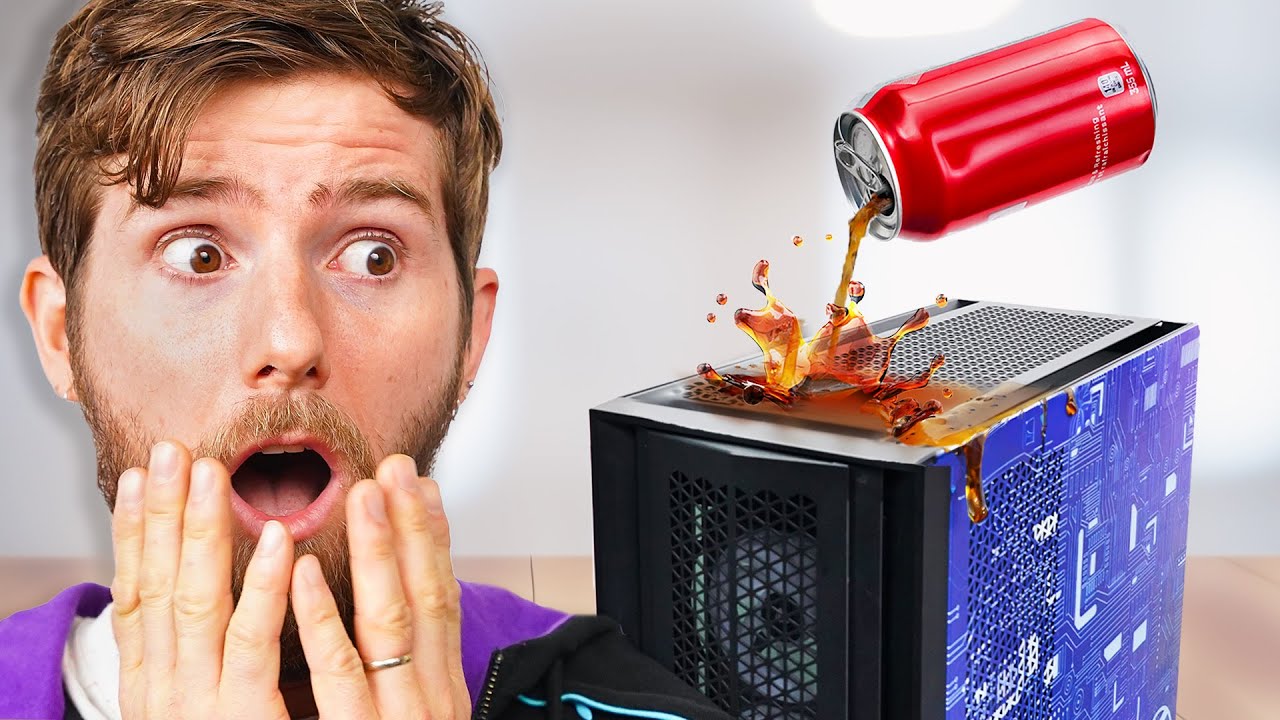
I Spilled Coke on my Gaming PC… NOW WHAT??
0 up · 0 down · 0 ratings
Description
Thanks OriginPC for sponsoring today's video!
Promos
Check out their line of pre-built and custom PCs at bit.ly Discuss on the forum: linustechtips.com What should you do when you spill your drink on your PC? I mean… AFTER you’re done just totally freaking out! Buy Paper Towels: lmg.gg Buy Microfiber Cloths: geni.us Buy Shop Towels: geni.us Buy De-Ionized Water and Distilled Water: geni.us Buy 99% Isopropyl Alcohol: geni.us Buy Compressed Air Dusters: geni.us Purchases made through some store links may provide some compensation to Linus Media Group. ► GET MERCH: lttstore.com ► GET EXCLUSIVE CONTENT ON FLOATPLANE: lmg.gg ► SPONSORS, AFFILIATES, AND PARTNERS: lmg.gg ► EQUIPMENT WE USE TO FILM LTT: lmg.gg ► OUR WAN PODCAST GEAR: lmg.gg FOLLOW US --------------------------------------------------- Twitter: twitter.com Facebook: @LinusTech Instagram: @linustech TikTok: @linustech Twitch: twitch.tv MUSIC CREDIT --------------------------------------------------- Intro: Laszlo - Supernova Video Link: youtube.com iTunes Download Link: itunes.apple.com Artist Link: soundcloud.com Outro: Approaching Nirvana - Sugar High Video Link: youtube.com Listen on Spotify: spoti.fi Artist Link: youtube.com Intro animation by MBarek Abdelwassaa @mbarek_abdel Monitor And Keyboard by vadimmihalkevich / CC BY 4.0 geni.us Mechanical RGB Keyboard by BigBrotherECE / CC BY 4.0 geni.us Mouse Gamer free Model By Oscar Creativo / CC BY 4.0 geni.us CHAPTERS --------------------------------------------------- 0:00 THERE"S COCA COLA IN MY PC, WHAT NOW? 0:55 Safety Measures 3:32 The "Don't" 4:22 Drying 6:19 PSU 7:35 1st Cleaning Pass 8:56 Using water to clean 11:49 Air dry and 2nd wash with isopropyl alcohol 13:28 Cleaning a PSU with isopropyl alcohol DO NOT THIS AT HOME 15:04 Test run and troubleshooting 20:50 Moment of truth 22:53 Closing thoughts
This video starts with a high tension moment as a can of Coke finds its way into a gaming PC, triggering an urgent emergency response. The host immediately emphasizes safety first, detailing steps to shut down, unplug, and avoid electric shock, while explaining why liquid near a power supply is dangerous due to conductive residues. The crew adopts a systematic teardown approach, laying out tools and safety precautions and then carefully disentangling cables to isolate sensitive components. They emphasize not opening a power supply and debunk old myths like using rice for flood damage, instead recommending towels, microfiber cloths, and targeted cleaning strategies. The first major phase focuses on removing the GPU and other hot zones, drying them, and planning a staged cleaning pass before any reassembly. By documenting their missteps and consulting a sponsor Origin PC, they set expectations for a meticulous restoration that balances risk and practicality. The process evolves into a multi-step cleanup: washing with deionized water, then a controlled alcohol-based rinse, and an air-dry protocol to minimize moisture retention, all while monitoring for residue and corrosion. The halfway point shifts toward testing and troubleshooting, with the crew swapping components, reseating GPUs, and evaluating the motherboard for bent pins or other damage. After a tense sequence of reassembly trials and BIOS checks, the system surprisingly powers up, revealing a blend of good luck and careful technique. The video closes with reflections on the importance of rapid action, the limitations of DIY fixes, and the value of professional support and warranties, underscoring that even a recovered machine requires ongoing caution and maintenance to prevent long-term corrosion or failure.
Topics · tech repair · hardware troubleshooting · liquid damage · computer maintenance · safety practices · electronics testing
Questions answered
- What immediate steps should you take first if a liquid spills on your PC?
- Shut down and unplug the system, disconnect from the mains, and move away from the liquid to prevent electrical shock and further damage.
- Why is opening a power supply not advised after a spill?
- Power supplies can retain charge and opening them can expose you to dangerous voltages and potentially cause a short or fire.
- What cleaning sequence is recommended for a Coke spill on a PC?
- Begin with removing immediate liquids using towels or microfiber cloths, then clean with deionized or distilled water, followed by a controlled isopropyl alcohol rinse, and finally thorough air drying before reassembly.
- Can a spilled PC be safely tested after cleaning?
- Yes, but only on a non-conductive surface first, with careful monitoring for any signs of residual moisture or corrosion before full power testing.