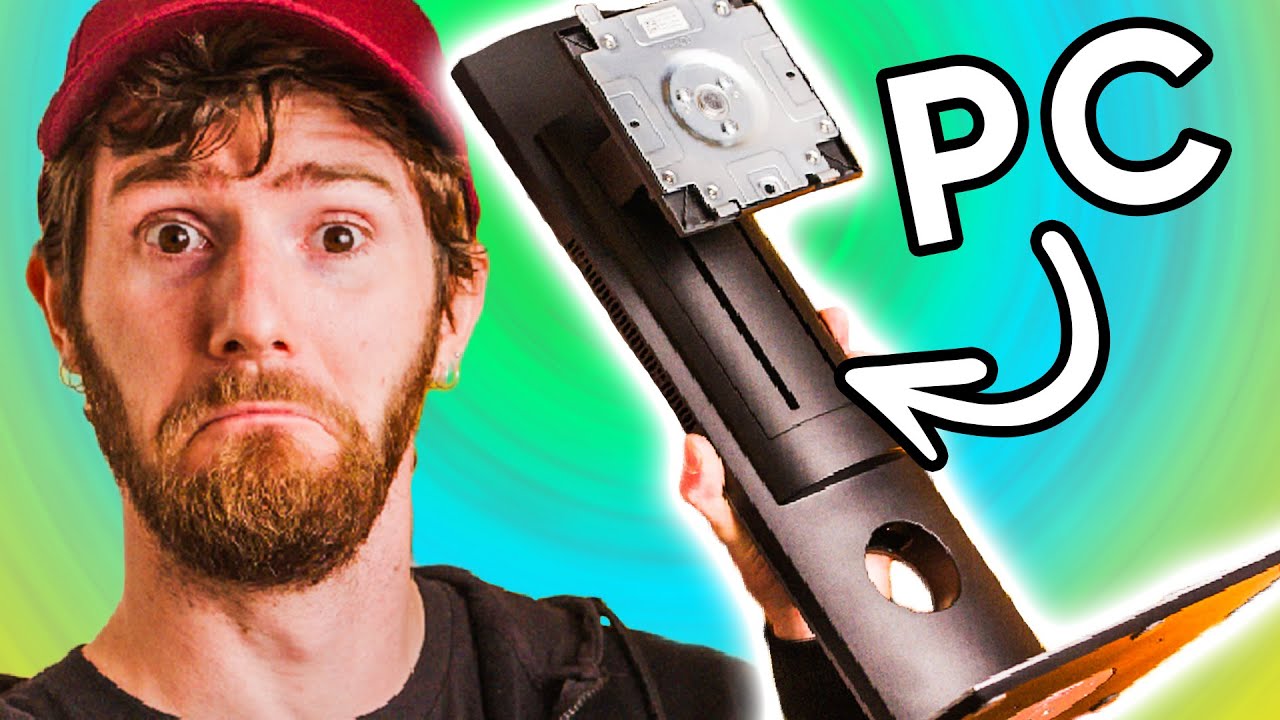
I am Holding a PC - Dell Optiplex 7070 Ultra
0 up · 0 down · 0 ratings
Promos
Thanks to Wren for sponsoring this video! Offset your carbon footprint with Wren at wren.co SmartDeploy: Claim your free IT software (worth $882!) at lmg.gg Dell makes computers. Dell makes monitors. You would think that Dell could find a way to merge the two without making an all-in-one – And you’d be right! Let’s look at the OptiPlex 7070 Ultra… Buy Dell OptiPlex 7070 Ultra Desktop (PAID LINK): geni.us Purchases made through some store links may provide some compensation to Linus Media Group. Discuss on the forum: linustechtips.com ► GET MERCH: lttstore.com ► AFFILIATES, SPONSORS & REFERRALS: lmg.gg ► PODCAST GEAR: lmg.gg ► SUPPORT US ON FLOATPLANE: floatplane.com FOLLOW US ELSEWHERE --------------------------------------------------- Twitter: twitter.com Facebook: @LinusTech Instagram: @linustech TikTok: @linustech Twitch: twitch.tv MUSIC CREDIT --------------------------------------------------- Intro: Laszlo - Supernova Video Link: youtube.com iTunes Download Link: itunes.apple.com Artist Link: soundcloud.com Outro: Approaching Nirvana - Sugar High Video Link: youtube.com Listen on Spotify: spoti.fi Artist Link: youtube.com Intro animation by MBarek Abdelwassaa @mbarek_abdel Monitor And Keyboard by vadimmihalkevich / CC BY 4.0 geni.us Mechanical RGB Keyboard by BigBrotherECE / CC BY 4.0 geni.us Mouse Gamer free Model By Oscar Creativo / CC BY 4.0 geni.us CHAPTERS --------------------------------------------------- 0:00 Intro 0:55 Some background 1:19 Mounting options & box contents 2:29 Setup process 2:49 The drop 2:54 Specs, internals & disassembly 4:37 Testing 5:51 New version 6:54 Conclusion: Dell... WHY??
The video begins by marveling at the Dell OptiPlex 7070 Ultra, highlighting its stealthy, clean design and surprisingly low price point for a compact PC that fits inside a monitor stand. The host emphasizes the modular concept: a separate PC module and display, allowing upgrades and maintenance without sacrificing the monitor, and notes the included VESA mounting options and a built in USB hub for broad compatibility. Setup is described as simple, with a five step on stand guide, but the host points out that reconfiguring ports requires disassembling the unit, a minor but real inconvenience. Inside the chassis, the PC offers two easy access DDR4 SODIMM slots, a 2.5 inch SATA bay, and dual M.2 slots with a wifi card occupying one, plus a non replaceable CPU. Thermal performance is analyzed with a short duration turbo to 51 watts and a steady 25 watt TDP, showing the cooler can handle sustained loads around 85 degrees with a quiet, if slightly whiny, fan. The video also contrasts Dell’s modular approach with consumer all-in-ones, noting the potential for easier warranties and refurbishment of individual modules, and suggesting a consumer-facing version could boost adoption. It concludes by comparing Gen 8 and Gen 11 Xeon-like configurations, the possibility of external GPUs with the OptiPlex 7090 Ultra, and questions why this modular concept hasn’t reached the broad consumer market yet, while encouraging improvements to reduce e-waste and increase upgrade paths. The host also segues into sponsor mentions and teases upcoming content about CPUs and modern desk PC options, inviting viewers to consider more space-saving computing solutions and a cleaner form factor for the future.
Topics · technology · hardware · computer_hardware · consumer_electronics
Questions answered
- What is the core benefit of the OptiPlex 7070 Ultra's modular design?
- The core benefit is separating the display stand from the PC module, allowing independent upgrades and easier maintenance while preserving a clutter-free desk setup.
- Can the CPU in the OptiPlex 7070 Ultra be replaced?
- No, the CPU is not replaceable in this model; upgrades would require changing other components or moving to a newer generation.