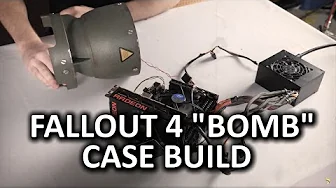
Fallout 4 ULTIMATE "Bomb Case" Build Log - Part 1 of 2
0 up · 0 down · 0 ratings
Channels and socials
When Luke received his Fallout Collection and saw the awesome bomb case that house the games, he came up with a bit of a crazy idea... Logitech link: Buy the Logitech G633 on Amazon at geni.us Cooler Master link: linustechtips.com Parts list: linustechtips.com Support us: linustechtips.com Join our community forum: bit.ly twitter.com @LinusTech Intro Screen Music Credit: Title: Laszlo - Supernova Video Link: youtube.com iTunes Download Link: itunes.apple.com Artist Link: soundcloud.com Outro Screen Music Credit: Approaching Nirvana - Sugar High youtube.com
The video kicks off with an ambitious concept: fitting a complete computer into the Fallout bomb case that ships with the Fallout Anthology. The host explains that this is not a standard build, since the MasterCase 5 chassis has modular parts and is not naturally compatible with the intended components. Early on, feasibility testing is described, including plans for a Maximus VIII motherboard, a 300W power supply, and a low-profile graphics option, with concerns about space and the case’s curved geometry. In collaboration with a designer friend, they 3D model extensions to increase usable volume, first testing a smaller module and then a taller jumbo piece that finally provides enough height for all the parts. The video moves through design decisions to balance aesthetics and functionality, including color considerations for the green and brown spray textures and how to integrate a dramatic, button-driven power switch that doubles as the on/off mechanism for the PC. Across the episode, there is hands-on tinkering: wiring a secondary switch, salvaging a computer case component for the new switch, and routing a low-profile SATA data cable so the SSD can fit neatly at the base of the assembly. By mid-session, the host demonstrates the system powering up, validates boot capability with a basic post, and begins primer and painting work to achieve a convincing finish that matches the bomb case’s look, while acknowledging the tight tolerances and the learning curve involved. The overarching takeaway is a commitment to a rugged yet striking build that merges the Fallout theme with genuine PC hardware, all while documenting the iterative process and the occasional trial and error that comes with a highly customized project. The episode closes with a plan to refine the paint job and complete the finish, setting up Part 2 for final assembly and presentation.
Topics · technology · gaming · diy · hardware_modding · 3d_printing
Questions answered
- What is the core goal of the Fallout bomb case build in Part 1?
- To fit a functioning PC inside the Fallout bomb case using modular hardware, 3D printed extensions, and custom switches while balancing aesthetics and practicality.
- Which major design challenge drives the early work?
- The limited usable space and the bomb case’s curved geometry require custom extensions and careful component placement to make everything fit.
- What electronics workaround is described for the power switch?
- The builder salvages a switch from another device and wires a second button so that pressing the plate switches both power functions, enabling reliable on/off control.
- How does the video address finishing and paint?
- The host sands the printed surface, applies filler primer, and plans multiple coats of paint to achieve a smooth, battle-damaged look while preserving the bomb motif.