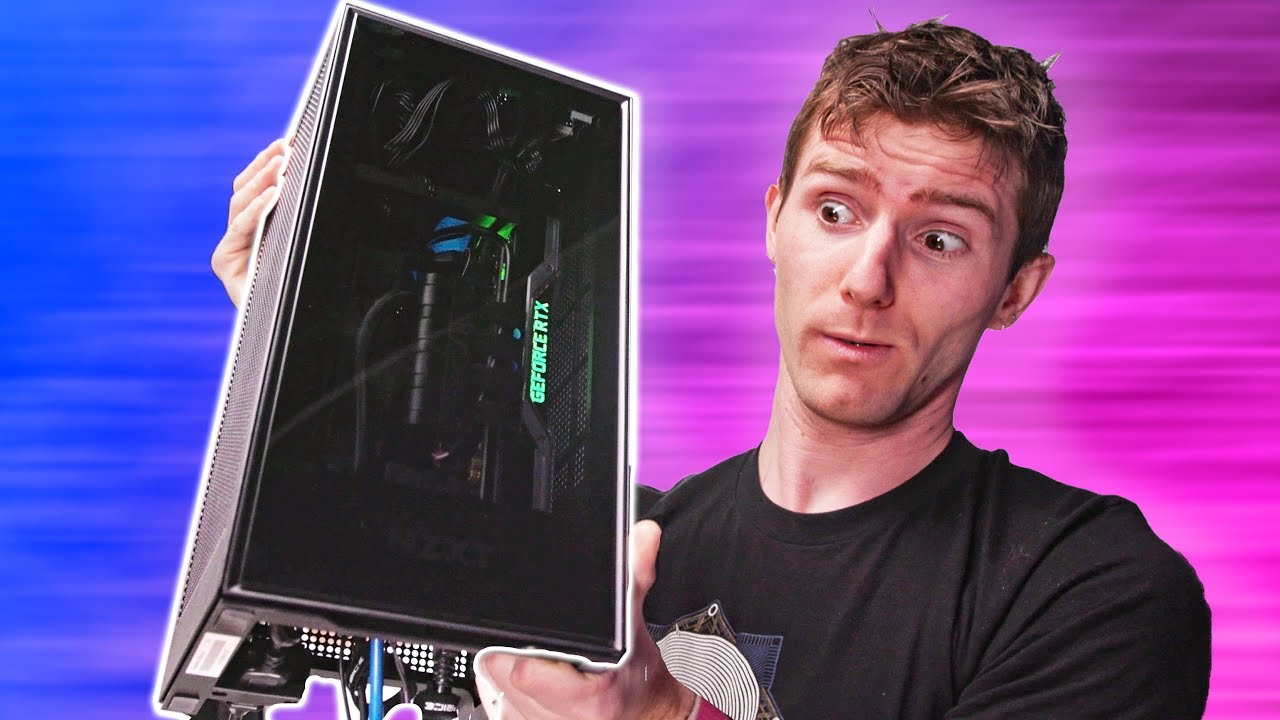
Don't wait for the Xbox Series X! - NZXT BLD H1 Gaming System
0 up · 0 down · 0 ratings
Description
Thanks, NZXT for sponsoring today's video!
Promos
Check out their BLD systems using the H1 case at nzxt.co The next-generation consoles are around the corner, but what happens if you want the look yet you want to still play only on the PC? Buy NVIDIA 2070 Super Video Cards On Amazon (Paid Link): geni.us On Walmart (Paid Link): geni.us On BHPhoto (Paid Link): geni.us On NewEgg (Paid Link): geni.us Buy 9900K Processors On Amazon (Paid Link): geni.us On Walmart (Paid Link): geni.us On BHPhoto (Paid Link): geni.us On NewEgg (Paid Link): geni.us Buy NZXT Computer Cases On Amazon (Paid Link): geni.us On Walmart (Paid Link): geni.us On BHPhoto (Paid Link): geni.us On NewEgg (Paid Link): geni.us Buy Gaming Monitors On Amazon (Paid Link): geni.us On Walmart (Paid Link): geni.us On BHPhoto (Paid Link): geni.us On NewEgg (Paid Link): geni.us Buy Gaming Mechanical Keyboards On Amazon (Paid Link): geni.us On Walmart (Paid Link): geni.us On BHPhoto (Paid Link): geni.us On NewEgg (Paid Link): geni.us Buy Seasonic Power Supplies On Amazon (Paid Link): geni.us On Walmart (Paid Link): geni.us On BHPhoto (Paid Link): geni.us On NewEgg (Paid Link): geni.us Buy Gaming Mice On Amazon (Paid Link): geni.us On Walmart (Paid Link): geni.us On BHPhoto (Paid Link): geni.us On NewEgg (Paid Link): geni.us Purchases made through some store links may provide some compensation to Linus Media Group. GET MERCH: lttstore.com Twitter: twitter.com Instagram: @shortcircuityt Facebook: @ShortCircuitYT
The video showcases NZXT’s BLD H1 gaming system, focusing on how this compact PC builds around NZXT’s H1 case to offer a console-like footprint with PC power. The presenter opens the package, highlights protective packaging, and notes the tempered glass panel and generous ventilation as key design choices. He compares the H1 to other small-form-factor PCs, pointing out that NZXT leaves vent openings visible rather than masking them, which reinforces the emphasis on airflow. The reviewer then explains the IO arrangement with USB-C and a single audio jack on top, and compliments the bottom-mounted cable routing that keeps the exterior clean and the interior organized. He proceeds to discuss component layout, including a curved PCIe riser, a top-mounted power supply drawing in cool air, and a 140 millimeter all-in-one CPU cooler, emphasizing how space-saving design still enables serviceability. The host notes that the system is largely tool-less for upgrades like adding a two-and-a-half inch drive, and remarks on the mod-friendly yet tidy interior with panels designed to hide cabling. He then benchmarks how the system performs in real-world testing, using NZXT CAM software to monitor temps, clock speeds, and fan behavior, and runs Cinebench to gauge CPU load with a game download in progress. Finally, the video observes that while the H1 is compact and quiet with the CPU and GPU exposed to airflow, upgradability is somewhat limited, particularly for the GPU and power supply, and signals that Linus Tech Tips will later build a variant of the system from scratch for a deeper look. The sponsor mention remains, and the presenter encourages viewers to subscribe for more build-focused coverage and follow-up content. The overall takeaway is that NZXT’s H1 prebuilt system provides a compact, well-ventilated PC solution that aligns with the look of next-gen consoles while delivering PC gaming performance, with caveats on upgrade paths and price considerations depending on configuration.
Topics · hardware · gaming-pc · pc-build · sponsorship · review
Questions answered
- What are the core components configured in the NZXT BLD H1 system reviewed here?
- The review cites a 9900K CPU, 16 GB of RAM, an RTX 2070 Super GPU, and 1 TB of NVMe storage as part of the configuration shown during testing.
- How upgradeable is the NZXT H1 prebuilt system according to the video?
- Upgrade options are present for adding storage and certain components, with the GPU upgrade being possible but limited, and access is designed to be tool-less for most panels, though some components may require removing grommets or screws for deeper access.
- What cooling and airflow design choices are highlighted for the H1?
- The system uses a 140 mm all-in-one liquid cooler with intake air filtered and routed to manage CPU cooling, and the interior emphasizes ventilation with a bottom IO and back exhaust to keep components cool while maintaining a compact form factor.