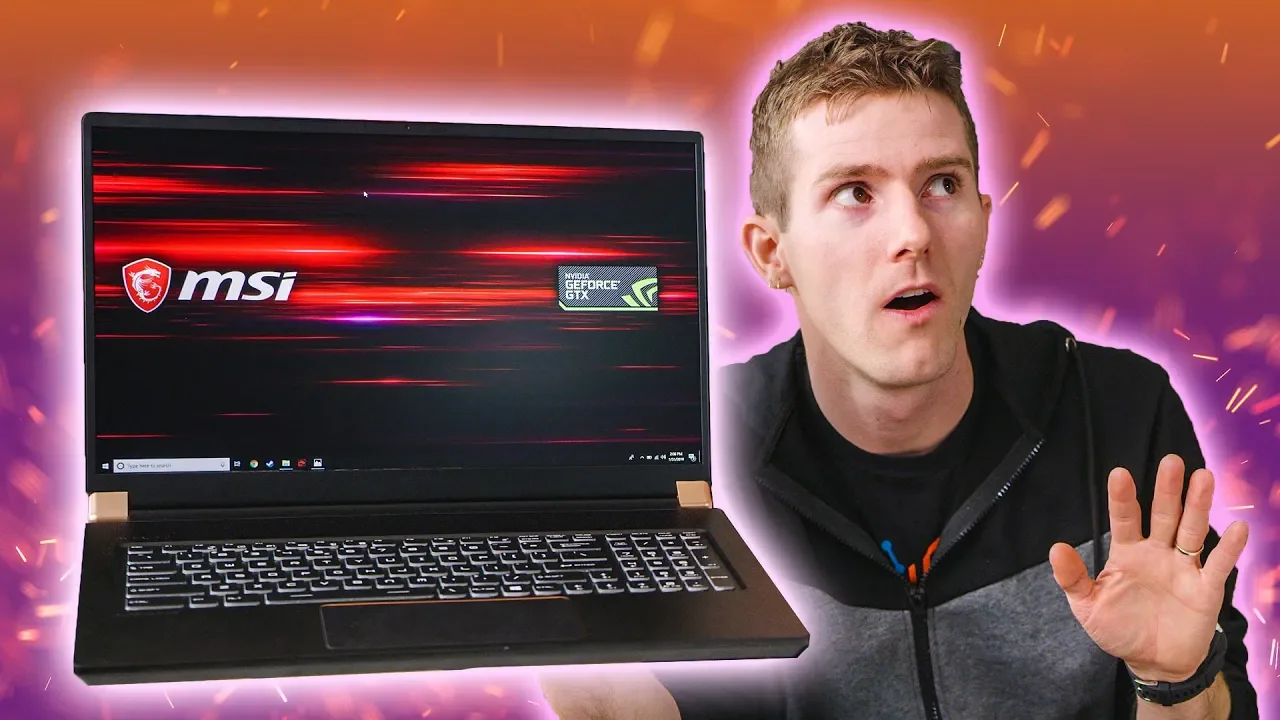
The Next Generation Laptop.
0 up · 0 down · 0 ratings
Promos
Thanks to DocuSign for sponsoring this video! Sign up for a 30-day free trial today at bit.ly Get iFixit's Marlin Screwdriver set today for only $24.99 USD at ifixit.com Buy MSI GS75 on Amazon: geni.us Discuss on the forum: linustechtips.com Our Affiliates, Referral Programs, and Sponsors: linustechtips.com Get Private Internet Access today at geni.us Linus Tech Tips merchandise at lttstore.com Linus Tech Tips posters at crowdmade.com Our Test Benches on Amazon: amazon.com Our production gear: geni.us Twitter - twitter.com Facebook - @LinusTech Instagram - @linustech Twitch - twitch.tv Intro Screen Music Credit: Title: Laszlo - Supernova Video Link: youtube.com iTunes Download Link: itunes.apple.com Artist Link: soundcloud.com Outro Screen Music Credit: Approaching Nirvana - Sugar High youtube.com
The MSI GS75 case is surprisingly refined for a gaming laptop, presenting a professional exterior that masks how aggressively powerful the hardware inside is. Linus runs through the core specs early on, including a GeForce RTX 2080 Max-Q, a six-core Intel Core i7-8750H, 32 GB of RAM, and a one terabyte RAID 0 M.2 SSD array, all packed into a chassis described as “balls to the wall” in performance terms. The video emphasizes that real-world performance on RTX Max-Q laptops varies greatly depending on cooling and power headroom, which means you cannot rely on the spec sheet alone when evaluating these machines. The host also notes that the RTX 2080 Max-Q's performance is highly dependent on how the vendor tunes the power and cooling, with potential base clocks around 735 MHz and boosted clocks depending on chassis cooling, sometimes exceeding 150 watts of draw. This leads to the main takeaway: independent benchmarking is essential to truly judge a laptop’s gaming chops rather than trusting the silicon on the box. Moving from raw specs to testing, the host discusses thermal behavior under stress, where the CPU overheats and throttles to around 2.8 GHz sustained across all cores, yielding a Cinebench score around 1205. He frames this as strong for a notebook but not the pinnacle of desktop-class performance, highlighting how cooling and power budgets shape real-world results. In 3DMark Port Royal, the 17-inch IPS display and a high-refresh-rate 144 Hz panel come into play, showing the laptop’s ability to render real-time ray tracing on a mobile GPU. The review then compares the GS75 against close competitors, noting that while the RTX Max-Q variants outperform older mobile GPUs, a Zephyrus GX701 with superior cooling often pulls ahead in both score and sustained clocks. The verdict here is nuanced: RTX Max-Q delivers a significant leap for mobile gaming, but the best thin-and-light option is not always the most powerful on paper. Towards the middle and end of the video, the build quality and keyboard/trackpad experience receive scrutiny. While MSI packs a generous array of IO options,Thunderbolt 3, full-sized HDMI, ethernet,the chassis flex and palm-rest area’s susceptibility to trackpad activation detract from daily usability, making long sessions potentially uncomfortable for some users. The reviewer praises the battery life for a high-performance machine, quoting about five hours of light use on an 82 Wh battery, and notes the storage expansion potential with three M.2 slots. In the bottom-line assessment, the GS75 is among the fastest gaming laptops available but is not the best choice in its price band when compared to the Zephyrus, which offers higher build quality, G-Sync, and factory calibration. The video closes with a practical recommendation: if you can stretch your budget a bit further, an RTX 2070/2080-equipped machine with better cooling and calibration may deliver a more satisfying overall experience, even if the MSI can match or exceed it in raw frame rates in some scenarios. Sponsorship mentions are clearly separated, and the host invites viewers to explore the specs and options discussed in the video description and related links.
Topics · technology · hardware · gaming laptops · performance benchmarking
Questions answered
- What affects RTX Max-Q laptop gaming performance beyond the official spec sheet?
- RTX Max-Q performance is highly influenced by cooling and power headroom in the chassis, which can cause base and boost clocks to vary widely, sometimes from around 735 MHz up to well over 150 watts of power draw.
- How does the GS75 compare to competing slim gaming laptops in benchmarks like Port Royal and Time Spy?
- In Port Royal, the RTX cards show strong performance compared to older mobile GPUs, but Zephyrus models with better cooling can pull ahead. In Time Spy, RTX cards dramatically beat previous generations, delivering roughly 30x faster results than what was typical in thin laptops.
- What are some practical drawbacks of the GS75 for daily use?
- The trackpad and chassis flex can degrade typing comfort and precision, the build quality is not best-in-class for the price, and some users may prefer higher calibration, G-Sync, and panel quality found in competing models.