What are Drive Imaging and Drive Cloning?
0 up · 0 down · 0 ratings
Promos
Thanks Audible! Get a free audiobook with a 30 day free trial at audible.com Drive imaging and cloning are powerful ways to back up your data - but what makes them better than just copying all your stuff onto a separate drive using File Explorer? Techquickie Merch Store: designbyhumans.com Techquickie Movie Poster: shop.crowdmade.com Follow: twitter.com Join the community: linustechtips.com Leave a comment with your requests for future episodes, or tweet them here: twitter.com
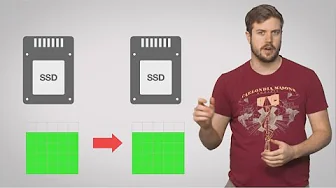
Drive imaging and drive cloning are two related yet distinct backup methods that protect your data by capturing the state of a drive. The video explains that cloning is an exact, sector-by-sector copy from an old drive to a new one, preserving files, their arrangement, free space, and even fragmentation. This makes the clone a reliable, immediate replacement if the original drive fails, or if you want to migrate to a bigger or faster disk without reinstalling everything. In contrast, imaging creates a snapshot of a drive, including the boot record and system state, stored as a separate image file on another device. Images can be mounted or restored onto a drive, and they offer flexibility such as hosting multiple images on one medium and selectively restoring only changed portions. The host highlights practical considerations: cloning is typically quicker for a straightforward recovery or deployment, while imaging provides more options for versioning, space efficiency by skipping unused free space, and restoration from a specific point in time. The video also covers common tools and scenarios where either method shines, such as recovering from catastrophes, malware, or hardware upgrades, and mentions that free and commercial imaging or cloning utilities are widely available to suit different users. It concludes by noting that both approaches are accessible to non-technical users and can be used to keep systems running with minimal downtime, while also teasing free trials of related software and services. Overall, the choice between imaging and cloning depends on whether you value a quick full restore or long-term backup flexibility, and the video demonstrates how each method fits into a practical data protection strategy.
Topics · technology · data_backup · drives_and_storage · computer_hardware
Questions answered
- What is the fundamental difference between drive cloning and drive imaging?
- Drive cloning creates an exact sector-by-sector copy of one drive onto another, including boot records and partitions, resulting in a ready-to-use duplicate drive. Drive imaging creates a snapshot of a drive as a image file stored separately, which can be mounted or restored later and allows multiple images on backup media with optional space optimization.
- When should I use drive cloning versus drive imaging?
- Use cloning when you need a quick, exact replacement of a drive, such as after a failure or for rapid deployment to identical systems. Use imaging when you want flexible backups, versioning, and the ability to store multiple restore points or to restore to different hardware if needed.