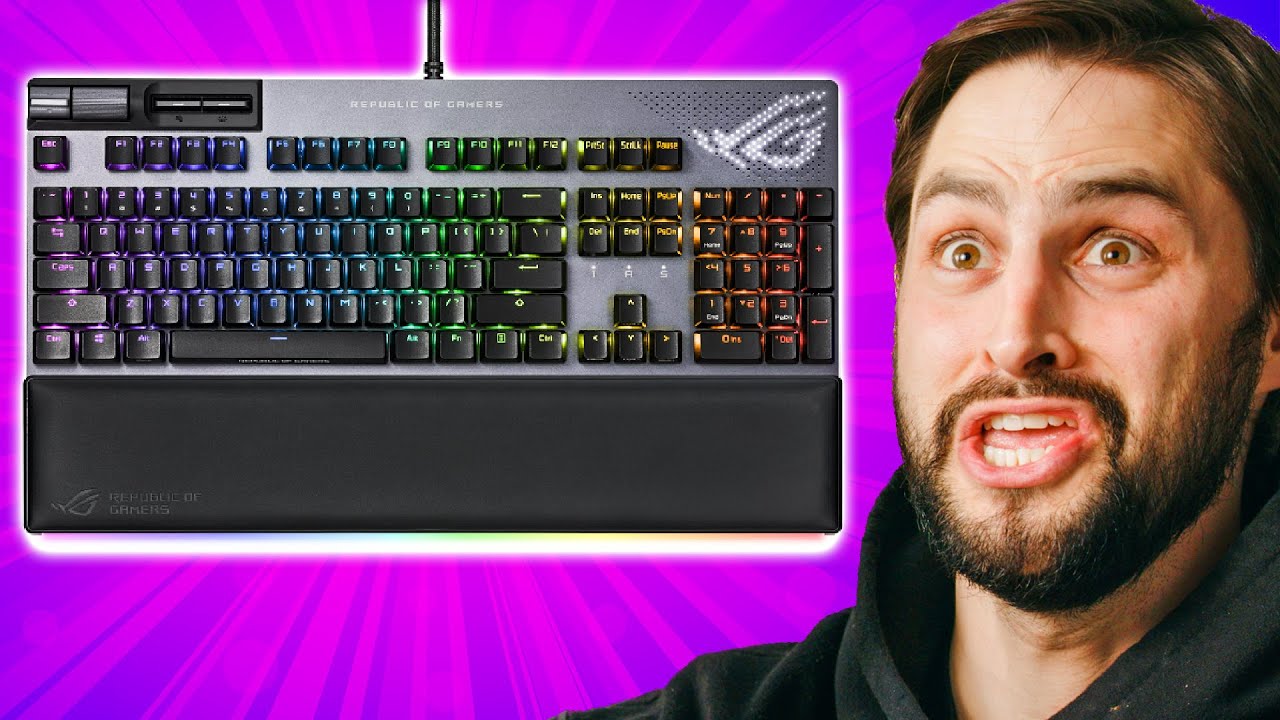
I NEED this keyboard - ASUS ROG Strix Flare II Animate
0 up · 0 down · 0 ratings
Promos
Thanks to ASUS ROG for sponsoring today's video! Shop ROG Strix Flare II Animate: lmg.gg Learn more about ROG NX Switches: lmg.gg Learn more about ROG Strix Flare II Animate: lmg.gg Mechanical keyboards are a huge and growing trend these days, and it's hard to know what you really want! ASUS ROG put something together that is a bit of everything; RGB, stability, custom switches, and build quality. It's not cheap, though. Purchases made through some store links may provide some compensation to Linus Media Group. ► GET MERCH: lttstore.com ► AFFILIATES, SPONSORS & REFERRALS: lmg.gg ► PODCAST GEAR: lmg.gg ► SUPPORT US ON FLOATPLANE: floatplane.com FOLLOW US ELSEWHERE --------------------------------------------------- Twitter: twitter.com Instagram: @shortcircuityt TikTok: @linustech Facebook: @ShortCircuitYT CHAPTERS --------------------------------------------------- 0:00 - I need a new keyboard 0:10 - Unboxing 1:22 - Keyboard exterior impressions 2:27 - Weight impressions 2:48 - Anime Matrix LED display impressions 3:12 - Media buttons 3:39 - Macro recording impressions 3:58 - Typing impressions 4:58 - Key switches impressions 6:00 - Keycaps impressions 6:16 - RGB impressions 6:45 - Typing test 6:59 - ASUS Armoury Crate software 7:23 - Key configuration 8:15 - RGB configuration 8:35 - 8Khz Polling rate 8:51 - Anime Matrix configurator 10:02 - Final thoughts
The video opens with an unboxing and first impressions of the ASUS ROG Strix Flare II Animate keyboard. The host notes the packaging contents, including a wrist rest, braided USB cable with pass-through, a keycap puller, and a soft cloth bag for protection. He highlights the notable build features such as the aluminum faceplate, heavy chassis, and the hot-swappable NX switches option, which allows users to customize feel without replacing the entire keyboard. The presentation emphasizes RGB lighting with a diffused acrylic surface that spreads light evenly across all keys, and the included diffuser design is shown both in footage and in a cutaway to illustrate how light travels through the chassis. The host then demonstrates the quick-access media controls and a multi-step brightness adjustment for the LEDs, underscoring how these features blend convenience with strong aesthetics. Overall, the unboxing and first setup frames the Strix Flare II Animate as a feature-rich, premium option aimed at enthusiasts who want both visual flair and practical customization right out of the box.
Topics · hardware · peripherals · gaming gear · mechanical keyboards
Questions answered
- What makes the ASUS ROG Strix Flare II Animate stand out among mechanical keyboards?
- Key differentiators include hot-swappable NX switches, an aluminum faceplate, diffuse RGB lighting with the anime matrix display, left-side media controls, macro recording on the fly, and Armoury Crate software for extensive customization.
- Can you customize key functions beyond the included switches?
- Yes, the keyboard can remap all keys except function and shift, and media keys can be reassigned to launch apps or perform other actions.
- What is the purpose of the diffuser and how does it affect lighting?
- The diffuser spreads light across the keys for even illumination and helps manage brightness so the lighting remains visually appealing without being overly harsh in dark rooms.