Intel Xeon E5-2697 v2 - Test and Slight Overclock Vlog
0 up · 0 down · 0 ratings
Promos
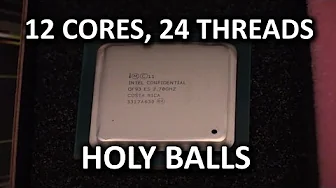
12 cores, 24 threads... This Intel Xeon E5-2697 v2 is going to be a monster in Edzel's new editing workstation. What does Linus think of it after a short test? Hulu Plus link: huluplus.com Sponsor link: linustechtips.com Pricing & discussion: linustechtips.com Support us: linustechtips.com Join our community forum: bit.ly twitter.com @LinusTech Intro Screen Music Credit: Adhesive Wombat -
Channels and socials
Check out his channel here: youtube.com Outro Screen Music Credit: Approaching Nirvana - Sugar High youtube.com
This video documents the process of preparing, assembling, and lightly overclocking a Xeon based workstation centered on the Intel Xeon E5-2697 v2. The creator walks through the rig selection, including 64 GB of Kingston DDR3 memory, 12 cores and 24 threads, and dual radiator liquid cooling, all built on Asus X79 Deluxe boards with Titan Black GPUs. The narrative emphasizes a methodical approach: validating the hardware outside a case, applying thermal compound, installing memory stick by memory stick, and powering up to verify that all components are recognized before deep tuning. The BIOS sessions reveal the baseline tuning strategy, focusing on a modest base clock overclock rather than classic multiplier-based boosts, due to Xeon platform constraints. Through careful voltage management and turbo enablement, the presenter demonstrates achieving a stable overclock to 3.5 GHz on single-thread boosts while maintaining solid multi-core performance. The outcome is a high-end, multi-threaded workstation capable of handling demanding tasks like 3D rendering, with the video ending on a teaser for more multi-system liquid cooling projects. The tone remains hands-on and educational, blending hardware enthusiasm with practical safeguards to avoid damage while exploring performance gains. Overall, the vlog blends hardware lore, overclocking experimentation, and a glimpse into a larger five-system room cooling project.
Topics · technology · hardware · overclocking · computing · video_blog
Questions answered
- What limits the Xeon E5-2697 v2 from classic overclocking on multipliers, and how is overclocking achieved in this setup?
- Xeon CPUs on this platform do not overclock by multiplier like some Core i7 parts. Overclocking is approached by tweaking base clock and enabling turbo, with careful voltage management to avoid instability or damage. In this video the base clock is raised to 105 MHz and turbo is enabled to sustain higher frequencies, resulting in an effective overclock for the 12-core, 24-thread CPU while balancing stability and longevity.
- What cooling and memory configuration were chosen for this Xeon workstation build?
- The build uses a dual radiator liquid cooling system and 64 GB of DDR3 memory, with 8 GB DIMMs, for a total of 64 gigs to support memory-intensive workloads. Kingston memory is used, with consideration for higher speed modules later, and the cooling loop is tested outside the case first to ensure reliability before final integration.