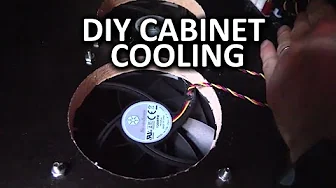
Entertainment Center Cooling Mod - Linus DIY Method
0 up · 0 down · 0 ratings
Channels and socials
My media PC was overheating during extended gaming sessions. I decided to make a mod to my entertainment center to provide better cooling - let's see how it turned out! Sponsor link: linustechtips.com Pricing & discussion: linustechtips.com Support us: linustechtips.com Join our community forum: bit.ly twitter.com @LinusTech Intro Screen Music Credit: Adhesive Wombat -
Check out his channel here: youtube.com Outro Screen Music Credit: Approaching Nirvana - Sugar High youtube.com
The video opens with Linus explaining a persistent overheating problem in his media PC, which uses a GeForce GTX 660 Ti and an Intel Core i5. During extended gaming sessions, temperatures spike and throttle the GPU, with reported GPU temps around 101°C and the fan pegged at 80%, causing the core clock to drop dramatically. Linus outlines the goal of the project: improve cooling within the entertainment center cabinet rather than leaving the PC open or relocating components. He emphasizes that the initial condition is a closed cabinet that traps heat, making passive cooling insufficient and prompting the decision to modify the cabinet itself. The setup and mood are practical and hands-on, with a focus on a feasibility-based solution rather than a theoretical approach, aiming for measurable temperature improvements after the mod is completed.
Topics · computer_hardware · do_it_yourself · home_improvement · pc_cooling