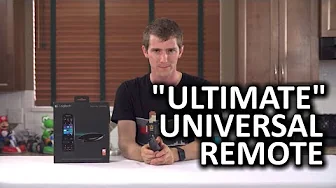
Logitech Harmony Ultimate - Universal Remote
0 up · 0 down · 0 ratings
Promos
The Logitech Harmony Ultimate is "more than a remote" with Bluetooth control for consoles and control for Philips Hue lighting. But is it an essential part of any living room media setup? Ting link: linus.ting.com Sponsor link: linustechtips.com Pricing & discussion: linustechtips.com Support us: linustechtips.com Join our community forum: bit.ly twitter.com @LinusTech Intro Screen Music Credit: Adhesive Wombat -
Channels and socials
Check out his channel here: youtube.com Outro Screen Music Credit: Approaching Nirvana - Sugar High youtube.com
The Logitech Harmony Ultimate unbox experience is almost as dramatic as the device itself, with Linus describing a space age bundle that combines a Harmony hub, IR blaster and charging dock in one package. The host guides viewers through creating a myharmony.com account and installing the desktop app, which then scans for compatible devices on the home network and helps import settings from a previous Harmony remote. He emphasizes the importance of manually adding devices by part number to avoid surprises, and walks through building an activity such as Watch PC, selecting every device and input involved so that triggering the activity powers on and configures the right gear while leaving other gear idle. The initial setup is presented as a two step process: configure devices in the app and then sync the remote with the hub, which can take around 20 to 30 seconds and requires tweaking to disable the on screen lock and tailor context dependent commands for each activity. In a real world field test, the Harmony Ultimate is put through a mixed ecosystem with a non smart TV, a Windows Media Center PC, an Onkyo receiver, a Wii, a PS4 and a Chromecast connected through the receiver. Linus demonstrates how the hub uses IR for broad compatibility, and how mini IR blasters can be placed to overcome line of sight obstacles, such as a door in front of a device. The remote itself features a charging dock, standard media controls, a bottom set of programmable buttons, and a central touchscreen that wakes via accelerometer input, enabling on the fly tweaking of settings and quick activity launches without needing the PC app every time. The video captures a range of successes and hurdles, from the hub reliably powering up and switching inputs to the inevitable tedium of perfecting device recognition and timing, which sometimes requires guidance from tech support. The verdict mixes practical positives with clear caveats. When it all works, the Harmony Ultimate offers a powerful, centralized control surface that can simplify complex setups, letting you power TVs, receivers and game consoles with a single activity. Yet the reviewer notes notable caveats: some devices require manual entry or timing tweaks, certain products like a Bose speaker or some Nest components may not integrate perfectly, and controlling non standard gear via Bluetooth can be inconsistent. A live demo shows cloud syncing enabling device control from mobile apps, adding convenience for iPhone or Android users and enabling gestures for quick actions. The overall takeaway is that the Harmony Ultimate is a strong fit for multi device households that value consolidated control, but it can require patient setup and may not replace every remote in a given setup, particularly for devices with unique control schemes or Bluetooth requirements.
Topics · technology · home_theater · consumer_electronics · smart_home · remote_control
Questions answered
- Can the Harmony Ultimate replace all my remotes in a complex home theater setup?
- The Harmony Ultimate can centralize many remotes and simplify activities, but it may not replace every device. Some gear, such as certain speakers, gaming controllers, or Bluetooth connected devices, may still require their own remotes or apps.
- Is the setup experience easy for a typical user?
- Setup can be involved and may require time and troubleshooting, including manual device addition, timing adjustments for input switching, and occasionally contacting tech support. The reviewer notes it improves with cloud syncing and mobile app use, but initial configuration can be challenging.