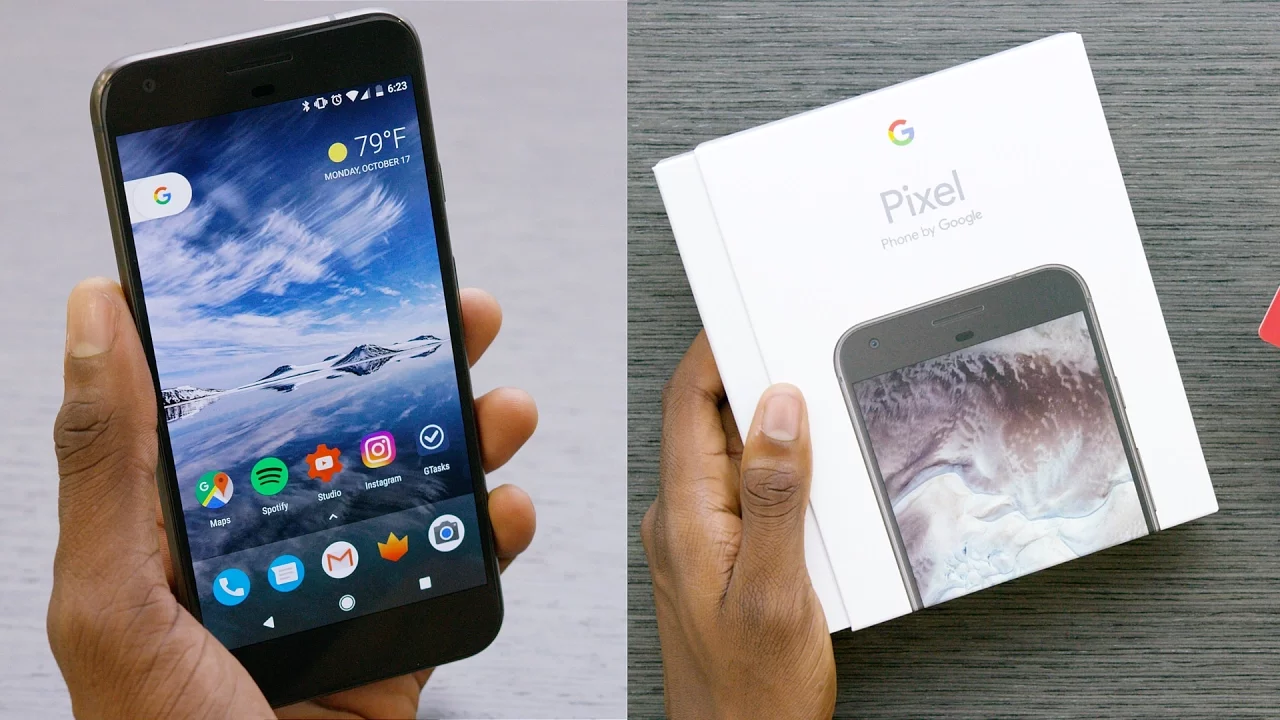
Google Pixel Unboxing! (Best Android 7.1 Features)
0 up · 0 down · 0 ratings
Channels and socials
Unboxing the Google Pixel XL and going over the best new Android 7.1 Nougat features! Google Pixel Impressions: youtu.be Video Gear I use: kit.com Intro Track: 20syl - Copycat feat. Fashawn (Instrumental) ~ twitter.com snapchat.com google.com @MKBHD @MKBHD Pixel phone provided by Google
The video opens with Marques Brownlee introducing the Google Pixel XL in hand and sets expectations that he has been using the device for a few days to share early impressions focused on software and Android 7.1 Nougat features. He notes that this is the first device shipping with Android 7.1 out of the box, highlighting that many changes are refinements rather than sweeping overhauls from 7.0. The discussion then dives into five key observations: a redesigned navigation bar at the bottom with filled-in icons, the learning curve of software navigation on devices with on-screen buttons, and a growing use of the Google Assistant which can be activated by long-pressing the home button or by voice from any screen. He also reviews the fully finished Pixel launcher, pointing out the uniform circular icons and the improved app drawer triggered by a swipe from the dock, which grants a larger touch target and easier access. Additionally, he mentions useful launcher additions like a weather forecast widget and a new app suggestions feature that can prompt you with apps you might not have installed. The video then covers long-press shortcuts inside apps, likening them to 3D Touch on iOS, and finishes with a section on new gestures under Moves, including double-twist to switch camera, double-tap power button to open the camera, and using the fingerprint sensor to pull down the notification shade. He emphasizes these as refinement features that set Android 7.1 on Pixel apart and teases a full review with tests on camera, battery life, and overall performance, inviting viewers to suggest topics for the upcoming video. The second paragraph synthesizes how these elements affect daily use: navigation feels more intentional with filled-in icons, gestures reduce the need to hunt for hardware or screen buttons, and the Pixel launcher changes create a cleaner, more cohesive home screen experience. He explains how the assistant integration is more deeply embedded in the OS, enabling quicker access to information and tasks even when the screen is off, while the launcher’s top weather and app suggestions optimize glanceable information and curation. The long-press shortcuts are framed as a bridge between Android and iOS usability patterns, signaling broader app ecosystem adoption. In closing, he positions Android 7.1 on Pixel as a set of practical, user-centric refinements that improve day-to-day interactions, and he invites feedback to shape the forthcoming full review, including camera performance and battery life tests. Viewers are encouraged to share what they want tested, making the video a gateway to deeper Pixel analysis while showcasing how the phone feels in real-world use.
Topics · technology · smartphones · android · unboxing · review · hardware
Questions answered
- What are the top Android 7.1 features highlighted for the Pixel in this video?
- The top features are the redesigned bottom navigation bar with filled-in icons, the built-in Google Assistant accessible by long-press or voice, the finalized Pixel launcher with circular icons and an easier app drawer swipe, long-press shortcuts inside apps, and new Moves gestures including double-twist to switch cameras, double-tap power to open the camera, and fingerprint-based pull-down of the notification shade.
- How does the creator suggest the Pixel launcher changes affect everyday use?
- The launcher changes provide a cleaner look with uniform icon shapes, larger swipe targets for opening the app drawer, a weather widget at the top, and app suggestions that may surface uninstalled apps, all contributing to quicker, more intuitive navigation and glanceable information.