How To Paint Your PC Parts - Linus Plasti Dip Method
0 up · 0 down · 0 ratings
Channels and socials
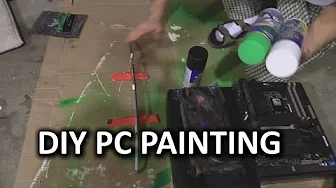
Here is my DIY guide on how to safely paint parts of your graphics card, RAM, and motherboard. I recently had to do this for one of our build guides, so I decided to make a vlog and show you guys the process. Sponsor link: linustechtips.com Pricing & discussion: linustechtips.com Support us: linustechtips.com Join our community forum: bit.ly twitter.com @LinusTech Intro Screen Music Credit: Adhesive Wombat -
Check out his channel here: youtube.com Outro Screen Music Credit: Approaching Nirvana - Sugar High youtube.com
The video demonstrates a practical DIY method for painting PC parts using Plasti Dip, focusing on components like RAM, graphics cards, and the motherboard. The presenter explains the motivation behind choosing Plasti Dip instead of regular paint, highlighting its removable nature and the risk of permanent damage if standard paints are used on electronics. He starts with planning the color scheme, describing a green underglow on RAM heat spreaders and a black stealth look on the motherboard and GPUs to fit a Razor Edition aesthetic. The workflow is laid out step by step: prepping parts, disassembling where necessary, applying a light base coat, and layering colored Plasti Dip with attention to masking and coat thickness. He also covers essential reassembly steps, such as reseating the GPU, reapplying thermal paste, and ensuring fans and cooling are properly reconnected. Throughout, the video blends practical tips with on-camera commentary about tool usage, spray technique, and the importance of even coverage from multiple angles. By the end, the parts are reassembled and installed, showcasing the final green-accented visuals against a completely black stealth build, along with encouragement to viewers to share their own variations or questions. The overall tone remains instructional yet approachable, inviting a DIY audience to experiment with customization while acknowledging potential design disagreements about color choices. The video closes with a call to action for likes, comments, and including affiliate links, emphasizing community engagement and ongoing build guides.
Topics · DIY · Tech Tutorials · PC Hardware · Gaming
Questions answered
- What is the main reason Linus uses Plasti Dip instead of regular paint on PC parts?
- Plasti Dip is removable and less likely to permanently damage components, making it safer for painting computer hardware.
- What components does the video cover painting, and what colors are used?
- The video covers RAM, graphics cards, and a motherboard thermal armor. It uses black for stealth, green for accents on RAM and some GPU areas, and white as a base coat for certain green layers.
- What safety or assembly tips does the video emphasize?
- Key tips include masking off sensitive areas, avoiding painting while parts are attached to the PCB, reapplying thermal paste with care, using proper base coats, and ensuring fans are reconnected after reassembly.