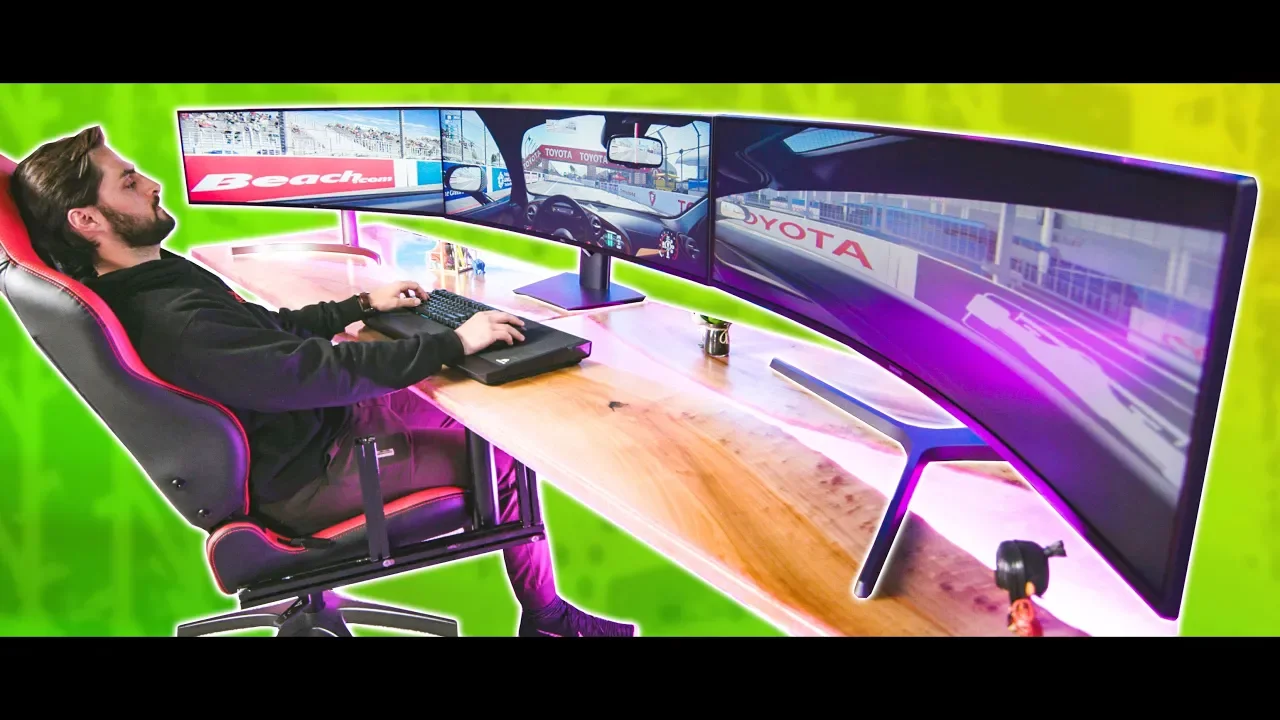
Get on my level. - The 147" Surround Monitor Experience
0 up · 0 down · 0 ratings
Promos
Thanks to Skillshare for sponsoring this video! The first 500 of our subscribers to use this link: skl.sh will get a 2 month free trial! Enter the Builds.GG contest at lmg.gg 49" 32:9 super ultrawide monitors are meant to replace two or even three monitors...but when if you have 3 of them? Buy Super Ultrawide monitors: On Amazon: geni.us LG 49WL95C: LG.com: bit.ly / Amazon: geni.us Discuss on the forum: linustechtips.com Our Affiliates, Referral Programs, and Sponsors: linustechtips.com Get Private Internet Access today at geni.us Displate metal posters: lmg.gg Linus Tech Tips merchandise at lttstore.com Linus Tech Tips posters at crowdmade.com Our Test Benches on Amazon: amazon.com Our production gear: geni.us Twitter - twitter.com Facebook - @LinusTech Instagram - @linustech Twitch - twitch.tv Intro Screen Music Credit: Title: Laszlo - Supernova Video Link: youtube.com iTunes Download Link: itunes.apple.com Artist Link: soundcloud.com Outro Screen Music Credit: Approaching Nirvana - Sugar High youtube.com
The video documents an experimental three-monitor setup using three 49-inch 32:9 ultrawide displays arranged in a rough semicircle, with the host James attempting to squeeze a sci-fi style gaming and productivity rig into a single, immersive workspace. Early on, the presenter explains the hardware constraints, including the need for a computer with multiple video outputs and high-end cables, and notes that matching monitor models simplify color consistency and syncing. As the build progresses, the crew tests how to configure Nvidia Surround to treat the trio as one large canvas, exploring two-monitor pairs first and then attempting three-monitor topology, while discussing the limitations of differing resolutions and refresh rates. The video shifts into practical gameplay tests, trying games that support ultra-wide and triple-screen setups, such as Far Cry 5 and Project Cars 2, and evaluating how well the experience scales with the mixed hardware. Throughout, the host reflects on the trade-offs, such as the cost, the potential need for window management in non-gaming tasks, and the value of software tools that maintain surround mode without constant reconfiguration. In the closing segments, the host offers observations on whether the setup is worth the investment and shares general tips for enthusiasts considering similar projects, including the importance of game compatibility and the practicality of alternative multi-monitor layouts. The sponsor integration and product links appear in the outro, emphasizing peripheral gear and learning resources rather than the core setup itself.
Topics · hardware · gaming · computer-peripherals · display-technology