The Best of What Alienware Has to Offer - Alienware Area-51
0 up · 0 down · 0 ratings
Promos
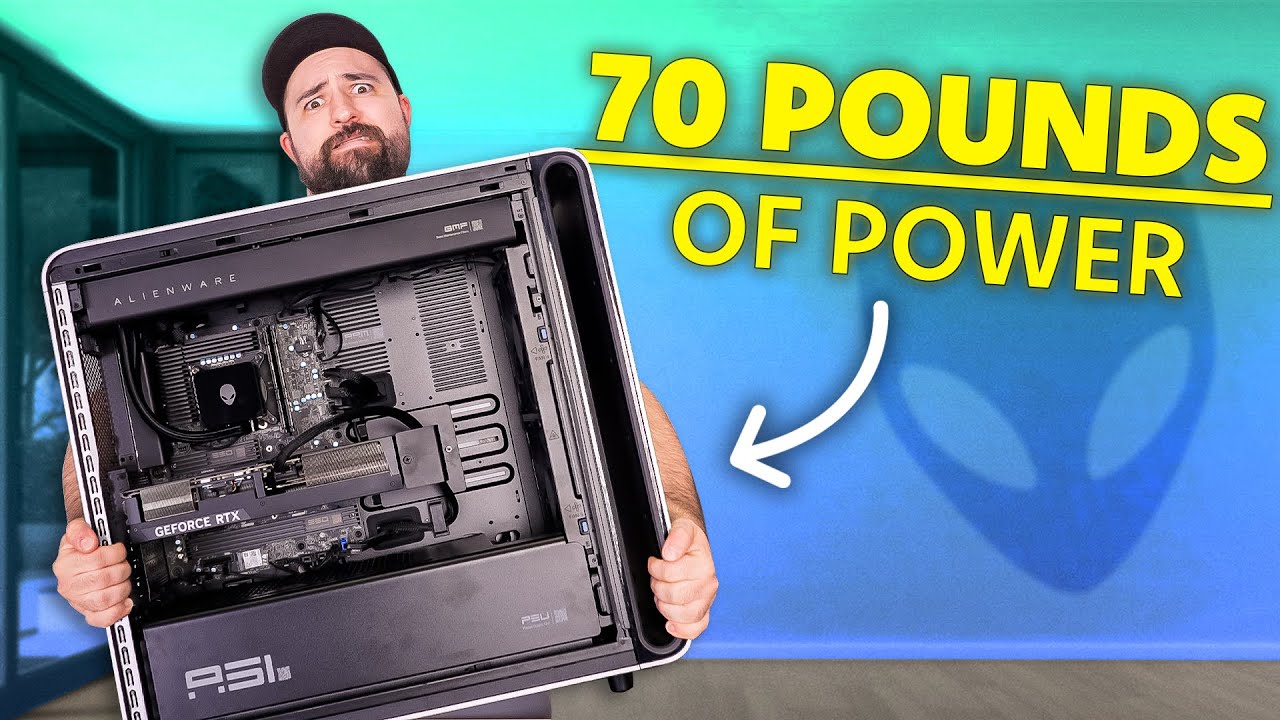
Get an exclusive $3 discount on Saily data plans – including Saily Ultra! Download the Saily app or go to saily.com and use code SHORTCIRCUIT3 at checkout. Plouffe takes on Alienware’s 76-pound, $5000 Area 51 desktop. With a Core Ultra 285K, RTX 5090, and a 1500W platinum PSU, this prebuilt is massive, flashy, and not without quirks. He unboxes it, explores the hardware, tests performance, and breaks down whether Alienware’s flagship delivers on its price tag.
Check out the Alienware Area-51 Gaming Desktop PC: prsm2.com Want us to unbox something? Make a suggestion at lmg.gg ► GET MERCH: lttstore.com ► GET A VPN: piavpn.com ► GET EXCLUSIVE CONTENT ON FLOATPLANE: lmg.gg ► SPONSORS, AFFILIATES, AND PARTNERS: lmg.gg Purchases made through some store links may provide some compensation to Linus Media Group. Affiliate links powered in part by affilimate.com Linus Sebastian is an investor in Framework Computer, Inc CHAPTERS --------------------------------------------------- 0:00 Intro 0:27 Unboxing and accessories box 2:47 IO overview front and rear 4:52 Side panel mechanism and peel 5:40 Inside tour 7:59 12VO motherboard caveat 8:46 Rear cable management 9:52 Sponsor - Saily 10:32 Powering it up, checking the specs, and REBAR 12:33 Cyberpunk 4K test and tweaks 14:11 Pricing, overall thoughts, and LABS test results 16:42 Outro
The video opens with Plouffe unpacking and describing the sheer scale of Alienware’s Area-51 desktop. He highlights the oversized chassis, the mass and weight, and the distinctive Area-51 aesthetic with the cheese grater top and the prominent glass side panel. He points out the front IO, including multiple USB-C and USB-A ports, a headphone and mic jack, and notes the back panel with two Thunderbolt 4 ports, many USB-A ports, and the absence of an HDMI or display port on the motherboard side. The unboxing sequence emphasizes the inclusions such as a free keyboard and mouse, warranty materials, and a Wi-Fi puck, with commentary on how the peripherals feel in this premium package. He also calls out a few design choices like the 12V power architecture and the need to upgrade or adapt for future upgrades, while stressing the premium price and the all-in-one nature of the unit. The segment then transitions to a tour of the internal layout, including the cooling system, radiators, the anti-sag bracket, and the location of the SSD and Wi-Fi components, followed by an assessment of cable management and accessibility. He notes real-world caveats such as the proprietary motherboard approach, potential upgrade limitations, and the unresolved issue of video out due to the motherboard’s configuration. The video then moves into a testing phase, where the build is powered up, its specs confirmed, and BIOS settings such as REBAR and XMP are discussed, with emphasis on enabling REBAR for noticeable performance gains in supported titles. Finally, the performance testing on Cyberpunk 2077 at 4K with DLSS, radiation settings, and path tracing is showcased, where frame rates dip below 60 without frame generation, but overall visual quality and path tracing realism are praised. The host rounds out with pricing context, LABS test results, and a closing assessment of whether the Area-51 justifies its price, noting the scale, cooling, and flagship hardware as compelling but expensive features. The video concludes with a reaffirmation of the product’s premium status, a nod to configurable options, and an invitation to check out other Short Circuit reviews for context and comparison.
Topics · technology · hardware · pc_builds · gaming_performance
Questions answered
- What are the key specifications of the Alienware Area-51 desktop reviewed in the video?
- The system features a Core Ultra 285K CPU, an RTX 5090 GPU, and a 1500W platinum power supply, with 2TB of storage and 64-bit memory configurations discussed during the review. It uses a 360mm AIO, a high-end cooling setup, and Express connections including USB-C and Thunderbolt 4 on the back, with multiple front USB ports for convenience.
- Does the motherboard configuration support standard ATX upgrades easily?
- No, the Area-51 uses a 12V motherboard design that does not expose a standard ATX 24-pin connector, which means upgrading the motherboard or certain components may require more involved changes or a new power supply, limiting interchangeability.