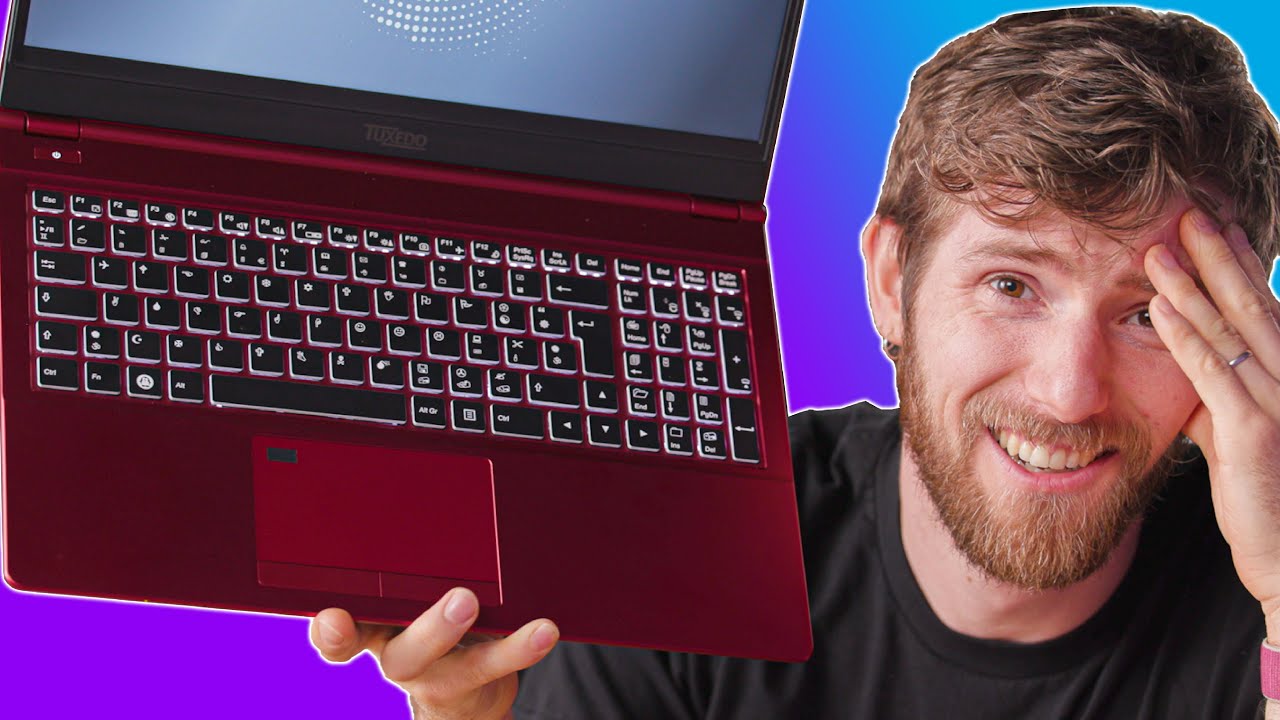
This Laptop is so HARD to use! - Wingdings Tuxedo Laptop
0 up · 0 down · 0 ratings
Description
Check out the Tuxedo Laptop at lmg.gg
Promos
Get 20% OFF + Free Shipping at Manscaped.com with code CIRCUIT at mnscpd.com I can't believe I spent over an hour trying to use this laptop, but hey at least it has Linux!
Check out the Wikipedia Page on Wingdings at en.wikipedia.org Buy Intel 10th Gen Laptops On Amazon(PAID LINK): geni.us On NewEgg (PAID LINK): geni.us On BHPhoto (PAID LINK): geni.us Purchases made through some store links may provide some compensation to Linus Media Group. GET MERCH: lttstore.com SUPPORT US ON FLOATPLANE: floatplane.com LTX EXPO: ltxexpo.com AFFILIATES & REFERRALS --------------------------------------------------- Affiliates, Sponsors & Referrals: lmg.gg Get Private Internet Access VPN at lmg.gg Get a Displate Metal Print at lmg.gg NEEDforSEAT Gaming Chairs: geni.us Support a Creator code LINUSMEDIAGROUP on Epic Games Store: lmg.gg Get a 30-day free trial of Amazon Prime at lmg.gg Our Test Benches on Amazon: lmg.gg Our Production Gear: lmg.gg FOLLOW US ELSEWHERE --------------------------------------------------- Twitter: twitter.com Instagram: @shortcircuityt Facebook: @ShortCircuitYT FOLLOW OUR OTHER CHANNELS --------------------------------------------------- Linus Tech Tips: lmg.gg TechLinked: lmg.gg Techquickie: lmg.gg LMG Clips: lmg.gg Channel Super Fun: lmg.gg Carpool Critics: lmg.gg
This video showcases a Tuxedo Computers Wingdings themed laptop unboxing and hands-on usage that leans into the humor of impractical keyboard customization. The hosts walk through the packaging, accessories, and initial impressions, highlighting the dual-boot configuration that ships with both Windows and Ubuntu, and the outlandish Wingdings keyboard engraving option. They explain the hardware basics, noting a slim CLEVO-based chassis, a dual-boot setup, and a mix of USB-A ports along with a Mini DisplayPort and an ethernet jack that remains physically compact yet functional. The segment also explores the user experience of attempting to operate a Wingdings-keyboard while navigating Linux software installation, including adding a font and attempting to install basic tools, with the hosts reacting to the novelty and the practical challenges. The video culminates in a lighthearted reflection on why someone would choose Wingdings for keyboard legends, acknowledging the novelty while recognizing the impracticality for most users, and praising the option for customization that Tuxedo Computers offers. Overall, the video balances curiosity and humor with hands-on hardware critique, concluding that the Wingdings keyboard is a playful badge of personality rather than a practical productivity feature, and that the laptop itself remains a capable, Linux-friendly device with room for improvement in the keyboard experience.
Topics · technology · hardware · unboxing · linux · humor