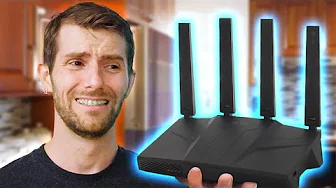
I NEEDED to Fix her Internet!
0 up · 0 down · 0 ratings
Description
Thanks to GL.iNet for sponsoring this video!
Promos
Check out their Flint 3 and Comet Pro below! Flint 3 (with 19% discount): link.gl-inet.com Comet Pro (GL-RM10): link.gl-inet.com Last time Linus was at Natalie's house for her AMD $5000 Upgrade, she forgot to upgrade her terrible WiFi. It took HOURS to download a Valorant update! This time GL.iNet stepped up to help her by giving her a free router to make sure she can be on WiFi 7 6Ghz! Video about 50 Routers - youtube.com Video about MoCA - youtu.be Video about Powerline Ethernet - youtube.com Discuss on the forum: linustechtips.com ► GET OUR MERCH: lttstore.com ► GET EXCLUSIVE CONTENT ON FLOATPLANE: lmg.gg ► GET A VPN: piavpn.com ► SPONSORS, AFFILIATES, AND PARTNERS: lmg.gg Purchases made through some store links may provide some compensation to Linus Media Group. Affiliate links powered in part by affilimate.com Linus Sebastian is an investor in Framework Computer, Inc CHAPTERS --------------------------------------------------- 0:00 Intro 2:04 HowFi 4:07 Getting rid of junk 5:29 The Upgrade 7:44 Results 8:21 PCiFi 10:52 Results are in 11:50 Full Bars Myth 12:51 Outro
The video documents a comprehensive home networking upgrade directed at Natalie's WiFi woes. It begins by establishing a baseline of the current network situation, highlighting how a crowded environment with more than 30 networks can cause severe congestion and inconsistent performance. The host explains why simply adding more mesh nodes often fails to improve the experience, emphasizing the importance of selecting the right frequency bands and avoiding unnecessary devices. The first major move is to migrate the home network to the 6 GHz band using a GL.iNet Flint 3 router, intended to provide higher capacity, lower latency, and more stable connections across multiple rooms. The setup process is walked through in practical steps: bridging the ISP router, configuring the new unit, and recommending to reuse the same SSID and password to minimize device reconnects. The narrative then shifts to hardware considerations, debating the value of wireless PCI cards versus upgrading the entire mesh approach, while also discussing the potential of alternative backhaul methods such as Ethernet, MoCA, or powerline adapters. The results are shown with real-time speed and ping measurements across the house, demonstrating a marked improvement in overall experience, particularly for activities like gaming and streaming, while also noting occasional residual latency due to ongoing downloads and network hops. The segment concludes with broader considerations, including the potential of further enhancements like RF blocking materials and remote access solutions such as GL.iNet’s Comet Pro for BIOS-level remote management, presenting a forward-looking view of continuous, user-focused network optimization.
Topics · technology · science_and_tech · home_networking · networking_hardware · internet_service_provider
Questions answered
- What is the primary goal of upgrading Natalie's network in this video?
- To move Natalie's home network to the 6 GHz band with the Flint 3 router to achieve higher capacity, lower latency, and more stable performance across the house.
- Why might replacing a full mesh system not always solve Wi-Fi problems?
- Because Wi-Fi congestion arises from multiple factors including channel overlap, numerous nearby access points, and device behaviors like channel hopping, which can persist even with extra nodes if the spectrum and lanes are not managed properly.
- What is one practical tip given for setting up a new Wi-Fi network?
- Use the same SSID and password as the old network to increase the likelihood that devices reconnect automatically without manual reconfiguration.