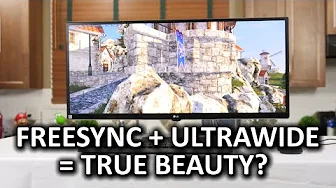
LG 34UM67 Ultrawide FreeSync Monitor
0 up · 0 down · 0 ratings
Channels and socials
Just when I thought LG's ultrawide displays couldn't get any better, they went ahead and added FreeSync... XSplit giveaway link: linustechtips.com Fractal Design link: linustechtips.com Pricing & discussion: linustechtips.com Support us: linustechtips.com Join our community forum: bit.ly twitter.com @LinusTech Intro Screen Music Credit: Title: Laszlo - Supernova Video Link: youtube.com Outro Screen Music Credit: Approaching Nirvana - Sugar High youtube.com
LG 34UM67 Ultrawide FreeSync Monitor review begins with a quick look at ultrawide displays and how this model is positioned for gamers, building on the prior 34UM95. The video starts with a physical overview of the monitor, noting a see-through stand and a mostly basic stand adjustability, with a focus on ports and the lack of USB hub in the back. The onscreen menu is described as feature rich, including six-axis color adjustments and multiple gaming modes, while also highlighting the absence of a true sRGB color profile and the potential need for calibration to achieve accurate colors. The presenter discusses dynamic action sync and Adaptive Sync with FreeSync, detailing how the monitor offers a 48–75 Hz adaptive window and the caveats tied to Nvidia GPU support, DisplayPort 1.2a, and driver requirements. In practice, the experience is framed as solid for gaming thanks to low input lag and good motion, but there are tradeoffs with pixel density and text clarity at 2560x1080, and the panel’s IPS technology contributes to excellent contrast and wide viewing angles. The video then shifts to real-world usage notes, including gaming performance, perceived tearing with FreenSync off, and how VSYNC interacts with the monitor’s adaptive refresh window, concluding that FreenSync is a strong feature but not a perfect fit for all setups. The host also covers practical tips, ownership experience, and a giveaway for XSplit licenses, ending with a reminder to subscribe, engage with the community, and check video description for affiliate links. Overall, the review positions the LG 34UM67 as a compelling ultrawide gaming monitor with notable FreeSync support, while acknowledging limitations in resolution density and FreSync behavior on Nvidia hardware, and offering recommendations for calibration, usage scenarios, and future considerations in the FreeSync ecosystem.
Topics · technology · monitors · gaming · amd · ultrawide · lg electronics
Questions answered
- Can Nvidia GPUs use Dynamic Refresh Rate with the LG 34UM67 Freesync monitor?
- No, at the time of the video, Nvidia GPUs could not enable Freesync on this monitor because it relies on the DisplayPort 1.2a adaptive refresh window, which Nvidia had not enabled for this use case.
- What are the main benefits and drawbacks of the Freesync implementation on the 34UM67?
- Benefits include reduced stutter and tearing in supported games when frame rates fall within the 48–75 Hz adaptive window and low input lag. Drawbacks include a limited 48–75 Hz range that can cause tearing or lag outside that window, and some users noting suboptimal Freesync performance when frame rates are outside the window or when used with Nvidia GPUs.
- Is the monitor suitable for text-heavy productivity due to its resolution and pixel density?
- Text readability at 2560x1080 on a 34-inch ultrawide IPS panel can be challenging, and some viewers may prefer higher pixel density for long text work, although the panel excels in contrast and color for gaming and immersive use.