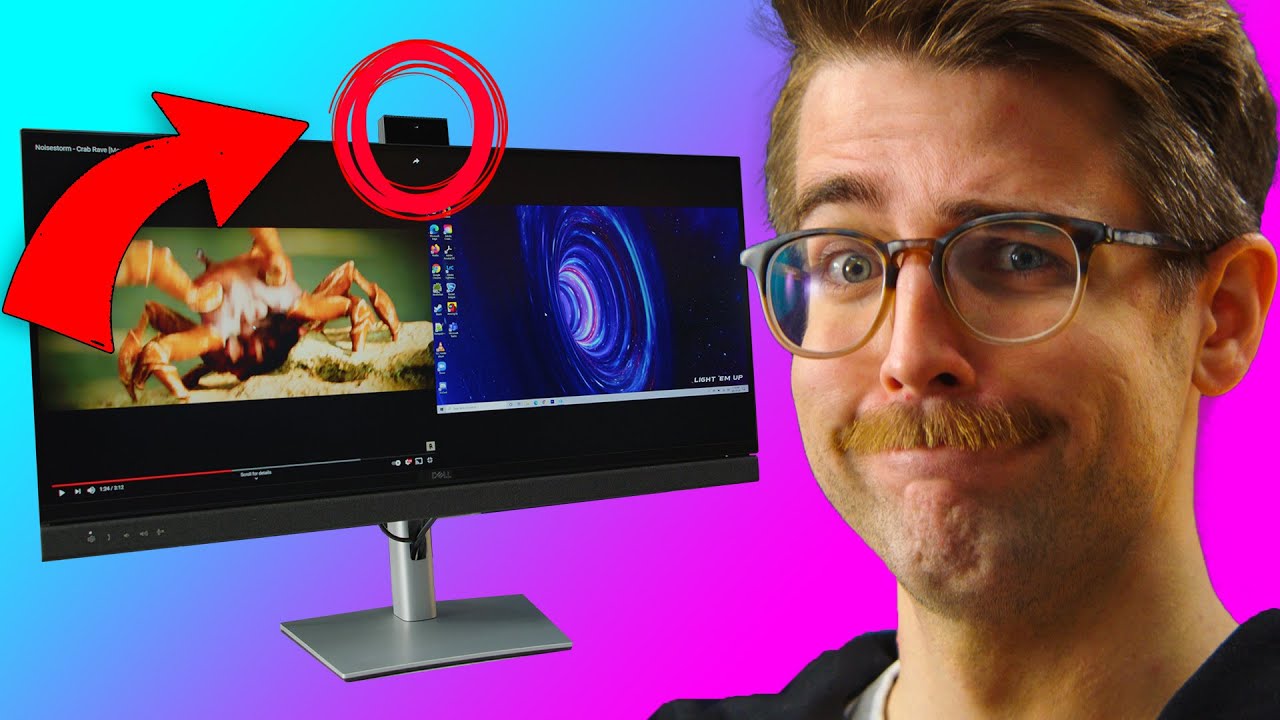
Monitors have built-in webcams now!? - Dell Video Conference Monitors
0 up · 0 down · 0 ratings
Promos
Save 10% and Free Worldwide Shipping at Ridge Wallets by using offer code LINUS at ridge.com Monitors are getting bigger but are they getting more useful? Dell decided to make this more functional with a built-in camera, KVM switch, ultra-wide resolution, curved, and you can use TWO PCs at once??? It's like they simply incorporated every monitor's selling point into one product line. Dell Video Conference line-up will be available Feb 16th,
check out all the details at lmg.gg Buy Dell Ultra Wide Monitors On Amazon (PAID LINK): geni.us On Newegg (PAID LINK): geni.us On BestBuy (PAID LINK): geni.us Buy ADATA XPG Xenia Xe On Amazon (PAID LINK): geni.us On Newegg (PAID LINK): geni.us On BestBuy (PAID LINK): geni.us Purchases made through some store links may provide some compensation to Linus Media Group. ►GET MERCH: lttstore.com ►SUPPORT US ON FLOATPLANE: floatplane.com ►LTX EXPO: ltxexpo.com AFFILIATES & REFERRALS --------------------------------------------------- ►Affiliates, Sponsors & Referrals: lmg.gg ►Private Internet Access VPN: lmg.gg ►Our Official Charging Partner Anker: lmg.gg ►MK Keyboards: lmg.gg ►Nerd or Die Stream Overlays: lmg.gg ►NEEDforSEAT Gaming Chairs: lmg.gg ►Displate Metal Prints: lmg.gg ►Epic Games Store (LINUSMEDIAGROUP): lmg.gg ►Official Game Store: nexus.gg ►Amazon Prime: lmg.gg ►Audible Free Trial: lmg.gg ►Our Gear on Amazon: geni.us FOLLOW US ELSEWHERE --------------------------------------------------- Twitter: twitter.com Instagram: @shortcircuityt Facebook: @ShortCircuitYT FOLLOW OUR OTHER CHANNELS --------------------------------------------------- Linus Tech Tips: lmg.gg TechLinked: lmg.gg Techquickie: lmg.gg LMG Clips: lmg.gg Channel Super Fun: lmg.gg Carpool Critics: lmg.gg
The video provides a detailed unboxing and hands-on test of Dell’s Video Conference Monitors, focusing on a 34-inch ultrawide curved model that includes several integrated collaboration and productivity features. The hosts walk through the unboxing, identifying what comes in the box such as various cables, a monitor arm, and the base, before examining the physical design elements like the fabric finish and the built-in 5-watt stereo speakers. A central highlight is the front Teams button and the pop-up webcam with Windows Hello, which are presented as core selling points aimed at business users who need simple video conferencing integration on a single display. The demonstration then shifts to ports and I/O, where they detail HDMI, DisplayPort, USB-C, USB hubs, Ethernet, and audio jacks, explaining how the monitor can function as a hub and even power devices while idle. As the setup progresses, the hosts test the monitor’s smart features, such as the joystick for on-screen adjustments, and attempt to get the built-in Teams functionality working, concluding with a positive impression of the device’s all-in-one approach for desk setups and videoconferencing needs, while noting some caveats about software compatibility and real-world use. In the second major segment, the discussion centers on the integrated KVM switch and the ability to control two PCs with a single mouse and keyboard via the monitor. They demonstrate connecting a laptop and another PC through USB-C and DisplayPort, showing how the upstream USB-C port enables hub functionality and how the KVM enables switching control between machines. The testers evaluate the endpoint performance, including camera quality, auto exposure, and white balance, and they assess the practicality of the 178-degree viewing angle and 60 Hz refresh rate for office tasks rather than gaming. Throughout, the video emphasizes the consolidation of multiple peripherals and features into one monitor, positing that Dell’s approach could reduce cable clutter and desk complexity for professional environments. The wrap-up reinforces the monitor as a business-focused, feature-rich option, while acknowledging that some consumers may prioritize higher refresh rates or gaming-specific features elsewhere. Overall, the video balances unboxing excitement with practical testing, offering a blended verdict on whether a monitor with built-in webcam, microphone, Teams integration, and KVM functionality justifies its premium for business use. The hosts’ humor and on-camera dynamic, including mock debates about safety during unboxing and casual banter about the device’s quirks, contributes to an engaging presentation. Viewers are given a thorough walk-through of setup steps, performance tests, and real-world usage scenarios for conferencing and productivity tasks, ending with a clear takeaway that this Dell model aims to be a one-stop solution for modern workspaces while noting some caveats about software support and expectations for media features.
Topics · hardware · computer-peripherals · business-productivity · video-conferencing · consumer-electronics
Questions answered
- Does the Dell Video Conference Monitor support using two PCs with its built in KVM switch?
- Yes, the monitor includes a built in KVM switch that allows using one mouse and keyboard across two PCs via the USB-C upstream port and the monitor’s hub functionality.
- Is the webcam on the monitor built in and does it support Windows Hello?
- Yes, the monitor has a pop up webcam with Windows Hello compatibility for secure sign in.
- What connectivity options are available on the monitor for external devices?
- The monitor provides HDMI 2.0, DisplayPort 1.2, USB 3.2 Gen 1 with up to 5 Gbps, a USB-C upstream port, USB-A and USB-B ports, an RJ45 Ethernet, and a 3.5 mm audio jack.