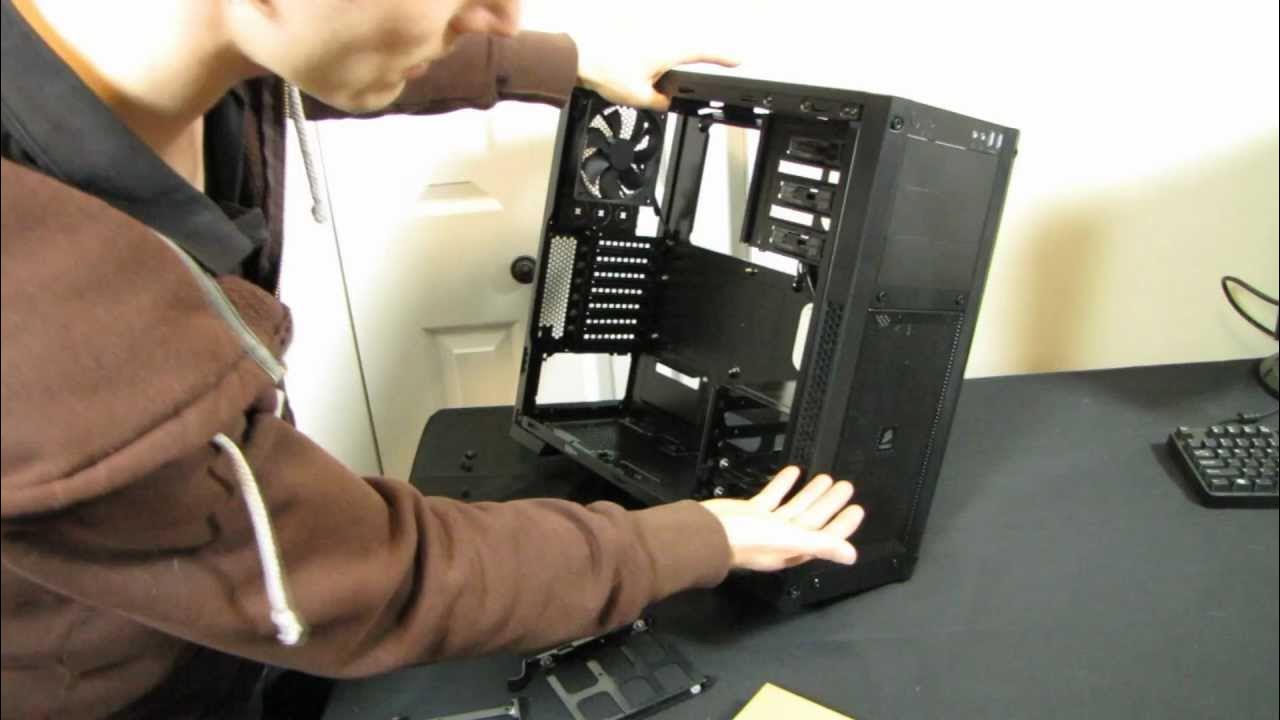
Corsair 300R Value Gaming Case Unboxing & First Look Linus Tech Tips
0 up · 0 down · 0 ratings
Description
CA: ncix.com US: us.ncix.com This may be one of the best gaming cases to hit the sub $100 price bracket in a very long time. Good features, good looks, and a good price... These things a good case doth make.
The Corsair Carbide Series 300R unboxing and first look covers a value-oriented mid-tower PC case that LinusTechTips presents with a focus on design, build quality, and practical features. In the opening segment, Linus confirms the 300R’s CES 2012 reveal and highlights the case’s compact expression of Corsair’s philosophy: solid build, ample airflow, and user-friendly accessibility. He notes the front panel’s plastic brushed look and demonstrates the removable dust filter, the tool-free drive bays, and the rear 120 mm fan, emphasizing airflow considerations and maintenance. The discussion then moves to the hardware foundation of the case, including the dual 5.25 inch bays, integrated 2.5 inch SSD compatibility, and the general interior layout that facilitates long GPUs and clean cable routing. Linus also comments on the anodized brushed aluminum look and the practical reality that fingerprints cannot be fully removed, praising Corsair for combining aesthetics with function in a value-focused chassis. The next portion delves into the side panels and structural details, where he commends the metal pronged panel fasteners over plastic ones, reducing the risk of breakage during teardown or upgrades. He expands on the cooling strategy, describing the 140 mm front fan, 120 mm rear fan, and the perforations around the fan mounts that improve airflow while mitigating turbulence, as well as the bottom dust filters and the front mesh that contribute to overall ventilation. Linus then walks through the interior space, noting the generous room behind the motherboard tray for cable management, the wide CPU cutout, and the various cable routing holes that facilitate a clean build behind the motherboard, while acknowledging a potential improvement like an extra cutout for certain eight-pin power configurations. In summary, he positions the 300R as a surprisingly capable case for under $100, praising Corsair’s attention to detail, ports, and overall design quality that support high-end builds in a budget-friendly package. He closes by recommending viewers subscribe for more unboxings and tech content, and reiterates that the case offers strong airflow, solid construction, and a good balance of features for sub-$100 builds.
Topics · technology · hardware · pc-build · unboxing · product-review · gaming
Questions answered
- What makes the Corsair 300R a good value case for sub-$100 builds?
- It combines a solid steel chassis with a plastic front bezel, a good balance of airflow features (dual front 140 mm and rear 120 mm fans), removable dust filters, tool-free drive bays, and thoughtful cable management room, enabling high-end builds at a lower price.
- How does Corsair address ease of maintenance and future upgrades in the 300R?
- The case offers removable dust filters, tool-free drive bays, large motherboard and cable routing space, a large CPU cutout, and adjustable fan mounting options that support upgrades and cleaner builds over time.
- What design details stand out in this unboxing that affect user experience?
- The metal pronged panel fasteners instead of plastic pieces, the brushed plastic front aesthetic, the aggressive airflow-oriented side and bottom venting, and the accessible front panel and USB3 header all contribute to a practical and appealing user experience.