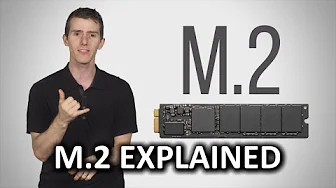
M.2 As Fast As Possible
0 up · 0 down · 0 ratings
Promos
Drives always seem to be getting smaller and faster. How can the new M.2 interface help your PC work more quickly? Squarespace link: Visit squarespace.com and use offer code LINUS to save 10% off your first order. Buy M.2 SSDs On Amazon (Paid Link): geni.us On Newegg (Paid Link): geni.us On Walmart (Paid Link): geni.us Purchases made through some store links may provide some compensation to Linus Media Group. Follow: twitter.com Join the community: linustechtips.com
M.2 as a technology is presented as a compact, versatile interface designed to replace traditional 2.5 inch SSDs and expand card options. The video begins by tracing storage evolution from bulky drives to tiny, fast SSDs and then introduces M.2 as a shrinkable, high-speed interface that leverages PCI Express for superior bandwidth. The host explains the practical limits of SATA and SATA Express, highlighting why M.2 can deliver much higher speeds while occupying far less space in a PC. He then dives into the specifics of M.2, noting that many drives use PCIe 3.0 x4, which yields a theoretical maximum near four gigabytes per second, though real-world speeds are typically lower. The discussion also covers the broader utility of M.2 beyond storage, such as Wi-Fi and Bluetooth modules that can fit into the same slot for cleaner builds and fewer cables. The host emphasizes compatibility checks, pointing out that not all M.2 slots and drives are equal, with variations in PCIe versions, AHCI vs NVMe protocols, and connector types that determine whether a given card will actually deliver the expected performance. Finally, the video covers physical dimensions and slot compatibility, explaining size indicators like 2242 and why longer cards may not fit every motherboard or notebook, before concluding that the trade-off for speed and flexibility is worth the extra attention to compatibility. While the host promotes Squarespace as a sponsor, the core takeaway remains that M.2 offers meaningful gains in speed and space that are worth considering for builders looking to upgrade storage or add high-speed wireless capabilities. In short, M.2 represents a compact evolution in storage and expansion cards, delivering substantial speed improvements when paired with the right PCIe and NVMe configurations, while also enabling streamlined, cable-free installations for wireless adapters and small-form-factor drives. The guidance is practical: verify PCIe version, protocol, connector type, and physical size before purchasing to ensure you actually gain the promised performance and compatibility for your specific system.
Topics · technology · hardware · storage · computing · gadgets · consumer electronics
Questions answered
- What is the core benefit of M.2 over traditional SATA SSDs?
- M.2 provides higher potential speeds by using PCIe and NVMe, allowing faster data transfer rates than the SATA interface, and it also enables smaller, cable-free installations.
- What should you check before buying an M.2 card?
- Check the PCIe version (preferably 3.0 or newer), the protocol (NVMe vs AHCI), the connector type and lane configuration, and the physical size to ensure compatibility with your motherboard or notebook.