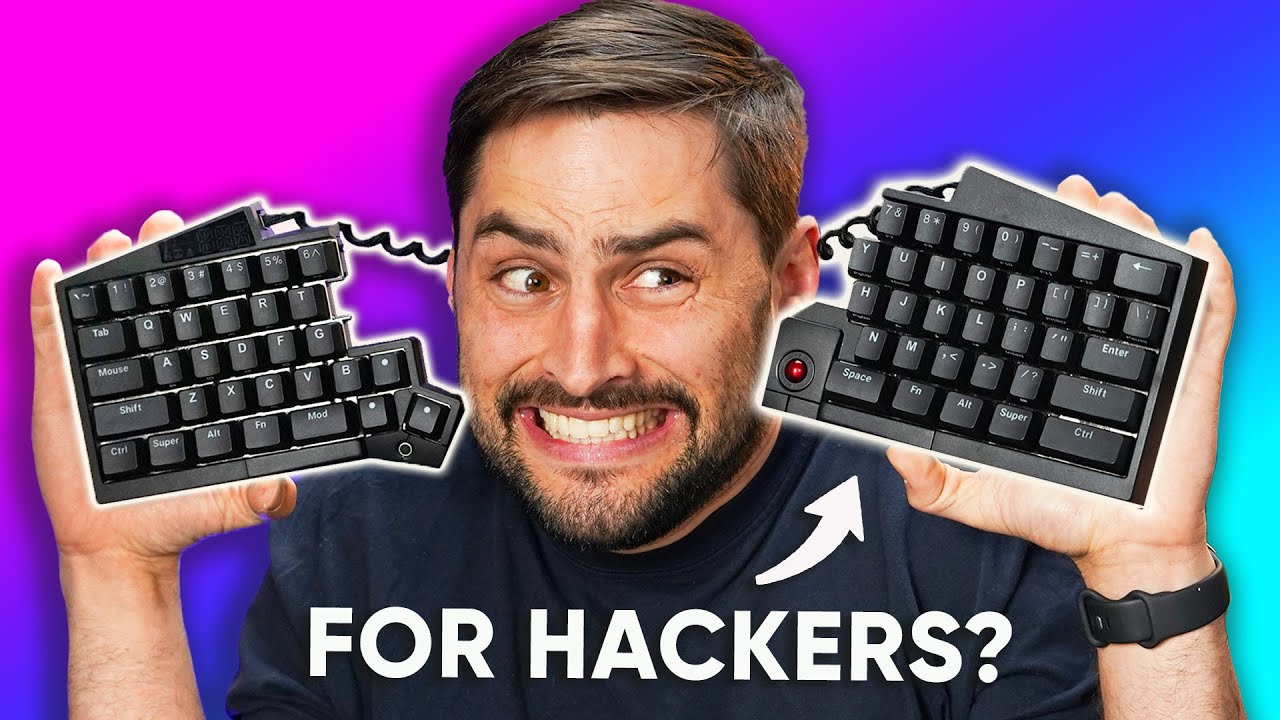
We bricked it… - UHK 60
0 up · 0 down · 0 ratings
Description
Play Enlisted for FREE on PC, Xbox Series X|S and PS5: enplay.link Follow the link to download the game and get your exclusive bonus now. See you in battle! James is a big fan of ergonomic keyboards so when the UHK 60 arrived here at the office, he knew he had to check it out (even though he's not a hacker!) With a small form factor and a plug-and-play module ecosystem, is this the new ergo-keyboard to beat or will tech issues make this DOA?
Promos
Check out the UHK 60 V2: lmg.gg Purchases made through some store links may provide some compensation to Linus Media Group. Want us to unbox something? Make a suggestion at lmg.gg ► GET MERCH: lttstore.com ► LTX 2023 TICKETS AVAILABLE NOW: lmg.gg ► GET EXCLUSIVE CONTENT ON FLOATPLANE: lmg.gg ► SPONSORS, AFFILIATES, AND PARTNERS: lmg.gg ► PRODUCTS WE USE ON THE SHORTCIRCUIT SET: lmg.gg FOLLOW US ELSEWHERE --------------------------------------------------- Twitter: twitter.com Instagram: @shortcircuityt TikTok: @linustech Facebook: @ShortCircuitYT CHAPTERS --------------------------------------------------- 0:00 Save your hands! 0:22 Unboxing 1:19 Design impressions and ergonomics walkthrough 6:55 Colours, switches, and keycaps 8:10 Sponsor - Enlisted 8:40 Key layout options and optional modules 11:02 Agent software and tech issues 12:15 James bricks the keyboard and checks out the other modules 15:27 The keyboard is fixed! 16:42 Outro
The video opens with a practical intro that frames ergonomic keyboards as a health investment, explaining how a well designed input device can help prevent RSI and support long hours at a desk. The host then introduces the UHK 60, a compact split keyboard with modular options, noting its potential for customization and ergonomic benefits through separation of the two halves. He walks through the physical package, highlighting the included feet, a combined key switch and keycap puller, a cable with USB-C, and the bridge that links the two halves, while pointing out the practical considerations of setup and cable routing. The design discussion shifts to the back panel which features a reset button and configuration details, including a list of features like adaptive mode and macro programming, setting the stage for deeper exploration of how the keyboard can be tuned to a user’s posture and workflow. The first major block of the review then pivots to demonstrate the ergonomics in practice, showing how split layout, ulnar deviation reduction, and pronation control can influence comfort, followed by a critical look at the optional tenting and extension accessories which can dramatically alter the typing angle and wrist alignment, with the host voicing both curiosity and skepticism about the price and practicality of these add ons.
Topics · hardware · ergonomics · unboxing · technology · peripherals
Questions answered
- What makes the UHK 60 ergonomic compared to traditional keyboards?
- The UHK 60 is modular and split, allowing users to position the two halves for reduced shoulder and elbow strain, minimize pronation, and decrease ulnar deviation, which can lessen RSI risk.
- Are there any drawbacks or caveats to the UHK 60's modular system?
- Yes, the modular system can add complexity and cost, some accessories may feel awkward to use, and firmware updates or troubleshooting can require careful steps including unbricking procedures.
- Do the added tenting and tilt accessories justify the price?
- That depends on the user; tenting and tilt can significantly improve wrist posture for some, but at a premium price and with mixed module usability for others.