Razer Blade Thin & Light Gaming Notebook Featuring Switchblade Unboxing & First Look Linus Tech Tips
0 up · 0 down · 0 ratings
Description
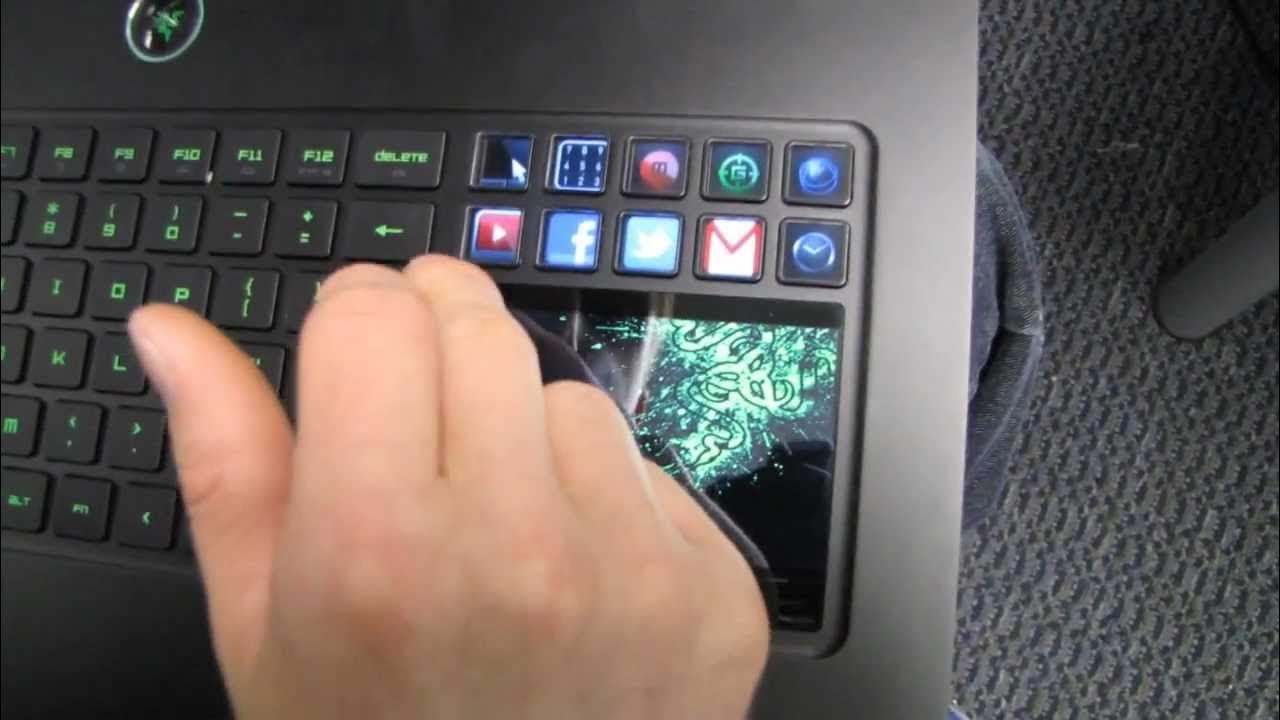
CA: ncix.com US: us.ncix.com Sooo many requests for Razer's sexy gaming notebook. The 1080p LED backlit screen and 0.88" thickness is just the beginning. Featuring the Switchblade interface and Synapse 2.0 software, this gaming notebook knows how you want to play your games, and gives you the portability to do it anywhere!
The video opens with an unboxing of the Razer Blade gaming notebook, focusing on what makes the device stand out for gamers. The host emphasizes that many gaming laptops fail to meet real gamer needs, and suggests the Blade’s aluminum construction and slim 0.88 inch profile address portability without sacrificing performance. He notes key exterior features early on, including a backlit keyboard, a full anti-ghosting keyboard layout, and a distinctive green Halo power button, all housed in a slim 17 inch chassis. As he continues, the host describes the internal specs including a GT 550M graphics card, 8 GB of DDR3 memory, a 256 GB SSD boot drive, and a dual core processor with hyperthreading considerations for modern games. He highlights the Switchblade interface, a glass-like surface serving as a trackpad with 10 customizable display buttons, and explains how the Synapse 2.0 software enables cloud-stored profiles and per-game configurations. The discussion covers the external and internal design cues, such as heat pipe cooling, intake and exhaust ventilation, and the overall rigidity and durability afforded by the aluminum body, stressing how this impacts real-world handling. The host then delves into Switchblade 2.0, detailing its two modes: a four-point multi-touch trackpad and an 800x480 resolution LED display, both of which can be customized through Synapse 2.0 and saved to the cloud for portability. With the software connected, he demonstrates basic interactions like adjusting lighting, creating macros, and switching between different game profiles, including a simulated Twitter integration and a number pad mode. Throughout the presentation, the host shares practical observations about keyboard layout, key feel, hotkeys, and how the screen and trackpad surfaces complement gaming workflows, concluding that the Blade represents a forward-thinking, highly integrated portable gaming solution for 2012. He ends by noting the product’s potential impact on the market and encourages viewers to subscribe for more unboxings and tech coverage from Linus Tech Tips.
Topics · technology · consumer electronics · laptops · gaming · unboxing · hardware
Questions answered
- What is the Switchblade interface on the Razer Blade and how does it work?
- The Switchblade interface is a glass surface that serves as either a multi-touch trackpad or an 800x480 LED display, with 10 customizable display buttons. It integrates with Synapse 2.0 software to save per-game profiles and hardware configurations, and can display game-specific information or tools when needed.
- What are the core specifications of the Razer Blade as shown in the unboxing?
- The notebook features a GT 550M graphics card, 8 GB of DDR3 memory, a 256 GB SSD boot drive, and a dual-core processor with considerations for hyperthreading in modern gaming contexts.