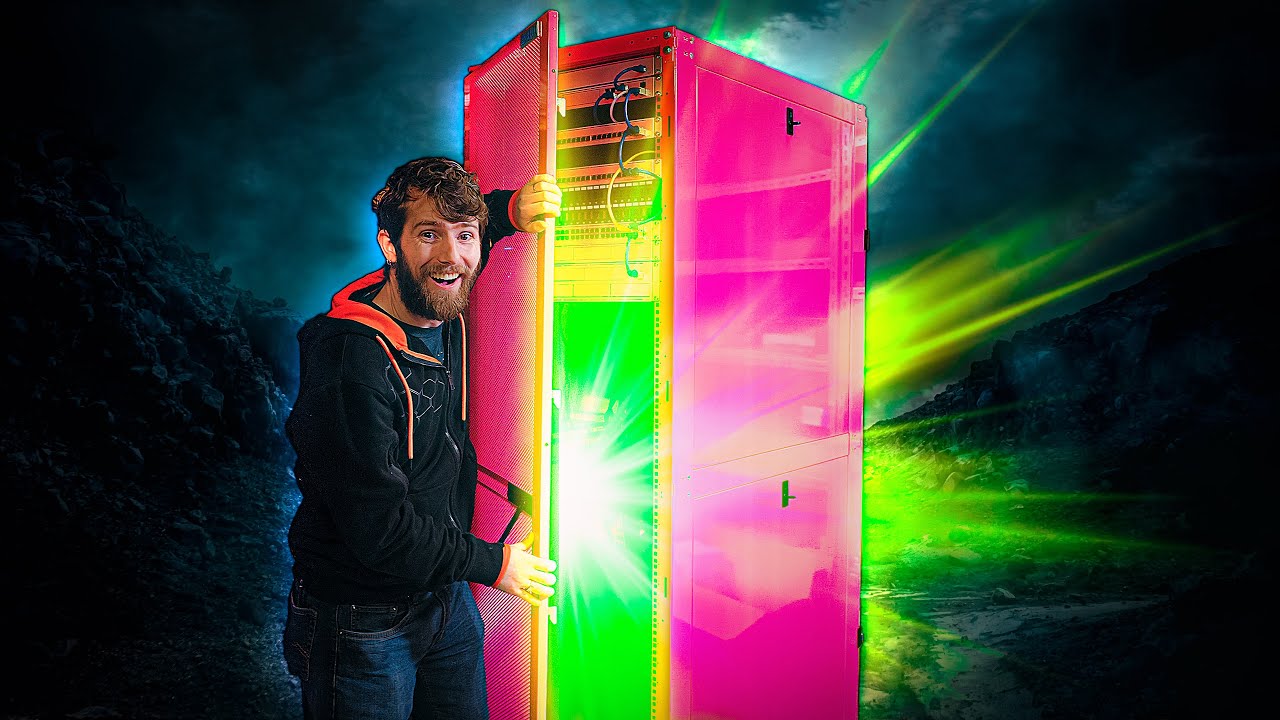
Check out my HUGE Rack! - New House Network Update
0 up · 0 down · 0 ratings
Description
Thanks to VOLTA for sponsoring today’s video! You can
Check out RackSolutions' RS148 Data Canter Server Cabinet at lmg.gg
Promos
check out the VOLTA Spark 60W + 1 Tip and VOLTA Spark 100W + 1 Tip charging cables here: geni.us Use code LINUS and get 25% off GlassWire at lmg.gg Now that Linus' home is sort of smart, it's time to bring in the network rack to house the brains of the operation: Routers, switches, NVRs, UPSes, the whole nine yards! Why is it pink?
Check out the Ubiquiti store: lmg.gg Buy a Ubiquiti Networks UniFi Dream Machine Pro: lmg.gg Buy a Ubiquiti Networks Switch Pro 48 PoE: lmg.gg Buy a Ubiquiti UniFi Protect Network Video Recorder: lmg.gg Buy a Ubiquiti Networks UniFi SmartPower Redundant Power System: lmg.gg Buy an Eaton 9PX Lithium Ion UPS on Newegg: geni.us Purchases made through some store links may provide some compensation to Linus Media Group. Discuss on the forum: linustechtips.com ► GET MERCH: lttstore.com ► AFFILIATES, SPONSORS & REFERRALS: lmg.gg ► PODCAST GEAR: lmg.gg ► SUPPORT US ON FLOATPLANE: floatplane.com FOLLOW US ELSEWHERE --------------------------------------------------- Twitter: twitter.com Facebook: @LinusTech Instagram: @linustech TikTok: @linustech Twitch: twitch.tv MUSIC CREDIT --------------------------------------------------- Intro: Laszlo - Supernova Video Link: youtube.com iTunes Download Link: itunes.apple.com Artist Link: soundcloud.com Outro: Approaching Nirvana - Sugar High Video Link: youtube.com Listen on Spotify: spoti.fi Artist Link: youtube.com Intro animation by MBarek Abdelwassaa @mbarek_abdel Monitor And Keyboard by vadimmihalkevich / CC BY 4.0 geni.us Mechanical RGB Keyboard by BigBrotherECE / CC BY 4.0 geni.us Mouse Gamer free Model By Oscar Creativo / CC BY 4.0 geni.us CHAPTERS --------------------------------------------------- 0:00 Intro 0:29 Unboxing 3:46 How are we gonna move this thing?? 6:23 Linus makes the obvious joke 6:30 It's almost TOO big... 7:48 ... Or is it? Here comes the UPS 10:13 Wire support 12:40 Linus drops his nuts 13:19 Big racks attract lots of cameras 15:18 96 network ports?? 16:18 Time to get settled in 19:16 That's a lot of gear Linus can't use right now
The video opens with Linus introducing a massive new network rack for his home and the excitement is palpable as the pink cabinet by RackSolutions is unveiled. We get color and build details right away: the rack is a bold hot pink, painted twice to ensure a vibrant finish, and it is proudly made in the USA with room to house routers, switches, NVRs, and UPS units. The crew tackles the physical challenge of moving and positioning the enclosure, including discussing safety, the weight of the skid, and how to get it onto the floor without damaging the hardware or the room. The emphasis then shifts to practical setup steps, starting with mounting a lithium-ion UPS (Eaton 9PX) and wiring strategy to keep the heavier gear low in the rack for stability. They also talk through modular components and cables, from patch panels to 10 gig switches, and how they plan to orchestrate power, networking, and storage in the new space, all while joking and bantering about the project’s scale. As assembly continues, the team demonstrates the nuanced process of installing rails and supporting structures, including the tricky work of using cage nuts with unfamiliar hardware. They explore inserting the UPS first to establish a solid base, explaining the benefits of lithium-ion batteries for weight and service life, and how the system will sustain the household’s growing load. The discussion then moves to network design, featuring UniFi gear with an emphasis on 10 gigabit links, patch panels mounted above switches, and the goal of having about 96 network ports to support dozens of devices. They compare future upgrades and the possibility of 25 gig gear, reflecting on how these choices will balance performance, future-proofing, and cable management. Throughout, Linus and Jake pepper in humor and personal touches, acknowledging the delays due to permits and the general chaos of a home build that still looks to become a true data-center-like nerve center. The video showcases hands-on progress as they test connections, adopt new devices in the UniFi ecosystem, and optimize power distribution with the redundant power system. The team highlights how the two 24-port 10 gig switches will be wired, with careful planning for both active Poe devices and high-speed links between core components. They discuss the challenges of running heavy cables through a home environment and the practical considerations of cable routing, bracket hardware, and maintaining clean aesthetics with bright pink hardware. There is a playful tension around door keys, rails, and the inevitable scuffs that occur during a first setup, but the overall mood remains optimistic as the rack begins to resemble a purpose-built control center. Finally, the install culminates in a live test, a preliminary speed check, and the realization that the “House of Dreams” is slowly becoming a reality despite ongoing construction and permit hurdles. The sponsor segment ties the larger project to practical charging and power accessories, linking Volta cables to the broader goal of keeping a data-heavy home network powered efficiently. Viewers see a blend of high-end gear, from the Volta cables to the Eaton UPS and Unifi NVRs, with an undertone of excitement about the potential for streamlined management via the Unified Design Center. The conclusion of the video reflects both the progress made and the work left to do, including final cable management, patching, and ensuring the system is fully up and running before Linus moves in completely. Throughout, the energy remains upbeat, and the audience is invited to follow along as the pink rack evolves from a showpiece into the central nervous system of a modern, highly connected home.
Topics · Technology · DIY & Home Improvement · Data Center & Networking · Networking Equipment · Home Networking · Sponsors & Partnerships
Questions answered
- What is the main purpose of the pink rack in Linus's home setup?
- The pink rack is intended to house the brains of the home network, including routers, switches, NVRs, and UPS hardware, creating a centralized and scalable control center for the home network.
- Why is the UPS installation prioritized early in the setup?
- Installing the UPS early provides a stable power backbone for the rack, helps manage load distribution, and supports redundancy so critical gear remains powered during outages.
- What future upgrades are discussed for the network?
- They discuss upgrading to higher-speed links such as 25 gig instead of 10 gig, expanding patch panels, and planning for more 10Gbps and Poe-enabled devices to support a large number of cameras and endpoints.
- How is cable management addressed in the plan?
- The plan includes using patch panels mounted above the switches and thoughtful routing with proper cage nuts and rails to keep cables organized and accessible.
- What sponsorships or products are highlighted in the video?
- The video features sponsorships and products from RackSolutions for the rack, UniFi gear for networking, and Volta cables for charging accessories, with an Eaton 9PX UPS showcased for power management.