ULTIMATE Build a Better $2000 Gaming & Silent Workstation PC Computer "How To" Guide
0 up · 0 down · 0 ratings
Promos
The ULTIMATE $2000 Intel gaming PC build guide has landed. Enjoy! It uses the latest "Haswell" 4th Generation Core series processor family and some other really cool stuff that makes it incredibly efficient and silent without compromising on performance. This video build guide was sponsored by Intel. Sponsor link: intelgamingpromo.com Parts List: Intel Core i7 4770K "Haswell" CPU Intel 520 Series 240GB SSD ASUS Sabertooth Z87 motherboard Fractal Design Define R4 GeForce GTX 780 video card WD Green 3TB hard drive Corsair Vengeance 16GB DDR3 RAM Seasonic G Series 550W power supply bequiet! Dark Rock 2 CPU cooler Beyerdynamic Custom One Pro headphones Razer Deathadder 2013 gaming mouse Filco Majestouch Cherry MX Brown 104 key Stealth printed mech. keyboard ASUS Pro Art 248Q 24" monitor Join our community forum: bit.ly twitter.com @LinusTech Music by Adhesive Wombat used with permission.
Channels and socials
Check out his work here: youtube.com
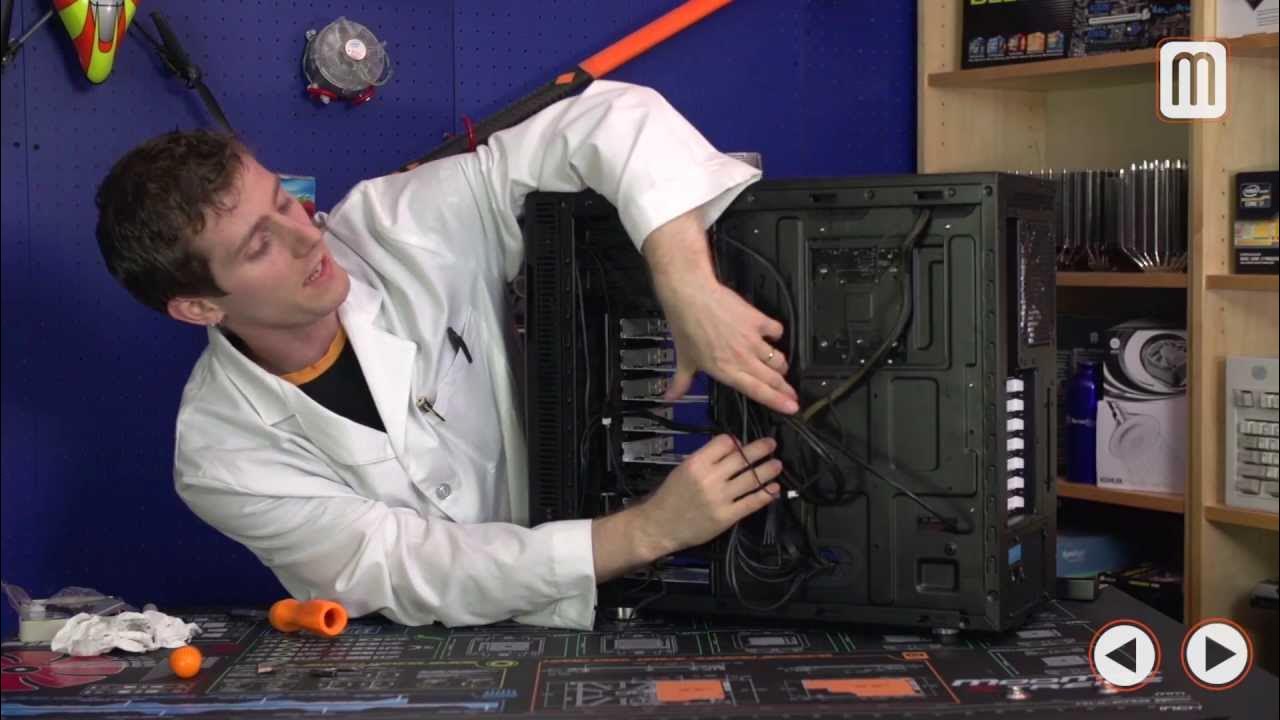
This video presents an enhanced, silence-optimized gaming and light workstation PC build with a target budget of $2000. The host explains that this system prioritizes well-rounded performance, not just raw gaming power, by selecting components that balance cooling, acoustics, and efficiency. The CPU chosen is the Intel Core i7 4770K, an unlocked Haswell part with hyperthreading, aimed at improving video editing and 3D tasks while still delivering solid gaming performance. The motherboard is the ASUS Sabertooth Z87, selected for its robust features, thermal armor, and a five-year warranty, which aligns with the goal of a long-lasting silent desktop. A single GeForce GTX 780 takes center stage for strong CUDA performance and quiet operation, avoiding the heat and power penalties of a dual-GPU setup. Storage combines a fast Intel 520 Series 240GB SSD with a large WD Green 3TB hard drive to provide fast boot/app load times and ample capacity with low noise. The power supply is a semi-modular 550W unit from CIC, chosen for low noise and efficiency, complemented by the Dark Rock 2 air cooler to keep temperatures in check without liquid cooling. The Define R4 case from Fractal Design provides sound dampening and flexible airflow, enabling a clean, quiet build with tidy cable management that remains accessible for upgrades. Peripherals are carefully selected to match the build’s purpose, including a high-quality Razer mouse, Filco keyboard, BayerDynamic headphones, and an ASUS ProArt monitor to deliver accurate color and a good viewing experience for creative work.
Topics · pc-hardware · computers · technology · gaming-pc · silence-optimized · workstation
Questions answered
- What is the target budget and the primary design goal of this build?
- The target budget is $2000, and the design goal is a well-rounded gaming and light workstation PC that is silent, efficient, and reliable.
- Why was the GTX 780 chosen over dual GPUs or a Quadro option?
- A single GTX 780 delivers strong gaming performance with quiet operation and good CUDA support for creative workloads, while avoiding extra heat, power use, and potential SLI micro-stutters of a dual-GPU setup.
- What cooling solution is used and why?
- An air cooling solution, specifically the Be Quiet Dark Rock 2, is used to keep temperatures low and maintain silence without the complexity and potential leaks of liquid cooling.
- What storage configuration is recommended in this build?
- A fast Intel 520 Series 240GB SSD is used for the OS and key apps, combined with a large 3TB WD Green HDD for mass storage, offering a balance of speed and capacity.
- How is cable management achieved in this build?
- The build emphasizes meticulous cable routing, modular power cables, and the use of cable ties and a case with good back-panel space to keep wires tidy and airflow unobstructed.
- What performance improvements were observed in testing?
- Cinebench shows more than a 25% performance improvement with overclocking, while idle and load power efficiencies are highlighted by Haswell's low power states, keeping total draw around 400 watts under load in a 465-watt wall scenario.
- What personality or style choices are highlighted for peripherals and monitor?
- Peripherals include a premium mouse, a Cherry MX Brown keyboard, a SteelSeries mousepad, BayerDynamic headphones, and an ASUS ProArt monitor chosen for color accuracy and a better editing/viewing experience.
- Is there a recommendation for future updates or versions of this guide?
- Yes, viewers express interest in a 2016 version or updated builds to reflect newer hardware and evolving use cases.