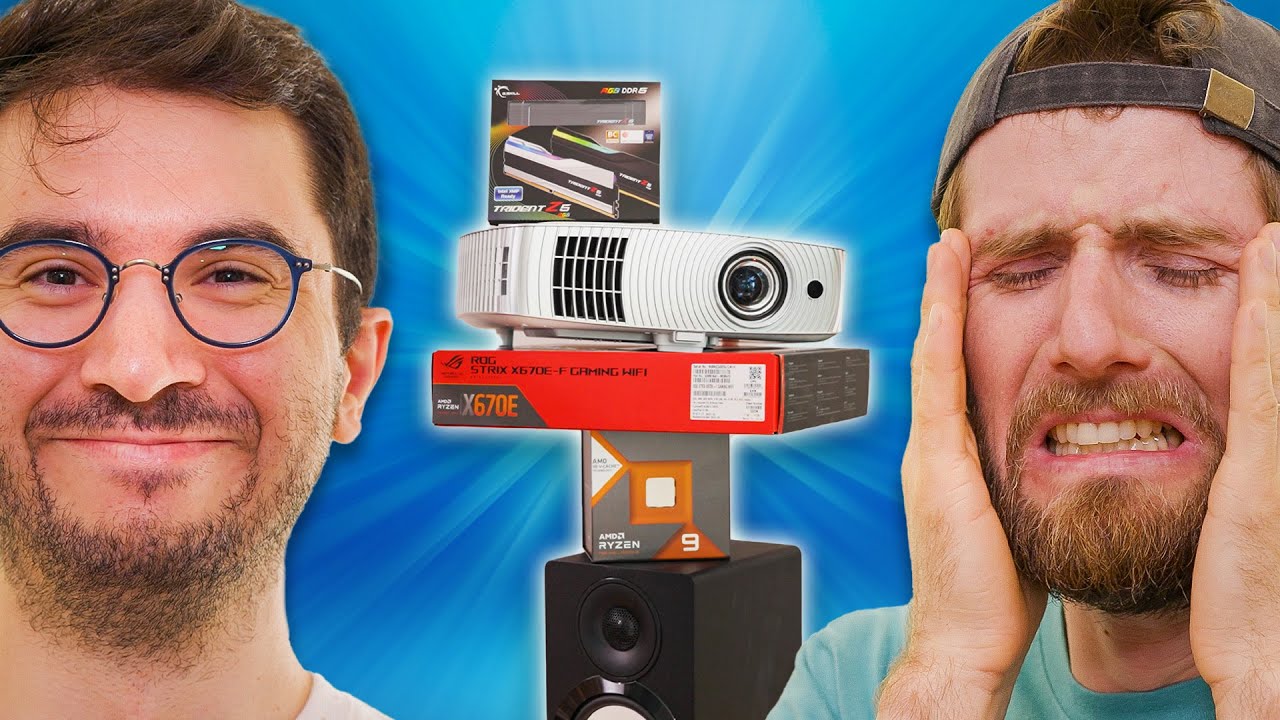
I was told this was simple - AMD $5,000 Ultimate Tech Upgrade
0 up · 0 down · 0 ratings
Description
Thanks to AMD for sponsoring this series!
Check out AMD's new offering using the link below: lmg.gg We are back again with the newest episode of AMD Ultimate Tech Upgrade! This time we are with one of our editors and meme lord extraordinaire, A.Prime. This one one was supposed to be to be a simple and straightforward upgrade. But that might've been a lie.
Check out some of AMD’s latest products: AMD Ryzen 9 7950X3D CPU: geni.us AMD Ryzen 9 7800X3D CPU: geni.us AMD Ryzen 7 7700X CPU: geni.us XFX Speedster MERC310 AMD Radeon RX 7900XT GPU: geni.us PowerColor Red Devil AMD Radeon RX 7900XTX: geni.us
Promos
Check Out the Products from A.Prime’s Ultimate Upgrade! Thanks AMD! lmg.gg Purchases made through some store links may provide some compensation to Linus Media Group. ► GET MERCH: lttstore.com ► GET EXCLUSIVE CONTENT ON FLOATPLANE: lmg.gg ► SPONSORS, AFFILIATES, AND PARTNERS: lmg.gg ► EQUIPMENT WE USE TO FILM LTT: lmg.gg ► OUR WAN PODCAST GEAR: lmg.gg FOLLOW US --------------------------------------------------- Twitter: twitter.com Facebook: @LinusTech Instagram: @linustech TikTok: @linustech Twitch: twitch.tv MUSIC CREDIT --------------------------------------------------- Intro: Laszlo - Supernova Video Link: youtube.com iTunes Download Link: itunes.apple.com Artist Link: soundcloud.com Outro: Approaching Nirvana - Sugar High Video Link: youtube.com Listen on Spotify: spoti.fi Artist Link: youtube.com Intro animation by MBarek Abdelwassaa @mbarek_abdel Monitor And Keyboard by vadimmihalkevich / CC BY 4.0 geni.us Mechanical RGB Keyboard by BigBrotherECE / CC BY 4.0 geni.us Mouse Gamer free Model By Oscar Creativo / CC BY 4.0 geni.us CHAPTERS --------------------------------------------------- 0:00 Intro 0:52 GIVEAWAY! 1:12 Let's get started 2:35 The PC 6:24 The cavalry is here! 8:04 Back to the PC 10:52 Projector screen progress 11:44 BOOT UP 12:55 Projector screen progress, again 13:28 PC is working? 13:51 The screen is finally on! 14:28 Drillin Time 16:24 TV Setup 17:43 Outro
The video chronicles a high-energy, over-the-top AMD Ultimate Tech Upgrade that quickly spirals from a supposedly simple workstation refresh into a full home theater and PC overhaul. The host announces a giveaway tied to AMD sponsorship and then dives into the project by planning a ceiling-mounted projector screen in a bedroom, while also attempting to mount a second TV. Along the way, the team encounters practical challenges like door interference, limited wall space, and the need to ceiling-mount the screen, which adds complexity to what was framed as a straightforward upgrade. The segment captures a mix of planning, improvisation, and problem solving as the crew inches toward a working display and a functional PC setup that blends entertainment with productivity. The narrative emphasizes hands-on trial and error, with several humorous missteps, unexpected issues, and improvised fixes that reflect the chaotic, large-scale nature of the upgrade. By the end, there is a sense of accomplishment as the PC boots, the projector screen becomes usable, and the overall upgrade achieves a dramatic transformation despite the hurdles. The episode leans into the entertaining aspect of ambitious builds, underscoring that even sponsored tech upgrades can become a multi-faceted, learning-heavy process with tangible outcomes and clear lessons for viewers. The second segment focuses on the PC build at the office, where the team explores using a Ryzen 9 7950X3D in a new case while keeping other components similar. They deal with M.2 carrier cards and PCIe lane limitations, discovering that mounting decisions and SATA drive configurations can drastically affect bootability and drive detection. The crew debates hardware choices, addresses cable management, and wrestles with a non-functional HBA card that complicates storage expansion. These elements illustrate the complexity of balancing performance goals with motherboard and slot constraints, while also highlighting practical debugging steps like BIOS resets and RAM tuning attempts. The discussion moves from storage to the audiovisual upgrade, building toward a cohesive, multi-device setup that blends computing power with media presentation capabilities. Throughout, the tone remains pragmatic yet playful as the team tests, rejects, and iterates on several configurations to reach a bootable, stable system. In the third focal block, the team advances the audiovisual integration, coordinating with a “cavalry” of helpers to mount the projector screen and align it with the bedroom layout. They encounter additional mechanical challenges, including ceiling stud locations and the need to mock up a clean cable path, while debating the best mounting strategy to achieve a centered, aesthetically pleasing display. The dialogue reveals a blend of confidence and doubt about the mounting plan, with improvised fasteners and temporary solutions giving way to more permanent fixes as the project progresses. After several attempts, they achieve a functional project display and begin tidying cable runs to minimize visual clutter, signaling a turning point from trial to a more polished final setup. The episode closes this segment with optimism about finishing touches and ensuring the new media experience integrates smoothly with the rest of the upgrade. The final stretch returns to the broader philosophy of the AMD Ultimate Tech Upgrade series, reinforcing the premise that a $5,000 budget can unlock a surprising breadth of capabilities, from high-end CPUs to immersive home theater components. The crew reflects on the challenges of coordinating multiple devices, the psychology of ambitious builds, and the practical lessons learned about space planning, load management, and component compatibility. The narrative reinforces that even complicated projects can yield satisfying results when teams collaborate, iterate, and adjust expectations. Viewers are left with a sense of accomplishment from seeing a chaotic plan coalesce into a usable, visually striking setup, along with notes about the importance of testing early and documenting the process for future upgrades. The episode invites further exploration of AMD’s latest products and similar upgrade adventures in upcoming installments, while underscoring the educational and entertainment value of hands-on hardware exploration.
Topics · technology · entertainment · lifestyle · home theater · hardware_review · diy · pc_building
Questions answered
- What CPU is being installed in the office PC upgrade in this episode?
- The build centers on the Ryzen 9 7950X3D with DDR5 memory in a new case.
- Why is the projector screen mounted on the ceiling instead of the wall?
- The door interferes with wall mounting, so the screen must be ceiling-mounted to fit the space.
- What storage configuration challenges do they encounter?
- The team runs into PCIe lane limitations and a problematic HBA card that prevents all SSDs from being detected, leading to reconfigurations and BIOS considerations.
- What is the main premise of the AMD Ultimate Tech Upgrade series?
- With a $5,000 budget, the series aims to upgrade multiple tech components, often in a humorous, iterative process that blends PC performance with home theater upgrades.