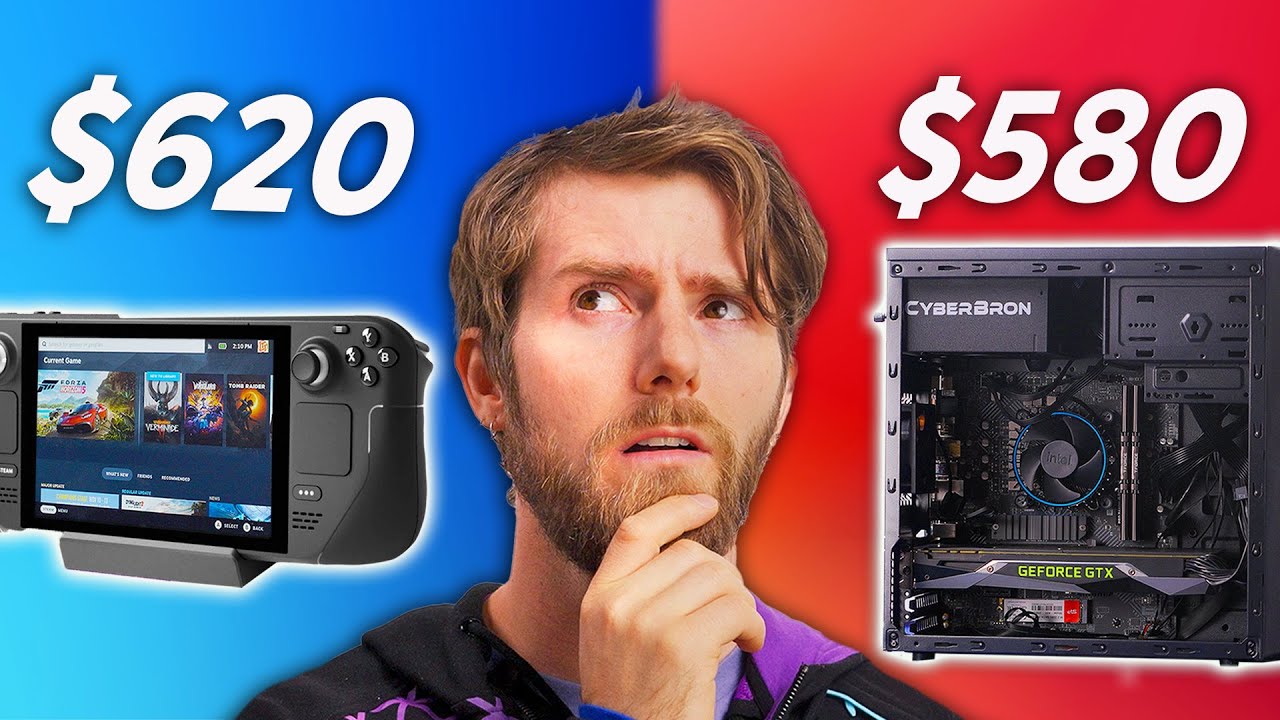
We Built a PC for the Price of a Steam Deck!
0 up · 0 down · 0 ratings
Promos
Thanks Jackery for sponsoring today's video! Save up to $1,080 during their Black Friday Sales from Nov 24th to Nov 28th! Also, stay tuned for Jackery's Crazy Monday sweepstake with prizes worth $250,000 in total in Jackery Livestream on Nov 28th, 2:30PM PST! Every order placed during the Black Friday Sales will get a chance to win A TRAVEL TRAILER! Amazon: amzn.to Website: bit.ly Discuss on the forum: linustechtips.com Buy a GTX 1070: geni.us Buy an Intel Core i3 12100F: geni.us Buy a 256GB Steam Deck: lmg.gg Buy an MSI PRO B660M-G mATX Motherboard: geni.us Buy a kit of Silicon Power Gaming DDR4 16GB: geni.us Buy a Silicon Power A55 256 M.2 SSD: geni.us Buy a Cougar MG130-G mATX Case: geni.us Enermax CYBERBRON 500 W 80+ Bronze PSU: geni.us Buy an Acer V226HQL 21.5" Monitor: geni.us Buy a Verbatim Slimline Keyboard and Mouse: geni.us Purchases made through some store links may provide some compensation to Linus Media Group. ► GET MERCH: lttstore.com ► SUPPORT US ON FLOATPLANE: floatplane.com ► AFFILIATES, SPONSORS & REFERRALS: lmg.gg ► PODCAST GEAR: lmg.gg FOLLOW US --------------------------------------------------- Twitter: twitter.com Facebook: @LinusTech Instagram: @linustech TikTok: @linustech Twitch: twitch.tv MUSIC CREDIT --------------------------------------------------- Intro: Laszlo - Supernova Video Link: youtube.com iTunes Download Link: itunes.apple.com Artist Link: soundcloud.com Outro: Approaching Nirvana - Sugar High Video Link: youtube.com Listen on Spotify: spoti.fi Artist Link: youtube.com Intro animation by MBarek Abdelwassaa @mbarek_abdel Monitor And Keyboard by vadimmihalkevich / CC BY 4.0 geni.us Mechanical RGB Keyboard by BigBrotherECE / CC BY 4.0 geni.us Mouse Gamer free Model By Oscar Creativo / CC BY 4.0 geni.us CHAPTERS --------------------------------------------------- 0:00 Steam Deck vs. PC Build for the same price, who will win? 0:13 Rules on everything 1:44 PC Parts Used (Links in the description ;) ) 3:26 Powering on 5:19 How about a gaming laptop at the same price? 7:14 Trying out the gaming laptop 9:30 Steam Deck benchmarks 10:12 Cons of the Steam Deck 11:12 Steam Deck Dock
This video investigates whether you can build a desktop-grade PC for the same price as a Steam Deck, using a mix of new and secondhand components to stretch the budget while maintaining a usable system. The host frames the challenge clearly: pick a budget equivalent to that Steam Deck model, assemble a complete gaming desktop including monitor, keyboard, and mouse, and then pit it against a 256 GB Steam Deck with updates and a best-available gaming laptop around the same price. Early on, the plan involves pairing a mostly new build with a Core i3-12100F, 16 GB RAM, and a 256 GB SATA SSD, while hunting for a GTX 1070 to stay within budget. The video emphasizes the tradeoffs of cost versus upgradeability, including the reality that the SATA SSD and PCIe layout constrain certain configurations, but the team still aims for a solid 1080p gaming experience. By testing in real-world scenarios, they explore how close a budget desktop can come to the Steam Deck in both performance and portability, while noting the relative advantages of each approach. As the build is brought to life, the team openly discusses compromises, such as using a secondhand GTX 1070 and accepting a bulkier chassis to keep costs down. They highlight the processor’s four cores as a surprising match for Steam Deck-level performance, and they acknowledge the practical limits of a budget case and cooling. The lack of audio initially becomes a budgeting hiccup, resolved by adding affordable peripherals, and the crew confirms the system is usable for everyday tasks beyond gaming. They celebrate the fact that most parts are new with warranty, which preserves upgrade paths and peace of mind, even if some components were repurposed to fit the price target. The segment closes with a peer comparison to a Dell G5 15 laptop found on eBay, noting it offers Windows licensing and slightly lower FPS but remains a viable portable alternative within the same budget spectrum. In performance testing, the computer attains near 60 FPS in many AAA titles at 1080p on a 22-inch monitor, while still delivering a full desktop experience for tasks like web browsing and video editing. The video also evaluates the Steam Deck Dock, turning the handheld into a desktop workstation with external display, USB, and network options, and discusses the tradeoffs in portability versus a full setup. They experiment with desktop mode versus handheld use, showing how the Steam Deck can serve as a compact base, albeit with some quirks and occasional software hiccups. The host concludes that while a brand-new desktop at this price cannot outperform a top-tier notebook or a Steam Deck in every scenario, it demonstrates compelling value through upgradeability, a larger screen, and a traditional PC experience. Ultimately, Valve’s Steam Deck and the budget desktop both have distinct strengths, and the best choice depends on priorities like portability, game compatibility, and the desire for a familiar PC ecosystem.
Topics · technology · hardware · computing · consumer-electronics · product-comparison · pc-builds
Questions answered
- What was the core budget constraint used in the build, and which CPU did they choose?
- The build used a budget roughly equivalent to the Steam Deck price and selected a Core i3-12100F for the desktop.
- How did the GTX 1070 factor into the final configuration?
- A secondhand GTX 1070 was chosen to keep performance up while staying within the budget, avoiding a more expensive new GPU.
- What role does the Steam Deck Dock play in the test?
- The Steam Deck Dock is tested as a way to convert the handheld into a desktop setup with external display and peripherals, evaluating its practicality and limitations.
- Did they consider Windows licensing in their cost calculations?
- Yes, they noted that Windows licensing was not included in the build budget and discussed the practical implications of using Windows without a license.