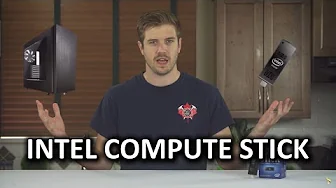
The Tiniest Windows Computer Yet! - Intel Compute Stick
0 up · 0 down · 0 ratings
Channels and socials
The Compute Stick from Intel is awesomely small, but is it also just generally AWESOME? Luke gives us the run down! Freshbooks link: linustechtips.com Pricing & discussion: linustechtips.com Support us: linustechtips.com Join our community forum: bit.ly twitter.com @LinusTech Intro Screen Music Credit: Title: Laszlo - Supernova Video Link: youtube.com iTunes Download Link: itunes.apple.com Artist Link: soundcloud.com Outro Screen Music Credit: Approaching Nirvana - Sugar High youtube.com
The video opens by contrasting a traditional full-size desktop tower with a compact HDMI stick, the Intel Compute Stick, to set the premise that smaller devices can be powerful enough for everyday computing. The host explains the device is essentially a Windows 8.1 computer on a stick, powered by an Intel Atom Z375F processor and Intel HD graphics, with 802.11 BGN Wi Fi and Bluetooth 4.0. He notes the first model ships with Windows 8.1 and Bing, includes a micro SD slot, USB 2.0 port, HDMI 1.4A output, and a micro USB power input, and emphasizes portability with travel adapters for different regions. Size-wise, the Compute Stick is described as larger than a typical USB stick, roughly four sticks stacked, and it is designed to be usable almost anywhere a computer is needed, from hotel rooms to classrooms. The presenter discusses practical uses such as digital signage, simple office tasks with the Microsoft Office suite, and scenarios where you want a personal computer without carrying a full laptop. He acknowledges that gaming is limited due to single-stream Wi Fi and overall performance, suggesting basic titles for best results. The host also highlights versatile application possibilities including travel, emergency backup, library patron access, and presentations, while noting competition from other small form factor devices like Chromecast competitors and Nvidia Shield. The video concludes with a call to action to subscribe, support via affiliate links, and hints at future content about portable displays, while reinforcing that the Compute Stick offers a unique Windows-on-a-stick experience with a price and feature set that may suit particular use cases like travel or quick hotel setup.
Topics · technology · hardware · consumer_electronics · product_reviews · portable_computing
Questions answered
- What are the key hardware specifications of the Intel Compute Stick in this video?
- The Compute Stick uses an Intel Atom Z375F processor, Intel HD graphics, 802.11 BGN Wi Fi, Bluetooth 4.0, a micro SD card slot, a USB 2.0 port, HDMI 1.4A, and a micro USB power input.
- What are the main use cases suggested for the Compute Stick?
- Use cases include digital signage, simple office tasks with Microsoft Office, travel or hotel room setups, presentations, school or library use, and as an emergency or portable backup computer. Gaming is described as limited due to Wi Fi performance and overall hardware capability.
- Which version of Windows is bundled on the first model, and what is a notable software feature?
- The first model comes with Windows 8.1 with Bing, providing a familiar Windows experience in a compact form factor.