ULTIMATE Build a Better $1500 Gaming PC Computer "How To" Guide
0 up · 0 down · 0 ratings
Channels and socials
The ULTIMATE $1500 Intel gaming PC build guide has landed. Enjoy! This video build guide was sponsored by Intel. Specs List: Intel Core i5 3570K CPU Intel 300 Series 180GB SSD MSI Z77A-G45 motherboard MSI GeForce GTX 660 Ti Power Edition Seagate Barracuda 3TB hard drive Corsair Vengeance 16GB DDR3 RAM Corsair GS700 power supply Corsair H100i Corsair SP Quiet fans Corsair Vengeance 1300 headset Corsair M65 gaming mouse Cooler Master CM Storm Scout II case CM Storm Quickfire Pro keyboard Join our community forum: bit.ly twitter.com @LinusTech Music by Adhesive Wombat used with permission.
Check out his work here: youtube.com
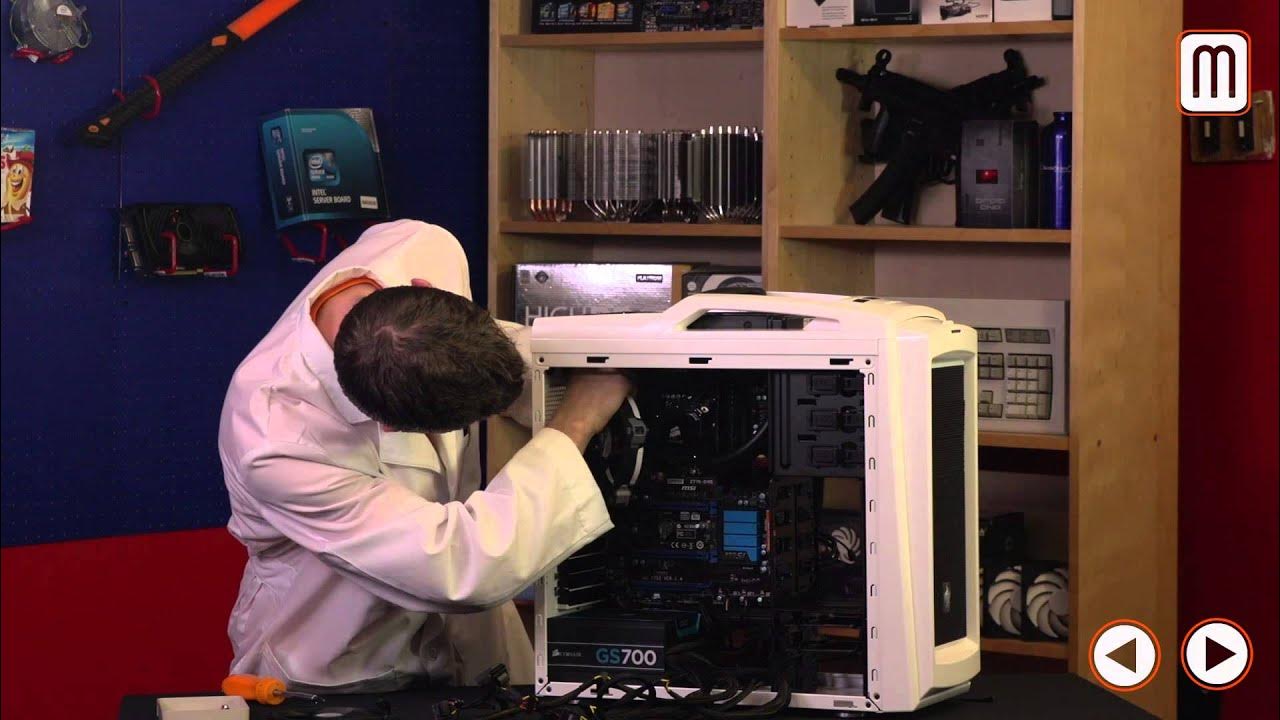
Linus Tech Tips presents a comprehensive, hands-on guide to building a high-performance gaming PC for around $1500, sponsored by Intel. The host sets the frame early by explaining that the goal is to maximize performance without unnecessary compromises or flashy overspending, and he promises a thorough, step-by-step build process with Windows 8 as the operating system in focus. He uses a simple Pi analogy to explain the system balance: the CPU acts as the crust that supports the rest of the build, while the GPU is the filling that delivers the gaming experience and visuals. The discussion moves into hardware selection, detailing a Core i5 3570K for overclocking headroom, an MSI GeForce GTX 660 Ti Power Edition, and a Z77 motherboard that enables overclocking and flexible GPU upgrades through SLI/CrossFire support. The video then walks through critical cooling and power choices, including a Corsair H100i liquid cooler, SP120 quiet fans, and a Corsair GS700 power supply with a modular, color-changeable aesthetic. Storage strategy blends a modest 180GB Intel 300 Series SSD for boot and key apps with a 3TB Seagate drive for mass storage to balance speed and capacity. Peripherals are chosen to complement Windows 8 touch interactions, with a 10-point multi-touch Acer monitor, Corsair Vengeance RAM, a Corsair headset, a mechanical CM Storm Quickfire Pro keyboard, and a Corsair M65 mouse, all coordinated with a Cooler Master Scout II case for durability and portability. The host emphasizes the role of cable management, case layout, and thoughtful mounting to ensure airflow and a tidy build that looks as good as it performs. The build process itself is presented in stages, starting from unboxing and bench testing, through mounting the motherboard with nine standoffs, installing the CPU, memory, and stock cooler, and then upgrading to the H100i for aggressive overclocking. With the power supply installed and key motherboard connectors connected, the video demonstrates boot testing and initial POST checks to verify basic functionality before proceeding to a full assembly. The guide then covers intricate assembly details such as optimizing front panel connectors, USB headers, front audio, power and HDD LEDs, and cable routing, all while using the case’s built-in cable management to keep things tidy. Finally, the host completes the build by installing the graphics card, routing PCIe power, and integrating fans and drives, culminating in a powered-on system and a quick run-through of post-build stability tests and software setup to ensure peak performance, Windows 8 optimization, and driver utility installation. The video closes with reflections on the nostalgia factor of early PC builds, the importance of testing hardware for stability, and the enduring value of a well-documented, teachable build process that remains informative even years after its original release.
Topics · hardware · pc_build · tutorial · how_to · technology · gaming_pc · windows_os
Questions answered
- What is the target budget and overall goal of this build guide?
- Around $1500 for the tower, aiming to maximize performance without unnecessary compromises while maintaining a balanced, upgrade-friendly system.
- Which CPU and GPU are chosen for overclocking potential in this build?
- Intel Core i5-3570K and Nvidia GeForce GTX 660 Ti Power Edition are used to provide solid overclocking headroom and strong gaming performance.
- What storage configuration is recommended and why?
- An 180GB Intel 300 Series SSD for boot and key apps paired with a 3TB Seagate drive for mass storage to balance speed and capacity.
- What cooling solution is used for overclocking, and what are key setup tips?
- Corsair Hydro Series H100i liquid cooler with Corsair SP120 Quiet Edition fans; ensure proper radiator mounting, fan orientation, and connect fans through Corsair Link for monitoring.
- How are cable management and case features leveraged in the build?
- The Cooler Master Scout II case and built-in cable management are used to route and tidy cables, reduce clutter, and improve airflow while keeping a clean aesthetic.
- What are important steps when mounting the motherboard and powering up for the first POST?
- Install nine motherboard standoffs, mount the IO shield, align and secure the motherboard, then connect essential power and data cables to verify POST using a test boot.
- Which peripherals are included to complement Windows 8 touch experience?
- A touch-enabled Acer monitor, a Corsair Vengeance headset, a CM Storm Quickfire Pro keyboard with mechanical switches, and a Corsair M65 mouse.
- What software utilities are suggested for testing stability after build?
- CPUZ for clock verification, Prime 95 for stress testing, RealTemp GT for temperature checks, MSI Afterburner and Combuster for GPU monitoring, MemTest86 for memory testing, and Windows optimization utilities.