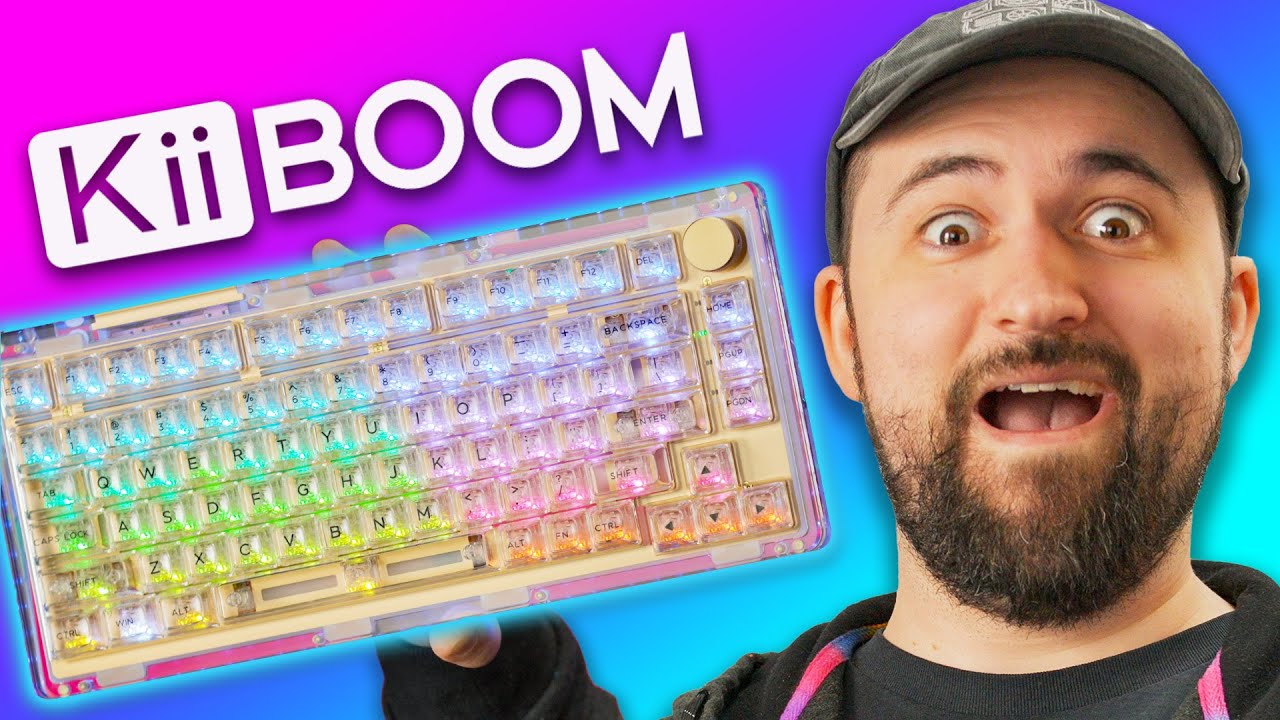
We're fighting over who gets to keep this - KiiBoom Phantom 81
0 up · 0 down · 0 ratings
Promos
Get 69% off any of XSplit’s video tools. Use code LINUS at lmg.gg Transparent tech has been a staple for 90's kids for over 30 years now (yeah, we're old) so the recent resurgence of clear casings makes sense, but does it actually make a product good? Plouffe is here to
check out the new KiiBoom Phantom 81 mechanical keyboard to see if it lives past its flashy presentation. Buy a KiiBoom Phantom 81 Mechanical Keyboard: geni.us Purchases made through some store links may provide some compensation to Linus Media Group. Want us to unbox something? Make a suggestion at lmg.gg ► GET MERCH: lttstore.com ► LTX 2023 TICKETS AVAILABLE NOW: lmg.gg ► GET EXCLUSIVE CONTENT ON FLOATPLANE: lmg.gg ► SPONSORS, AFFILIATES, AND PARTNERS: lmg.gg ► PRODUCTS WE USE ON THE SHORTCIRCUIT SET: lmg.gg FOLLOW US ELSEWHERE --------------------------------------------------- Twitter: twitter.com Instagram: @shortcircuityt TikTok: @linustech Facebook: @ShortCircuitYT CHAPTERS --------------------------------------------------- 0:00 Bring back transparent Tech 0:29 Unboxing 1:18 Design and build quality impressions 4:16 Sponsor - XSplit 4:53 A minor gripe 5:53 Typing test and impressions 6:47 Checking out the RGB modes 10:27 Taking out a switch and mod options 11:45 Pricing and overall thoughts 13:25 Outro
The video centers on the KiiBoom Phantom 81, a transparent acrylic mechanical keyboard that arrives fully assembled. The host highlights the strong build feel and substantial weight, noting the inclusion of wireless options such as Bluetooth, USB-C, and a 2.4 GHz dongle, plus a 4000 mAh battery that enables all‑day wireless use. The unboxing portion focuses on the design details: the clear case, the ring of LEDs around the PCB, and the per‑switch RGB lighting that looks diffused and vibrant. A key talking point is the hardware’s premium touches like the magnetized USB dongle, the embossed logo on the plate, and the attention to lighting diffusion versus the common issue of seeing individual LEDs. The host then tests the typing experience with Crystal switches, comments on the audible stabilizers, and examines the keycap feel, noting the slightly sticky feel of the clear caps but overall solid ergonomics. The review shifts to RGB modes, with a demonstration of 19 built‑in effects, brightness and speed controls, and a critique that the brightness affects only the switch RGB rather than the bottom LEDs. Finally the host discusses a foam option inside the chassis, the ease of disassembly, and pricing, concluding that the Phantom 81 offers a compelling blend of aesthetics, build quality, and wireless versatility at a reasonable USD price point, with alternative colors available if you don’t want full transparency.
Topics · technology · gadget · hardware · unboxing · peripherals · keyboard
Questions answered
- What are the key connectivity options of the KiiBoom Phantom 81?
- The Phantom 81 offers USB‑C wired connectivity, Bluetooth wireless, and a 2.4 GHz dongle option for a flexible multi‑mode setup.
- How many RGB modes does the keyboard have and can you adjust brightness easily?
- It has 19 built‑in RGB modes, with controls for brightness and speed; brightness primarily affects the per‑switch RGB illumination.