NVIDIA Geforce Surround Gaming Setup Guide Linus Tech Tips
0 up · 0 down · 0 ratings
Description
You'll need SLI graphics cards, 3 DVI monitors, and the latest drivers from NVIDIA.
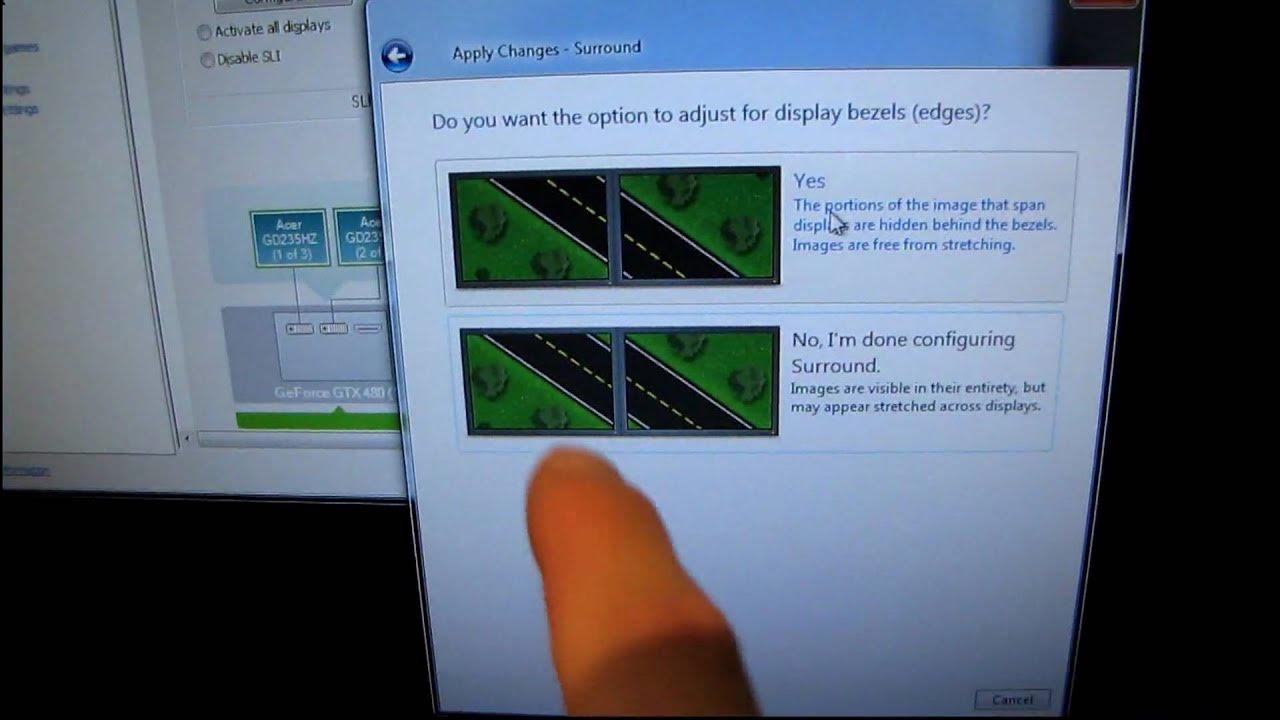
This video serves as a practical follow up to Linus Tech Tips' guide on Nvidia GeForce drivers, focusing on configuring a three-monitor surround setup using 3D Vision Surround. The presenter walks through the essential hardware requirements, including three 120 Hz monitors and two Nvidia graphics cards, along with Nvidia active shutter glasses and an IR emitter, and emphasizes installing the latest beta drivers available at the time. He then demonstrates how to enable surround in the Nvidia control panel, specifically using the new surround option in the SLI configuration and how to span displays across all monitors. The walkthrough covers rearranging the monitors with the identify tool, aligning the three displays to match their physical layout, and applying the configuration to ensure a seamless desktop experience. A key portion of the guide delves into bezel correction, explaining how to adjust for display bezels to improve game visuals and reduce gaps between screens. The presenter tests and discusses two bezel options: one that lines up the displays and another that leaves a visible gap, sharing his personal preference while noting that either option can be suitable depending on the setup. Finally, the tutorial demonstrates creating a custom resolution to compensate for bezel width, explaining how the added width affects desktop usage and gameplay, and showing the impact on coordinating a seamless stereoscopic experience across all monitors. The result is a practical blueprint for enthusiasts to achieve multi-monitor surround gaming, with clear steps from driver setup to final bezel adjustments and resolution tuning. The video emphasizes that while the configuration can enhance gaming immersion, it may present desktop usability tradeoffs due to the altered resolution, making it best suited for dedicated gaming setups rather than everyday productivity.
Topics · technology · hardware · gaming · tutorials
Questions answered
- Welke hardware heeft Linus nodig voor surround gaming met drie monitoren?
- Drie 120 Hz monitors, twee GeForce grafische kaarten, Nvidia actieve shutterbrillen en een IR- emitter, plus de nieuwste bèta drivers.
- Hoe configureert de Nvidia control panel Surround?
- Activeer Surround in het SLI-configuratiepaneel, span de displays, identificeer en rangschik de monitoren, en pas bezel-correctie aan via de Road-beellijnopties voordat je een aangepaste resolutie creëert.