Cougar 6XR9BB Gaming Computer Case Unboxing & First Look Linus Tech Tips
0 up · 0 down · 0 ratings
Description
ncix.com Cougar has some pretty cool products on the market right now in the power supply & case categories. I already looked at the SX850 power supply, and now I'm checking out their latest gaming case.
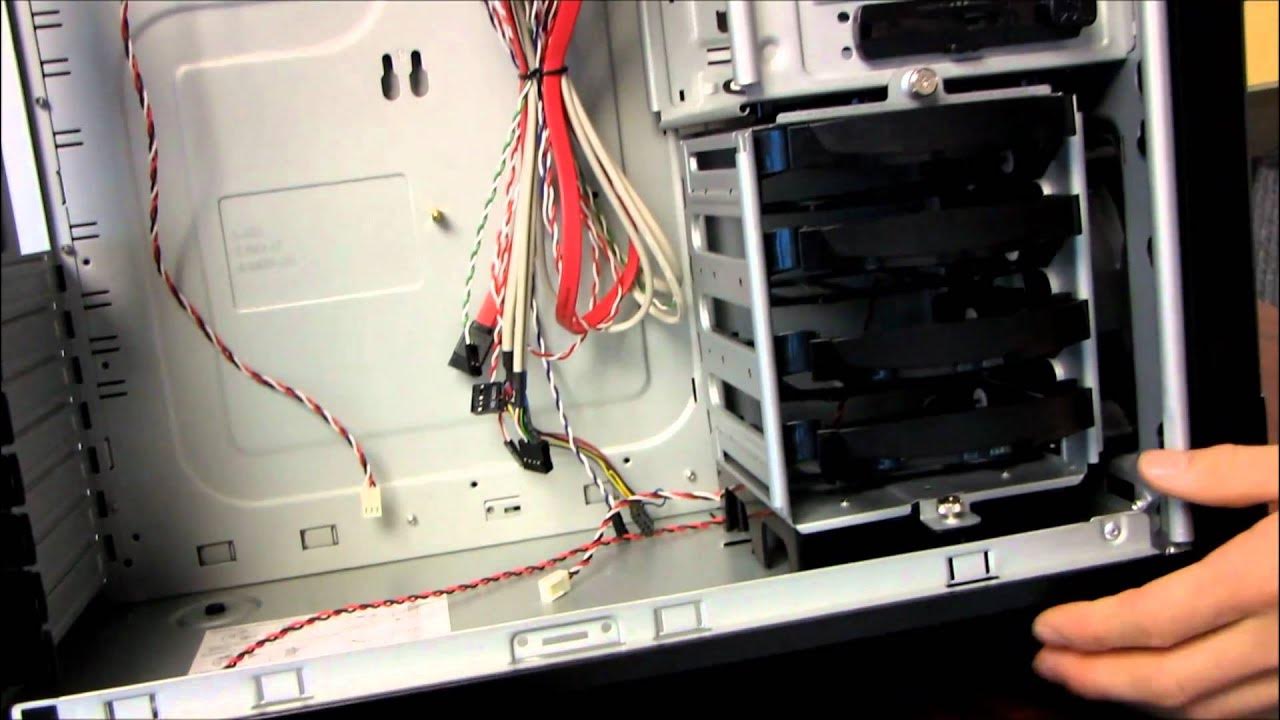
The video provides a thorough unboxing and first look at the Cougar 6XR9BB gaming computer case from Linus Tech Tips. The presenter begins by describing the packaging and protective materials, noting the double-walled box and foam cushioning intended to keep the chassis in pristine condition during shipping. He then inspects the front panel, highlighting the six 5.25 inch drive bays with removable metal covers and the bottom filtered 120 mm fan mount. A key focus is the front bezel’s clean, stylish look with brushed metal and chrome accents, along with practical features such as a front lock for preventing tampering with drives, and the available ports including power, reset, USB 2.0, front audio, and an eSATA jack. The unboxing continues with an overview of the case’s interior layout, including the tool-free drive mounting system for 3.5 and 2.5 inch drives, the potential to remove the 3.5 inch cage for longer graphics cards, and the inclusion of an additional 5.25 to 3.5 bay adapter for legacy devices. Throughout, the host compares the Cougar design to established chassis aesthetics like Cooler Master’s Stacker 830 and discusses airflow planning, noting the bottom-front to top exhaust strategy and the option to add more fans. The overall impression is positive, with remarks on the build quality, the hidden cable routing benefits of a non-windowed panel, and the front panel’s tactile hardware feel, concluding that the appearance earns a favorable rating and that the included hardware and mounting options cover a broad range of builds. In the latter portion, the presenter walks through the internal layout and drive mounting mechanisms in detail, demonstrating how the 5.25 to 3.5 inch bay adapter can be used to support various drives and how tool-free PCI slots operate. He notes the dual role of internal cables and the single included 120 mm front fan, while acknowledging the absence of a rear exhaust fan and suggesting potential airflow improvements by adding a top 140 mm fan. The segment wraps with a recap of the included mounting hardware for motherboard components, electrical connectors, and storage, and a closing call-to-action inviting viewers to subscribe to Linus Tech Tips for more unboxings and reviews. Overall, the video blends practical hardware observations with design commentary, giving builders a detailed first impression of the Cougar 6XR9BB and its fit for midrange to enthusiast builds.
Topics · technology · hardware · pc-building · chassis
Questions answered
- What storage mounting options does the Cougar 6XR9BB offer and how are drives installed?
- The case provides four 3.5-inch drive bays and mounting points for 2.5-inch SSDs. It uses tool-free mounting mechanisms for the 2.5-inch drives and a removable 3.5-inch drive cage, allowing easy installation and potentially more space for longer graphics cards.
- What front panel ports and features are included on the Cougar 6XR9BB?
- The front panel includes a power and reset switch, two USB 2.0 ports, front audio, an eSATA port, and a front lock to secure the drives from tampering.