My network is bigger than yours ;)
0 up · 0 down · 0 ratings
Description
We have a TON of infrastructure and networking upgrades in the pipeline, but the first step was to both upgrade and correct some serious flaws in our networking. As is, a single failure could bring down our entire network for all three buildings. Today we fix that by building out a redundant high availability core switching setup with the help of Dell EMC's S5232F-ON 32 Port 100G switches, and a bunch of gear from FlexOptix, InfiniteCables, Ubiquiti, and Hammond Manufacturing! Watch on Floatplane.com! lmg.gg Discuss on the forum: linustechtips.com
Check out Dell EMC Networking Equipment! lmg.gg - Buy a Dell EMC S5232F-ON Network Switch: geni.us
Promos
Check out the Hammond Manufacturing H1 Series of Data Center Rack/Cabinets: lmg.gg Buy RackStuds at lttstore.com!: lmg.gg Buy FLEXOPTIX Universal Networking Gear: - 100G QSFP28 DAC Cable: lmg.gg - Universal Transceivers: lmg.gg - FLEXBOX Transceiver & DAC Programmer: lmg.gg Buy InfiniteCables Gear: - Ultra-Thin CAT6a Ethernet Patch Cables: lmg.gg - Bulk CAT Ethernet Cable: lmg.gg - 24 Port Patch Panels: lmg.gg - Single Mode Fiber Cables: lmg.gg - Multi Mode Fiber Cables: lmg.gg Buy Ubiquiti UniFi Gear: - Enterprise 48 PoE Network Switch: lmg.gg - Pro 48 PoE Network Switch: lmg.gg - Enterprise XG 24 Network Switch: lmg.gg - CloudKey Enterprise: lmg.gg - Protect NVR Video Recorder: lmg.gg - Protect Security Cameras: lmg.gg - WiFi 6E Access Points: lmg.gg Buy a MikroTik 100G Network Switch: lmg.gg Purchases made through some store links may provide some compensation to Linus Media Group. ► GET MERCH: lttstore.com ► GET EXCLUSIVE CONTENT ON FLOATPLANE: lmg.gg ► SPONSORS, AFFILIATES, AND PARTNERS: lmg.gg ► EQUIPMENT WE USE TO FILM LTT: lmg.gg ► OUR WAN PODCAST GEAR: lmg.gg FOLLOW US --------------------------------------------------- Twitter: twitter.com Facebook: @LinusTech Instagram: @linustech TikTok: @linustech Twitch: twitch.tv MUSIC CREDIT --------------------------------------------------- Intro: Laszlo - Supernova Video Link: youtube.com iTunes Download Link: itunes.apple.com Artist Link: soundcloud.com Outro: Approaching Nirvana - Sugar High Video Link: youtube.com Listen on Spotify: spoti.fi Artist Link: youtube.com Intro animation by MBarek Abdelwassaa @mbarek_abdel Monitor And Keyboard by vadimmihalkevich / CC BY 4.0 geni.us Mechanical RGB Keyboard by BigBrotherECE / CC BY 4.0 geni.us Mouse Gamer free Model By Oscar Creativo / CC BY 4.0 geni.us CHAPTERS --------------------------------------------------- 0:00 Intro 1:23 Our network is OP now! 3:16 New rack! 7:40 The plan 8:36 Dell S5232F-ON 100G network switches 10:55 "All we're doing is adding a couple switches" 11:49 Sorry Gary! 11:53 Completely changing the plan 15:01 Dan & Shawn lab update 15:23 PAIN 15:38 Linus reminiscing about poor decisions 16:10 Dan & Shawn lab update 2 16:24 Linus & Jake make spaget 22:42 The new lab rack is almost done 23:27 The internet finally works again! 26:10 How it works
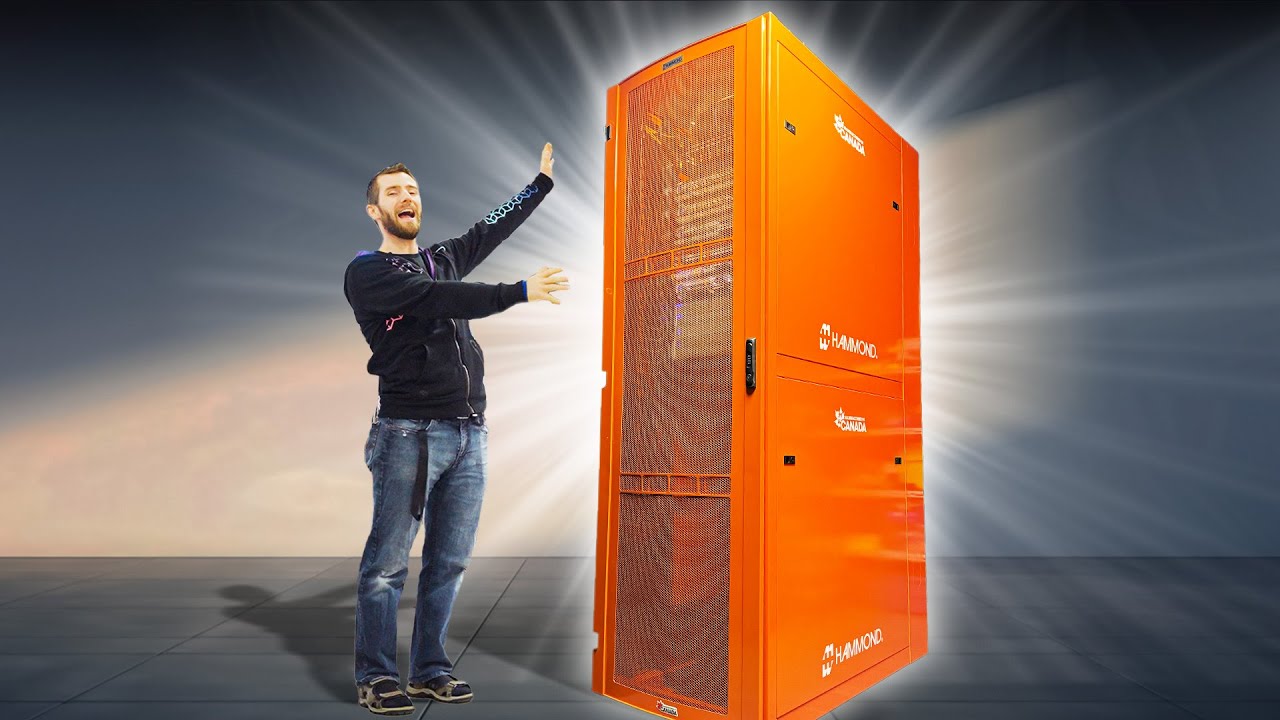
The video opens by establishing the scale of the current network, highlighting the impressive 48 ports of 25 gig networking for editors and ingest stations, plus 100 gig uplinks to servers. The hosts immediately frame the problem: a single failing switch could cascade outages across all three buildings, affecting the studio, lab, and Creator Warehouse. They outline the mission to remove this single point of failure by introducing a redundant, high availability core switching setup using Dell EMC S5232F-ON 100G switches, along with gear from FlexOptix, InfiniteCables, Ubiquiti, and Hammond Manufacturing. The tone blends technical enthusiasm with humor as they describe the plan to implement resiliency and redundancy to the network, including dual switches and redundant power supplies. As they prepare the physical upgrade, they move a large, custom-painted orange rack into the mix, debating fit and logistics and planning how to rehouse equipment for optimal airflow and maintenance. The team catalogs their approach to a staged migration, carefully documenting the physical rack installation, patch panels, and the decision to relocate some gear to the lab side to maximize efficiency and accessibility. The dialogue shifts toward the feature set of the Dell switches, emphasizing that they support rapid failover that keeps traffic flowing even if a component fails, and that they plan to use them as core routers in a two-building, multi-router architecture. The hosts reveal a broader long-term vision that includes redundant internet connections and synchronized routing between buildings via OSPF or BGP, leveraging open source firewall capabilities and enterprise-grade gear to achieve robust, multi-path networking. They discuss practical learning moments from past builds, celebrate the progress with tangible visible improvements, and acknowledge the ongoing work required to manage cabling spaghetti and ensure clean, maintainable setups. In the final section, they highlight the successful deployment of VLANs and patching, confirm Wi-Fi readiness with Ubiquiti gear, and reflect on how the new infrastructure will simplify management and upgrades going forward, while also joking about the occasional chaos that always accompanies major lab overhauls. The video closes with a celebratory tone about achieving significant progress, with the team outlining the next steps to complete the move, tighten cabling, and confirm that the network can handle core routing and redundancy, signaling a strong upgrade trajectory for the entire operation.
Topics · technology · infrastructure · networking · datacenter
Questions answered
- What is the purpose of adding redundant core switches in this network upgrade?
- The redundant core switches provide high availability so that a single switch failure does not take down the entire network across all buildings, ensuring continuous access and resilience.
- What does VLT mean in the context of their Dell switches?
- VLT, or virtual link trunking, is a feature that allows multiple switches to appear as a single logical link, enabling redundant paths between switches so traffic can route around failures and maintain connectivity.