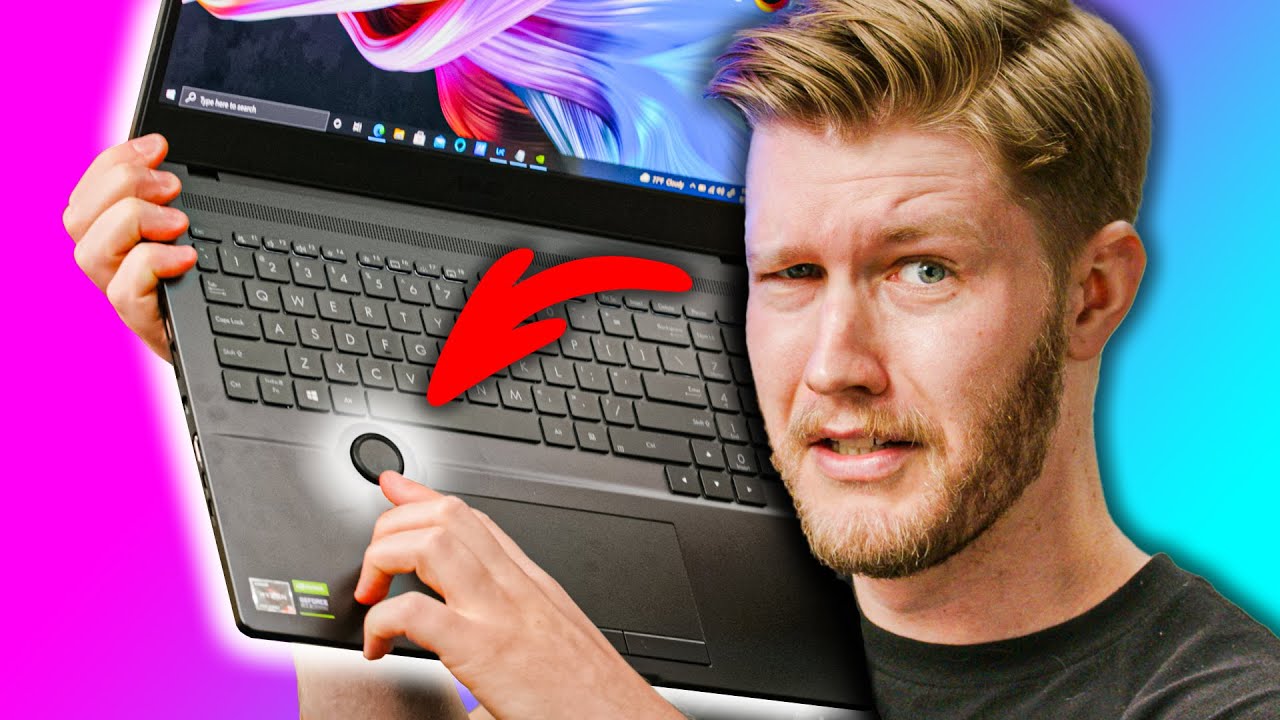
Every Laptop Should Have A Knob! - ASUS Zenbook UX5400 & ProArt H5600
0 up · 0 down · 0 ratings
Promos
Get $25 off all pairs using offer code shortcircuit at vessi.com ASUS sent us two laptops; the ASUS Zenbook UX5400 for everyday work needs and the ASUS ProArt H5600 for the creators out there. The ProArt is rather interesting with a rotary knob, which honestly is something we hope we see more in the future!
Check out the ASUS Zenbook 14X at lmg.gg Buy ASUS ProArt Studiobook H5600 On B&H (Paid Link): geni.us Purchases made through some store links may provide some compensation to Linus Media Group. ►GET MERCH: lttstore.com ►SUPPORT US ON FLOATPLANE: floatplane.com ►LTX EXPO: ltxexpo.com AFFILIATES & REFERRALS --------------------------------------------------- ►Affiliates, Sponsors & Referrals: lmg.gg ►Check out our podcast gear: kit.co ►Private Internet Access VPN: lmg.gg ►Our Official Charging Partner Anker: lmg.gg ►Secretlabs Gaming Chairs: lmg.gg ►MK Keyboards: lmg.gg ►Nerd or Die Stream Overlays: lmg.gg ►Green Man Gaming lmg.gg ►Amazon Prime: lmg.gg ►Audible Free Trial: lmg.gg ►Our Gear on Amazon: lmg.gg FOLLOW US ELSEWHERE --------------------------------------------------- Twitter: twitter.com Instagram: @shortcircuityt Facebook: @ShortCircuitYT FOLLOW OUR OTHER CHANNELS --------------------------------------------------- Linus Tech Tips: lmg.gg TechLinked: lmg.gg Mac Address: lmg.gg Techquickie: lmg.gg LMG Clips: lmg.gg Channel Super Fun: lmg.gg Carpool Critics: lmg.gg CHAPTERS --------------------------------------------------- 0:00 - Intro 0:20 - ASUS Zenbook UX5400 unboxing 0:50 - Zenbook UX5400 impressions 1:59 - ASUS ProArt H5600 unboxing 2:31 - ProArt H5600 impressions 3:33 - Sponsor - Vessi Footwear 3:58 - Trying out the ProArt H5600 4:46 - Trying out the Zenbook UX5400 8:41 - UX5400 specs 9:36 - H5600 display 10:03 - H5600 keyboard and trackpad placement 11:03 - H5600 specs 12:26 - Audio Test - Crab Rave! 15:02 - ASUS Zenbook final thoughts 16:45 - H5600 final thoughts
The video opens with a double unboxing and first impressions of two ASUS laptops, the Zenbook UX5400 and the ProArt H5600. The host notes the Zenbook is a compact 14 inch machine aimed at everyday productivity and acknowledges it isn’t as powerful as hoped, while the ProArt H5600 is framed as a creator-focused workstation with a distinctive rotary knob. The Zenbook arrives with a simple, stylish aluminum chassis and a generous trackpad, but the initial IO layout includes a mix of microSD, Thunderbolt, HDMI, and USB-A ports that users might rely on. The unboxing sequence emphasizes build quality and input comfort, setting up expectations for performance, display quality, and port availability. Early observations mention palm rejection considerations due to the trackpad’s unusual shape and layout, foreshadowing later usability tests. The segment ends by previewing the ProArt H5600’s unique knob feature and how it could reshape workflow for photo and video editors.
Topics · laptops · hardware-review · technology · creators hardware
Questions answered
- What is the key differentiator of the ProArt H5600 compared to the Zenbook UX5400?
- The ProArt H5600 features a rotary knob (knob wheel) designed for direct hardware control in editing workflows, whereas the Zenbook UX5400 focuses on general productivity with standard inputs and a traditional keyboard/trackpad setup.
- Does the ProArt H5600 have a touch screen on the display?
- No, the ProArt H5600 display is not touch-enabled in this configuration, as observed in the review.