Luke's Software Discoveries #1: Puush - Screenshots Simplified
0 up · 0 down · 0 ratings
Channels and socials
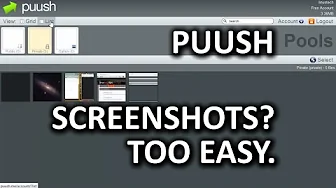
In the first episode of "Luke's Software Discoveries" Luke introduces us to Puush - a program that makes uploading and storing screenshots extraordinarily easy. Sponsor link: linustechtips.com Pricing & discussion: linustechtips.com Support us: linustechtips.com Join our community forum: bit.ly twitter.com @LinusTech Intro Screen Music Credit: Adhesive Wombat -
Check out his channel here: youtube.com Outro Screen Music Credit: Approaching Nirvana - Sugar High youtube.com
Luke begins by recalling his long-time frustration with the traditional screenshot workflow, highlighting how the Snipping Tool cut the process from a seven-step ordeal to a shorter one, and how Puush promises to further streamline this routine. He demonstrates Puush across platforms, noting a quick install and the need to register on the Puush website, after which many capture actions become available with simple keyboard bindings. The video walks through Puush’s core features: full screen capture, current window capture, and area selection capture, each enabling easy sharing of screenshots, plus the ability to upload files up to 20 MB for free users and to play media back in-browser if needed. Luke also explains Puush’s clipboard integration, where a pressed hotkey copies the generated link to the clipboard so a Ctrl+V pastes the URL directly into any target, and mentions the optional archiving behavior where files may be removed after a period of inactivity for free accounts. He touches on practical considerations such as local backups, account privacy settings, and the default private folder structure, while acknowledging that Puush is not the only option and suggesting alternatives like Shutter for Linux, Tiny Grab for aesthetics, and other image sharing tools found on img.com/apps. The close invites viewers to share their own preferred image sharing services, encourages engagement through the forum and comments, and reinforces the idea that Puush is a strong choice among several options depending on user needs and platform constraints.
Topics · technology · software · how-to · review · workflow
Questions answered
- What features does Puush offer for capturing and sharing screenshots?
- Puush provides full-screen, window, and area capture, along with file uploads up to 20 MB for free users, in-browser media playback, and clipboard integration to copy the shareable link for easy pasting.