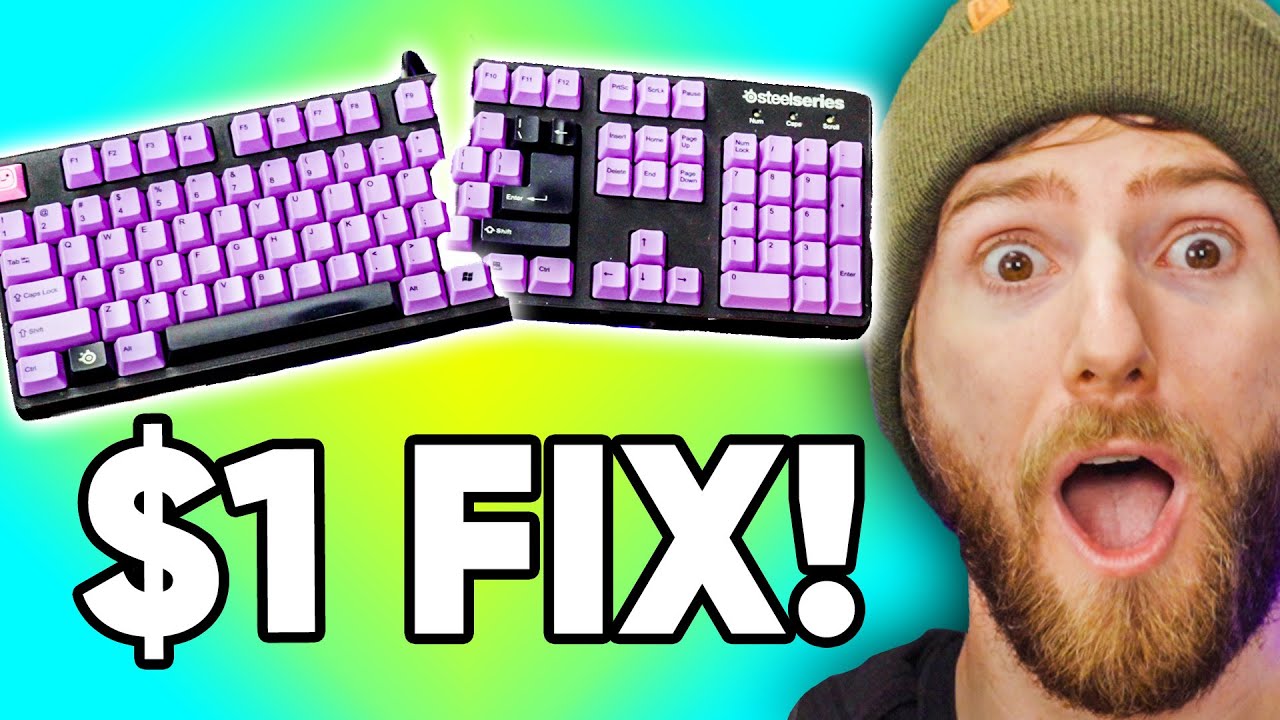
Fixing my Wife’s $150 Keyboard for $1
0 up · 0 down · 0 ratings
Promos
Check out NZXT BLD today at: nzxt.co Get 10% off all Jackery products with code LinusTechTips at jackery.com Repairing your old hardware isn’t as hard as you may think – with some basic electronics tools and a bit of patience you can keep your gear running for years and years. In this video we’re showing you how to replace a faulty keyboard switch in Yvonne’s aging keyboard. Buy Cherry MX Black Switches B On Amazon: geni.us On Newegg: geni.us On B&H: geni.us Buy SteelSeries Keyboards On Amazon: geni.us On Best Buy: geni.us On Newegg: geni.us Buy Hakko 888D Soldering Iron On Amazon: geni.us On Newegg: geni.us Buy USB Microscope On Amazon: geni.us On Best Buy: geni.us On Newegg: geni.us Buy Fluke Multimeter On Amazon: geni.us On Newegg: geni.us Purchases made through some store links may provide some compensation to Linus Media Group. QMK's Keyboard Tester - config.qmk.fm Discuss on the forum: linustechtips.com ►GET MERCH: lttstore.com ►SUPPORT US ON FLOATPLANE: floatplane.com ►LTX EXPO: ltxexpo.com AFFILIATES & REFERRALS --------------------------------------------------- ►Affiliates, Sponsors & Referrals: lmg.gg ►Our WAN Show & Podcast Gear: lmg.gg ►Private Internet Access VPN: lmg.gg ►Our Official Charging Partner Anker: lmg.gg ►Secretlabs Gaming Chairs: lmg.gg ►MK Keyboards: lmg.gg ►Nerd or Die Stream Overlays: lmg.gg ►Green Man Gaming lmg.gg ►Amazon Prime: lmg.gg ►Audible Free Trial: lmg.gg ►Our Gear on Amazon: geni.us FOLLOW US ELSEWHERE --------------------------------------------------- Twitter: twitter.com Facebook: @LinusTech Instagram: @linustech Twitch: twitch.tv FOLLOW OUR OTHER CHANNELS --------------------------------------------------- Mac Address: lmg.gg Techquickie: lmg.gg TechLinked: lmg.gg ShortCircuit: lmg.gg LMG Clips: lmg.gg Channel Super Fun: lmg.gg They're Just Movies: lmg.gg MUSIC CREDIT --------------------------------------------------- Title: Laszlo - Supernova Video Link: youtube.com iTunes Download Link: itunes.apple.com Artist Link: soundcloud.com Outro Screen Music Credit: Approaching Nirvana - Sugar High youtube.com Intro animation by MBarek Abdelwassaa @mbarek_abdel Monitor And Keyboard by vadimmihalkevich / CC BY 4.0 geni.us Mechanical RGB Keyboard by BigBrotherECE / CC BY 4.0 geni.us Mouse Gamer free Model By Oscar Creativo / CC BY 4.0 geni.us CHAPTERS --------------------------------------------------- 0:00 Intro 0:52 Harp Linus Revealed 1:34 Frosted Tips Linus 2:11 Then and Now 2:46 Keyboard Tester 4:56 Disassembly 5:12 NSFLungs 7:50 Switch Removal 9:22 Morse Code 9:49 New Switch Install 11:29 Soldering and Re-install 12:58 Big Reveal
This video walks through repairing a long-serving SteelSeries mechanical keyboard owned by Linus’s wife, showing that you can fix a seemingly simple problem without buying a new keyboard. The team identifies the E key as the failing switch and confirms that all other keys work via a preliminary tester. They explain the differences between hot-swappable and soldered switches, then assemble a basic repair kit with a soldering iron, wax or flux, wick, and the appropriate screwdrivers. The process includes careful disassembly to avoid damaging the back panel and pins, removing the faulty Cherry MX Black switch, and replacing it with a fresh unit. They emphasize the cost efficiency of the repair, noting that replacing a single switch is substantially cheaper than a new keyboard while preserving the device’s form factor and features like USB passthrough and a cushioned wrist rest. The repair culminates in a test run, followed by a thorough cleaning and reassembly, ending with a practical takeaway about extending hardware lifespans through DIY maintenance. In the middle segment, the hosts discuss the practicalities of the repair including the precise tools required, such as a Hakko 888D soldering station, flux, and flux wick, plus the importance of cleaning flux residue afterward. They demonstrate the nuances of removing and reshaping the little switch stems that are bent by the original assembly, and they compare the physical wear of old Cherry MX switches with brand-new ones from DigiKey. The team also gives practical tips like borrowing a soldering iron from a friend or maker space, avoiding dishwasher cleaning, and the benefits of validating all keys with a tester before and after the swap. The final stretch shows them reinstalling the keyboard, performing a quick functional test, and sharing the achieved results while highlighting the environmental benefit of repairing rather than discarding hardware. The video closes with a lighthearted promotional segment for NZXT BLD and a recap of the positives of repair culture, emphasizing cost savings, reuse, and extended device lifespans. The hosts celebrate the successful switch replacement and reassembly, underscoring that a dollar plus solder and basic tools can yield a keyboard that performs like new for years to come. They invite viewers to explore similar repair-focused content and consider makerspaces as affordable options for learning and performing electronics work, reinforcing a sustainability-minded mindset alongside practical, budget-conscious tech repair skills.
Topics · Technology · HowTo · Repair · DIY · Gadgets · Hardware
Questions answered
- Can a non hot-swappable keyboard still be repaired by replacing a single switch?
- Yes, as shown in the video, you can replace a single soldered switch by desoldering the old switch and soldering in a new one, even if the keyboard does not use hot-swappable sockets.
- What basic tools are required for a switch replacement on a soldered keyboard?
- You need a soldering iron, flux, solder, a solder wick or solder sucker, a small screwdriver, and basic cleaning supplies to remove flux residue after the repair.
- Is replacing a switch cheaper than buying a new keyboard?
- Yes, replacing a single switch can cost around a dollar plus materials, which is far cheaper than purchasing a new keyboard, especially for older models with desirable features.